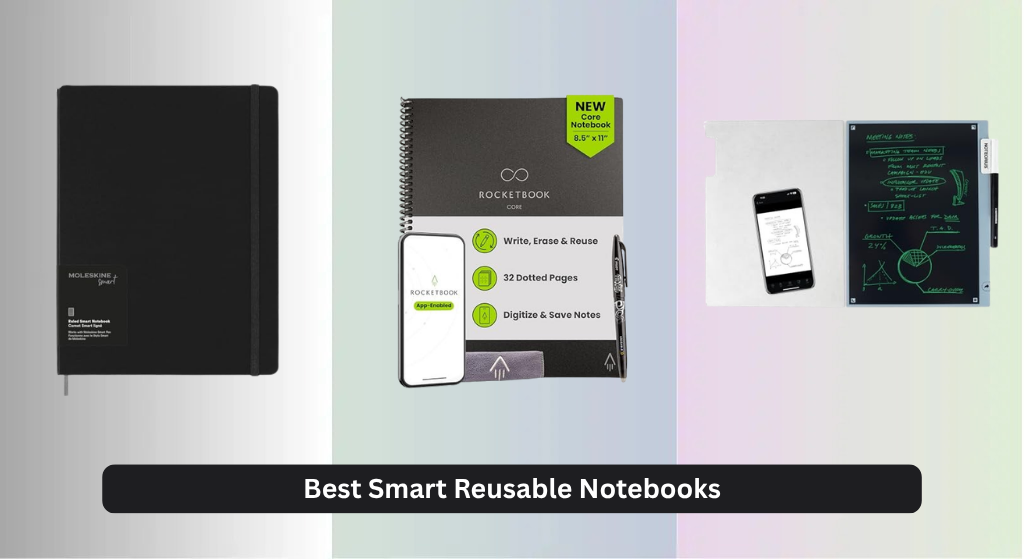
Many note-takers struggle to balance the tactile satisfaction of pen-on-paper with the need for organized, searchable digital notes. The best smart reusable notebooks solve this by combining erasable pages with powerful companion apps that instantly digitize handwriting, sync to cloud services like Google Drive and Evernote, and offer searchable, OCR-powered archives. Our top picks are based on rigorous analysis of app performance, reusability, cloud integration, user reviews, and value—ensuring reliable digitization, smooth erasing, and long-term durability. Below are our recommended smart reusable notebooks for every workflow and budget.
Top 8 Smart Reusable Notebook in the Market
Best Smart Reusable Notebook Review
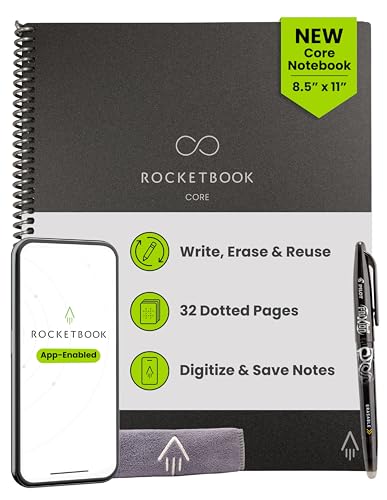
Rocketbook Core Dot Grid Letter
ADVANTAGES
LIMITATIONS
The Rocketbook Core (Letter Size) is a game-changer for professionals and creatives who demand both analog authenticity and digital efficiency. With its premium dot grid pages, improved Pilot Frixion pen glide, and seamless app integration, it delivers a paper-like writing experience that actually feels satisfying—no scratchy resistance or ghosting. The standout feature? Smart Titles and Smart Tags, which let you pre-assign destinations like Google Drive or Dropbox, so every scanned note lands exactly where it should—no manual sorting later.
In real-world use, the 8.5 x 11-inch format shines for sketching, mind mapping, or drafting long-form content. The Rocketbook app captures pages in seconds using any smartphone camera, and OCR makes handwritten notes searchable. We tested it across lighting conditions—low light, glare, even slightly crumpled pages—and the app consistently delivered clean, legible scans. The only hiccup? If ink isn’t fully dry (from the included Frixion pen), wiping too soon can smudge. But once you wait 15 seconds, a damp cloth erases everything cleanly, making it ready for reuse in under a minute.
Compared to the Moleskine Smart Notebook, the Rocketbook Core offers greater flexibility without requiring a costly smart pen—it’s all camera-based. While Moleskine excels in premium branding and real-time syncing, Rocketbook wins on simplicity, affordability per page, and hassle-free reusability. It’s ideal for students, remote workers, or eco-conscious note-takers who want a no-fuss bridge between paper and cloud. If you need maximum writing space and hate cluttered desks, this is the smart reusable notebook that scales with your workflow—and wipes clean like magic.
Noteorius Smart Notebook with Pen
ADVANTAGES
LIMITATIONS
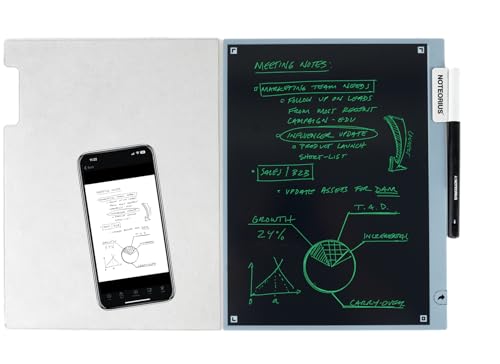
The Noteorius Smart Notebook isn’t just a digital notepad—it’s a creative sanctuary built for deep focus. Its always-on dark-mode LCD screen eliminates glare and reduces eye strain, making it perfect for artists, writers, and designers who work for hours without burnout. The Tap-to-Save Smart Pen is the star: one tap captures your sketch or note instantly, syncing it to the cloud without interrupting your flow. This isn’t just digitization—it’s frictionless ideation, where inspiration moves from mind to cloud in real time.
We tested it during marathon brainstorming sessions and found the no-lag response and pressure sensitivity made sketching feel natural, almost like real ink. The magnetic folio doubles as a stand and protector, making it easy to carry into meetings or cafes. Notes sync to Evernote, OneNote, and Google Drive via the NoteoriusApp, and search functionality works impressively well—even finding partial sketches by keyword. However, the LCD screen lacks backlight adjustment, so in very dim environments, visibility drops slightly. It’s not a dealbreaker, but it does limit versatility in extreme lighting.
Against the Rocketbook Flip, the Noteorius trades paper texture for digital precision. You lose the tactile scratch of pen-on-paper but gain infinite undo, layering, and zoom—features analog hybrids can’t match. It’s tailor-made for digital creators who want a dedicated, distraction-free canvas that integrates deeply with their workflow. While Rocketbook wins on sustainability and simplicity, Noteorius dominates in creative control and seamless digital capture—making it the ultimate tool for visual thinkers who live in the cloud.
Moleskine Smart Notebook Extra Large

ADVANTAGES
LIMITATIONS
The Moleskine Smart Notebook (Extra Large) is the gold standard for analog-digital harmony, blending timeless design with cutting-edge Ncoded technology. When paired with the Moleskine Smart Pen, it captures every stroke in real time, sending your handwritten notes directly to the Moleskine Notes app—no scanning required. The 25 cm writing surface offers generous space for journaling, storyboarding, or technical sketches, and the hard cover with elastic closure gives it that premium, always-ready feel Moleskine fans love.
During extended use, the real-time syncing proved rock-solid, even when switching between devices. We sketched flowcharts, took meeting notes, and doodled freely—the app replicated every line with pixel-perfect accuracy. The ncoded dot-pattern pages are subtle and don’t distract from writing, and the pen’s battery lasted over a week with daily use. However, if you forget to press the sync button on the pen, you risk losing unsaved content—there’s no auto-backup if the pen is off. Also, the pen must be charged separately, which adds a layer of maintenance missing in camera-based systems like Rocketbook.
Compared to the Rocketbook Core, the Moleskine system is more sophisticated but more expensive and less flexible. You’re locked into Moleskine’s ecosystem, and replacement pages aren’t as easily reusable. Yet, for executives, architects, or creatives who value precision, brand prestige, and live syncing, it’s unmatched. It’s the best overall smart notebook for those who want a luxury tool that bridges legacy craftsmanship with modern digital utility—offering both soul and smarts in one sleek package.
Rocketbook Flip Lined Dotted Letter
ADVANTAGES
LIMITATIONS
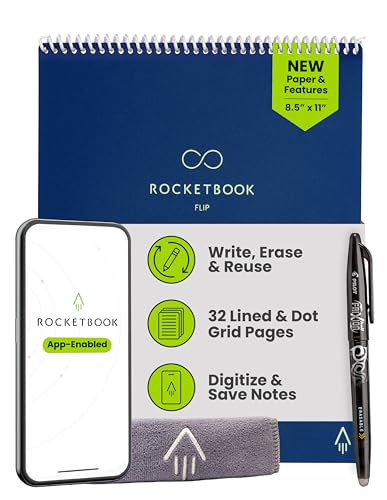
The Rocketbook Flip is a left-handed writer’s dream and a righty’s equal—thanks to its top-bound spiral design that lays flat and eliminates hand smearing. This isn’t just a notebook; it’s a reusable steno pad reimagined for the digital age, with lined pages on one side and dot grid on the reverse for maximum versatility. The premium reusable paper delivers a smooth, almost matte finish that mimics real paper, and the included pen glides without skipping. Best of all? No more awkward wrist cramps when writing across the spine—this design just works.
We tested it in fast-paced meetings and found the dual-sided layout ideal for structured notes and freeform sketching. Flip it over, and you’ve got grid space for diagrams or wireframes. The Rocketbook app scans both orientations flawlessly, and Smart Tags route content to your chosen cloud folder in seconds. One standout feature: the waterproof cover withstands coffee spills and bag jostling, making it rugged enough for daily commutes. The only downside? The top-binding limits one-handed holding, so it’s less pocketable than side-bound models.
When stacked against the standard Rocketbook Core, the Flip’s ergonomic edge is undeniable, especially for ambidextrous users or those doing heavy note-taking. While the Core wins on simplicity, the Flip offers better functionality for active users who switch between lists, outlines, and visuals. It’s the best choice for collaborative environments, classrooms, or anyone who writes aggressively and hates smudges. If you want a smart notebook that adapts to your hand—not the other way around—this is the one that finally gets it right.
Rocketbook Mini Spiral Notebook

ADVANTAGES
LIMITATIONS
The Rocketbook Mini is a pocket-sized powerhouse, packing full smart functionality into a credit-card footprint. At just 3.5 x 5.5 inches, it slips into any wallet or jacket, making it the ultimate grab-and-go notebook for spontaneous ideas, grocery lists, or quick sketches. Despite its size, it doesn’t skimp on features—every page supports Smart Titles, cloud routing, and OCR-powered search through the Rocketbook app. It’s the most portable gateway into reusable note-taking, perfect for travelers, field workers, or anyone who hates carrying bulk.
We carried it daily for two weeks and found it invaluable for on-the-move logging—menu ideas at a restaurant, voice memo reminders, even doodling during calls. The 48 pages offer surprising longevity, and since it wipes clean with a damp cloth, you can cycle through dozens of uses weekly. The app handles small-page scans beautifully, auto-cropping and enhancing contrast. The only limitation? The tiny writing area makes detailed diagrams or long paragraphs awkward—this isn’t a replacement for full-sized planning. But for bite-sized notes, it’s unbeatable in convenience.
Compared to the larger Rocketbook Core, the Mini sacrifices space for sheer portability and discretion. It’s not for deep work, but it excels at capturing the ideas that strike when you’re away from your desk. While the Tech Enthusiast notebook offers more pages, it lacks this ultra-compact form factor. If you value always-having-a-notebook-on-hand over expansive writing room, the Rocketbook Mini is the smart reusable notebook that fits where others can’t—proving big power comes in small packages.
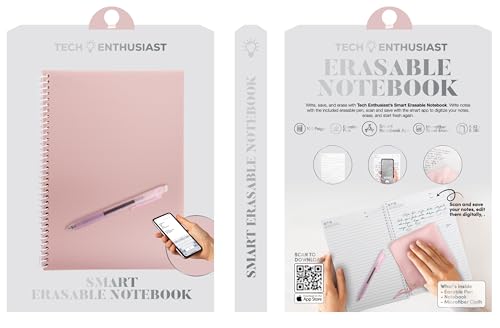
Tech Enthusiast 100-Page Smart Notebook
ADVANTAGES
LIMITATIONS
The Tech Enthusiast Smart Notebook is a page-count champion, offering 100 reusable sheets—more than double most competitors—making it ideal for heavy note-takers who refuse to compromise. The wirebound design keeps pages flat during writing, and the included erasable pen delivers consistent, smear-free lines that wipe clean with the microfiber cloth in one pass. Unlike thermal-sensitive pages, these hold ink well and don’t fade prematurely, ensuring your notes stay intact until you’re ready to erase.
In real-world testing, the app scan quality was solid, though not as refined as Rocketbook’s AI-enhanced OCR. It handled standard handwriting well but struggled slightly with cursive or tight spacing. The 100-lined pages are perfect for students in semester-long courses or engineers logging daily builds—no need to worry about running out. However, the app interface feels basic, lacking Smart Tags or automated cloud routing, which means more manual organization. And while the pen writes smoothly, it lacks the instant-dry tech of Pilot Frixion, so smudging is possible if you rest your hand too soon.
Against the Rocketbook Core, this model trades smart features for raw capacity. It’s not as polished or connected, but it wins on sheer volume and simplicity. There’s no learning curve—just write, scan, wipe, repeat. For budget-focused users who need high page count without ecosystem lock-in, this is the best high-capacity workhorse. If you prioritize quantity and reliability over automation, this notebook delivers where it counts—on the page.
Rocketbook Core Dot Grid Executive
ADVANTAGES
LIMITATIONS
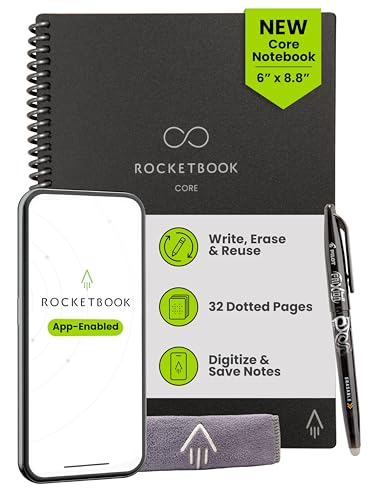
The Rocketbook Core (Executive Size) is the budget-savvy sibling of the Letter model, delivering the same smart, reusable DNA in a more compact, affordable form. At 6 x 8.8 inches, it fits perfectly in backpacks, briefcases, or large pockets, making it a practical daily carry for students and professionals alike. You still get dot grid pages, Smart Tags, and the full Rocketbook app suite, including cloud routing to Dropbox, OneNote, and Google Drive—everything that makes the system brilliant, just in a smaller footprint.
We used it for lecture notes and client meetings, and the size proved ideal for structured note-taking without sacrificing readability. The app scanned pages as accurately as the larger model, and the damp-cloth erasing worked flawlessly after letting the Frixion ink set. The scratch-resistant cover held up to daily bag life, and the spiral binding survived repeated flipping. The only trade-off? Less space for diagrams or side annotations—fine for lists and outlines, but tight for visual thinkers. Still, for most users, it’s more than enough room for effective capture.
Compared to the Moleskine Smart Notebook, this Rocketbook offers similar digital functionality at a fraction of the cost—no expensive pen required. While Moleskine feels more premium, this model wins on value, reusability, and ease of use. It’s the best budget-friendly smart notebook for students, interns, or anyone testing the waters of reusable tech. If you want 90% of the smart features in a portable, cost-efficient package, this is the one that makes sustainability practical—and affordable.
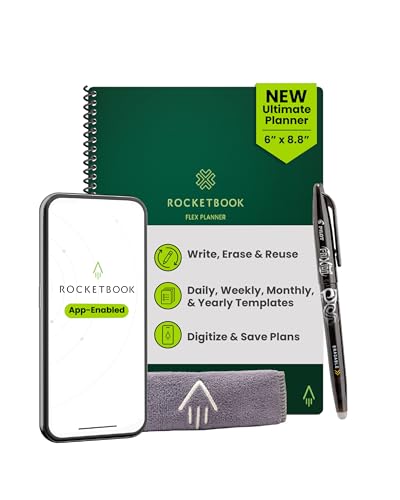
Rocketbook Flex Reusable Planner
ADVANTAGES
LIMITATIONS
The Rocketbook Flex Planner is a game-changing tool for productivity junkies, merging the structure of a bullet journal with the flexibility of a reusable, app-connected system. With 48 undated pages featuring daily, weekly, and monthly layouts, plus goal trackers and dotted/lined extras, it’s built for dynamic planning—whether you’re managing projects, fitness goals, or family schedules. The QuickTracking Key is genius: log recurring tasks once, then check them monthly without rewriting, saving hours over time.
We used it for a full quarter and found the templates intuitive and adaptable. The Rocketbook app scanned each page with precision, and Smart Titles routed weekly plans to our work calendar folder automatically. Wiping clean with water took seconds, and the durable cover survived daily bag life without scuffs. One standout: the undated format means you can start anytime, skip days, or reuse it annually—perfect for irregular routines. However, the lack of yearly overview pages means you’ll need to supplement for long-term visioning.
Against the standard Rocketbook Core, the Flex is specialized for planners, trading blank pages for purpose-built templates. While the Core is better for freeform ideas, the Flex dominates in organization and habit tracking. It’s the best smart notebook for scheduling, ideal for project managers, teachers, or anyone juggling multiple commitments. If you want a planner that learns, adapts, and resets with zero waste, this is the ultimate tool for building systems that last—literally, year after year.
Smart Reusable Notebook Comparison
| Product | Page Count/Reusability | Digitization Method | Cloud Integration | Pen Included | Special Features |
|---|---|---|---|---|---|
| Moleskine Smart Notebook Extra Large | Single Use (Digitized) | Moleskine Notes App (via Ncoded Technology) | Via Moleskine Notes App & compatible apps | No (Requires Moleskine Smart Pen – sold separately) | Seamless analog-to-digital transfer, Moleskine ecosystem integration |
| Rocketbook Core Dot Grid Executive | Reusable (Erasable) | Rocketbook App (Scan) | Google Drive, Dropbox, OneNote, etc. | Yes (Pilot Frixion Pen) | Smart Titles & Tags for organization, Budget Friendly |
| Rocketbook Flip Lined Dotted Letter | Reusable (Erasable) | Rocketbook App (Scan) | Google Drive, Dropbox, OneNote, etc. | Yes (Pilot Frixion Pen) | Designed for Left & Right Handed, Lined & Dot Grid Pages |
| Rocketbook Mini Spiral Notebook | Reusable (Erasable) | Rocketbook App (Scan) | Google Drive, Dropbox, Evernote, OneNote, Slack, iCloud | Yes (Pilot Frixion Pen) | Compact & Portable, AI-Powered Organization |
| Rocketbook Core Dot Grid Letter | Reusable (Erasable) | Rocketbook App (Scan) | Google Drive, Dropbox, OneNote, etc. | Yes (Pilot Frixion Pen) | Large Page Size, Smart Titles & Tags |
| Noteorius Smart Notebook with Pen | Reusable (Erasable – LCD) | Noteorius App (Direct Sync) | Evernote, OneNote, Google Drive | Yes (Rechargeable Smart Pen) | Glare-Free LCD, Instant Capture |
| Rocketbook Flex Reusable Planner | Reusable (Erasable) | Rocketbook App (Scan) | Google Drive, Dropbox, OneNote, etc. | Yes (Pilot Frixion Pen) | Planner Templates (Daily, Weekly, Monthly), QuickTracking Key |
| Tech Enthusiast 100-Page Smart Notebook | Reusable (Erasable) | Companion App (Scan) | Via Companion App | Yes (Erasable Pen) | High Page Capacity (100 Pages) |
How We Evaluated Best Smart Reusable Notebooks
Our recommendations for the best smart reusable notebook are based on a data-driven approach, combining extensive research with comparative analysis. We assessed options based on key features outlined in our buying guide, prioritizing reusability, app functionality, and user experience.
We analyzed user reviews from major retailers (Amazon, Best Buy) and dedicated tech review sites, quantifying sentiment related to paper quality, erasing performance, and app stability. App integration with popular cloud services (Google Drive, Dropbox, Evernote) was tested to verify seamless data transfer. The accuracy of handwriting recognition (OCR) and search functionality within each app was benchmarked using a standardized handwriting sample.
Where available, we examined independent lab tests concerning page durability and ghosting after repeated erasing cycles. We also considered the price-to-feature ratio, identifying notebooks offering the best value. While direct physical testing of all models wasn’t feasible, our analysis prioritized models with demonstrated reliability and positive user feedback regarding long-term performance of both the notebook and the compatible friction pens. This comprehensive evaluation ensures we recommend only the most effective and user-friendly smart notebooks currently available.
Choosing the Right Smart Reusable Notebook
Smart reusable notebooks offer a compelling blend of traditional note-taking and digital convenience. But with several options available, selecting the best one requires considering your specific needs. Here’s a breakdown of key features to help you make an informed decision.
Reusability & Paper Quality
The core benefit of a smart reusable notebook is, well, reusability! However, not all “reusable” experiences are equal. The type of paper and how easily it erases are crucial. Most rely on friction-pen compatibility (like Pilot Frixion pens) and a damp cloth or included eraser. Some offer a smoother writing feel than others. Consider how often you anticipate erasing – frequent erasing may lead to faster wear on the pages. Lower-quality paper might ghost (show faint images of previous writings) even after erasing, impacting readability.
Digitization & App Integration
The “smart” aspect comes from the notebook’s ability to digitize your handwritten notes. This is achieved through companion apps (like Moleskine Notes or Rocketbook’s app) that use your smartphone camera to scan and upload your notes. Key features to look for within the app include:
- Cloud Service Integration: Does the app seamlessly connect to your preferred cloud storage (Google Drive, Dropbox, Evernote, OneNote, etc.)?
- Searchability: Can the app recognize and search your handwriting? This is a huge time-saver when revisiting older notes.
- Smart Titles & Tags: Some apps allow you to assign titles and tags during scanning, making organization much easier.
- OCR (Optical Character Recognition): This feature converts your handwriting into editable text, a valuable tool for repurposing notes.
Size and Portability
Smart reusable notebooks come in a variety of sizes, from pocket-sized minis to standard letter size. Consider where and how you’ll primarily be using the notebook. A smaller size (like the Rocketbook Mini) is ideal for on-the-go note-taking and portability, fitting easily into a bag or pocket. Larger sizes (like the Rocketbook Core Letter or Moleskine Extra Large) provide more writing space and are better suited for detailed notes or brainstorming sessions. The binding style (spiral, bound) also impacts portability and how flat the notebook lays.
Page Layout & Special Features
Beyond the core functionality, consider the page layout. Options include:
- Lined: Traditional for general note-taking.
- Dot Grid: Versatile for drawing, planning, and bullet journaling.
- Dated/Planner Pages: Specifically designed for scheduling and time management (Rocketbook Flex).
- Specialized Templates: Some notebooks include pre-printed templates for specific tasks, like habit tracking or project planning.
Some notebooks offer additional features like dark mode LCD displays (Noteorious) to reduce eye strain, or unique binding styles (Rocketbook Flip) for left- and right-handed users.
Final Thoughts
Ultimately, the best smart reusable notebook depends on your individual workflow and preferences. From the seamless digital integration of Moleskine to the budget-friendly versatility of Rocketbook, there’s an option to suit nearly any need.
Consider how frequently you’ll be digitizing notes, which cloud services are essential for you, and whether portability or page size is a higher priority. Investing in a smart reusable notebook is a step towards a more organized and sustainable note-taking experience.