



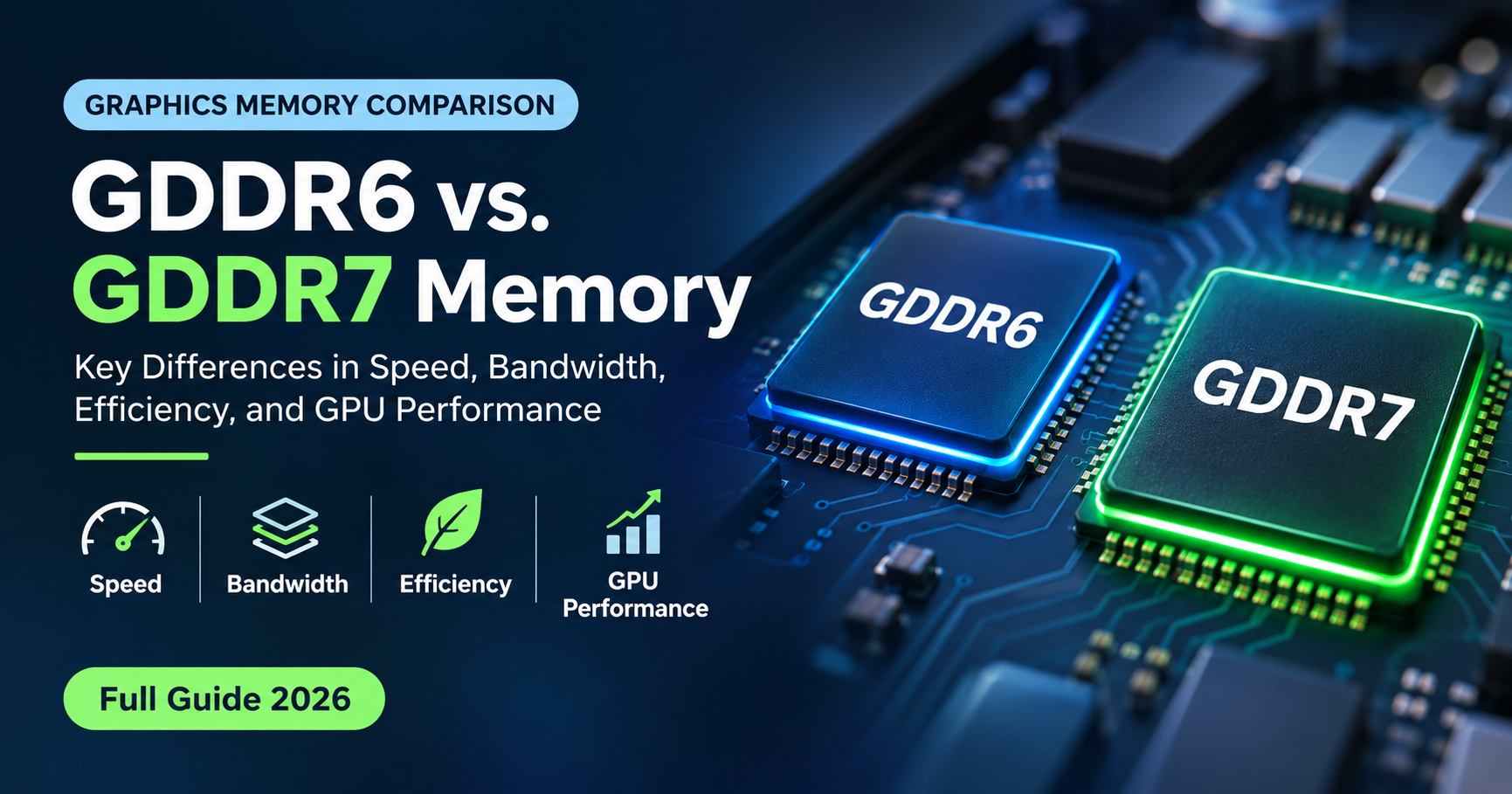
When you shop for a graphics card, the spec sheet lists the GPU, the VRAM size and one more line that most people skip: the memory type. Today that line usually says either GDDR6 or GDDR7. They look almost identical on paper, yet they work very differently inside the card, and the gap shows up in bandwidth, power use, price and even how long a card stays useful.
This guide explains the GDDR6 vs GDDR7 difference in plain language. You will learn how each technology works, what PAM3 signaling is, how much faster GDDR7 really is, which graphics cards use which memory, and when the upgrade is worth paying for.
Quick answer: GDDR6 vs GDDR7
- Speed: GDDR7 launches at 32 Gbps per pin and has a roadmap to 48 Gbps. GDDR6 typically runs at 14–20 Gbps.
- Bandwidth: GDDR7 is specified for up to 192 GB/s per chip, double the roughly 96 GB/s ceiling of GDDR6.
- Technology: GDDR7 switches from NRZ to PAM3 signaling and doubles the channels per chip from two to four.
- Efficiency: GDDR7 runs at 1.1–1.2 V instead of 1.35 V, so it moves more data per watt.
- Price: GDDR6 is cheaper and widely available. GDDR7 costs more and appears mainly on newer, pricier cards.
- Best for: GDDR6 suits budget to mainstream 1080p and 1440p builds. GDDR7 suits 4K gaming, ray tracing, content creation and local AI work.
What Is GDDR Memory?
GDDR stands for Graphics Double Data Rate memory. It is the high-speed VRAM that sits right next to the GPU on a graphics card and holds textures, frame buffers, geometry and, increasingly, AI model data. Your system RAM (DDR4 or DDR5) is built for low latency and flexibility. GDDR is built for raw throughput, feeding thousands of GPU cores with huge amounts of data every second.
Each new GDDR generation raises the speed per pin, trims the voltage and adds features that keep the data reliable at higher speeds. GDDR6 and GDDR7 are the two generations you will meet when buying a card today.
GDDR6 at a Glance
GDDR6 was standardized by JEDEC in 2017 and entered mass production in 2018. It became the backbone of discrete graphics for years, powering mainstream and high-end cards from several vendors. Its defining traits are simple:
- Speeds of roughly 14–20 Gbps per pin in most products, with faster parts reaching about 24 Gbps.
- A 1.35 V operating voltage.
- Classic NRZ signaling, where every clock tick carries one bit on one of two voltage levels.
- Two independent 16-bit channels inside each 32-bit chip.
- Chip densities of 8–16 Gb, which equals 1–2 GB per chip.
GDDR6 is mature, well understood and inexpensive to source. That is why it still appears in a large share of new mainstream and entry-level cards.
You may also see GDDR6X. It is a faster, non-JEDEC cousin that uses PAM4 signaling (four voltage levels) and was used on selected high-end cards. It reaches higher speeds than standard GDDR6 but runs hotter and demands more complex board design.
GDDR7 at a Glance
GDDR7 was published by JEDEC as the JESD239 standard in 2024, with the goal of doubling the performance of GDDR6 while improving efficiency and reliability. Its key changes are:
- PAM3 signaling with three voltage levels, carrying 50% more data per clock cycle than NRZ.
- Higher speeds: 32 Gbps at launch, with the specification scaling toward 48 Gbps.
- Four independent 8-bit channels per 32-bit chip instead of two 16-bit ones.
- Lower voltage: about 1.1–1.2 V, down from 1.35 V.
- Bigger chips: densities from 16 Gb up to 32 Gb, meaning 2–4 GB per chip.
- Better data integrity through on-die error correction and extra reliability features designed to keep PAM3 stable.
GDDR7 debuted on NVIDIA’s RTX 50 series, and the industry expects it to spread across more graphics, gaming and AI products as supply grows.
GDDR6 vs GDDR7: Side-by-Side Comparison
| Feature | GDDR6 | GDDR7 |
|---|---|---|
| Standardized by JEDEC | 2017 (JESD250), in production from 2018 | 2024 (JESD239) |
| Signaling | NRZ (2 levels, 1 bit per symbol) | PAM3 (3 levels, 1.5 bits per symbol) |
| Typical speed per pin | 14–20 Gbps (up to about 24 Gbps) | 32 Gbps at launch, roadmap to 48 Gbps |
| Max bandwidth per chip | About 96 GB/s | Up to 192 GB/s (spec) |
| Channels per 32-bit chip | 2 × 16-bit | 4 × 8-bit |
| Operating voltage | 1.35 V | 1.1–1.2 V |
| Chip density | 8–16 Gb (1–2 GB) | 16–32 Gb (2–4 GB) |
| Reliability features | Basic | On-die ECC and extra data-integrity features |
| Cost | Lower, mature supply | Higher, supply still ramping |
| Typical use | Mainstream and budget GPUs | High-end GPUs, premium mid-range, workstation cards |
The Big Change: PAM3 vs NRZ Signaling
The most important difference is not a clock speed. It is how the data is encoded on the wire. Older GDDR memory used NRZ (non-return-to-zero), which has only two voltage levels, so each symbol carries one bit. GDDR6X pushed further with PAM4, using four levels to carry two bits per symbol, but four levels sit very close together and are hard to keep clean at speed.
PAM3 is the middle road. It uses three voltage levels, and the clever encoding sends three bits across every two symbols. That is 1.5 bits per symbol, a 50% jump over NRZ, while the voltage gaps stay wider than in PAM4. Wider gaps mean a cleaner signal, simpler board design and less power wasted fighting noise.
Four Channels Instead of Two
Every GDDR chip has a 32-bit interface. GDDR6 splits it into two 16-bit channels. GDDR7 splits it into four 8-bit channels. More independent channels allow the memory controller to handle more requests in parallel and keep the chip busier with the scattered, mixed read and write patterns that real games and compute jobs generate. It is a quiet change, but it is a big reason GDDR7 gains more than raw clock speed alone would suggest.
Bandwidth in Real Numbers
Memory bandwidth tells you how much data moves between the GPU and its VRAM each second. You can work it out with a simple formula:
Bandwidth (GB/s) = per-pin speed (Gbps) × bus width (bits) ÷ 8
Per chip, a 32-bit GDDR6 part at 20 Gbps delivers 80 GB/s, while a 32-bit GDDR7 part at 32 Gbps delivers 128 GB/s. At the top of the specification, GDDR7 reaches 192 GB/s per chip.
On a full graphics card the same math scales with the bus width. A 256-bit card using GDDR6 at 20 Gbps reaches 640 GB/s. Put GDDR7 at 32 Gbps on the same 256-bit bus and you reach 1,024 GB/s, roughly one terabyte per second. Retail cards have so far launched mostly at 28–30 Gbps, which is a little below the 32 Gbps headline but still a large step up.
What This Means on Real Graphics Cards
The chart below compares NVIDIA’s previous generation, which used GDDR6 or GDDR6X, with the matching RTX 50 series card that uses GDDR7. The numbers come from each card’s published memory speed and bus width.
Two things stand out. First, the jump is largest at the top: the flagship moves from about 1,008 GB/s to 1,792 GB/s, helped by a much wider 512-bit bus on top of faster memory. Second, even the entry-level step from 288 GB/s to 448 GB/s is substantial, which lets narrow 128-bit cards keep up far better than they could with GDDR6.
Keep in mind that GDDR7 is not on every new card. Some entry-level and AMD models, such as the Radeon RX 9070 series and certain budget cards, still use GDDR6. It remains a perfectly good choice, and the GPU’s overall design matters more than the memory label alone.
Power and Efficiency
GDDR7 operates at a lower voltage than GDDR6 and moves more bits per unit of energy. Combined with PAM3’s cleaner signaling, that means a card can reach a given bandwidth with less waste. This is useful for laptops and compact designs, where every watt matters.
There is a caveat. Manufacturers use the savings to chase higher performance, so a GDDR7 graphics card can still draw a lot of power overall. Think of GDDR7 as better performance per watt, not automatically lower total power.
Capacity: Why Bigger Chips Matter
GDDR7 supports higher chip densities, from 16 Gb to 32 Gb, compared with 8–16 Gb for GDDR6. In practice this makes 3 GB chips possible. A card with a 192-bit bus uses six chips, so 3 GB chips give 18 GB instead of the 12 GB you would get with 2 GB chips. That flexibility lets manufacturers offer more VRAM without making the bus wider, which keeps the GPU cheaper to build.
VRAM size and VRAM speed are separate things. Bandwidth decides how quickly data moves, while capacity decides how much data can stay close to the GPU. Modern games with high-resolution textures and AI models need both.
Does GDDR7 Make Games Faster?
It depends on the game, the resolution and the GPU. Memory bandwidth is one piece of the puzzle, alongside GPU core speed and on-chip cache. Here is how it plays out:
- 1080p: most games are limited by the GPU core, so the difference between GDDR6 and GDDR7 is usually small.
- 1440p: the gap grows, especially in demanding titles and with high refresh rates.
- 4K and ray tracing: textures and effects stress the memory system heavily, so GDDR7 helps more here.
- Content creation: video editing, 3D rendering and large image work move big chunks of data and benefit from the extra bandwidth.
Faster memory can also make a card with a limited VRAM size feel more capable, because data is moved in and out more quickly. It does not replace real capacity, though. A fast card that runs out of VRAM will still stutter.
GDDR7 and Local AI Workloads
If you run large language models or image generators on your own PC, memory bandwidth matters a lot. When a model generates text, the GPU reads its weights from VRAM again and again for every token. That makes generation speed limited mostly by memory bandwidth rather than raw compute.
As a rough ceiling, tokens per second is about the card’s bandwidth divided by the model’s size in memory. An 8 GB quantized model on a 448 GB/s GDDR7 card has a theoretical limit near 56 tokens per second, while the same model on a 1,792 GB/s card could in theory approach 224. Real results are lower because of overhead, but the pattern holds: more bandwidth means faster responses. Capacity still comes first, since a model that does not fit in VRAM cannot run at full speed at all.
Cost and Availability
GDDR6 has been produced for years, so supply is broad and prices are low. GDDR7 is newer, needs more advanced manufacturing and signaling hardware, and is still scaling up across memory makers. That is why it tends to appear on higher-priced cards first. As production expands, the price gap is expected to narrow, and more mainstream products will adopt it.
Which One Should You Choose?
Choose GDDR6 if:
- You play at 1080p or 1440p and want the best value for money.
- You are building on a tight budget.
- You want a proven, widely available card with plenty of review data behind it.
- Your card has enough VRAM for your games and a well-designed GPU matters more to you than the memory label.
Choose GDDR7 if:
- You play at 4K, use high refresh rates, or turn on ray tracing and path tracing.
- You edit video, render 3D scenes or run local AI models.
- You want the longest useful life from a new purchase.
- You care about efficiency in a laptop or small-form-factor system.
Buying tip
Compare the full memory specification, not just the memory type. Check the VRAM size, bus width and memory speed together. A GDDR6 card with a wide bus can out-run a GDDR7 card with a very narrow one, so use the bandwidth formula above to see what you are really getting.
Common Myths About GDDR6 and GDDR7
- “GDDR7 doubles my frame rate.” No. It doubles potential memory bandwidth per chip, but frame rate depends on the whole GPU and the game.
- “GDDR6 is outdated.” Not at all. It remains a strong, cost-effective choice for mainstream gaming.
- “More VRAM speed means I need less VRAM.” Only partly. Speed helps move data around, but a game that needs more memory than your card has will still suffer.
- “GDDR7 is just a faster GDDR6X.” No. It uses different signaling, a different channel layout and an official JEDEC specification.
Frequently Asked Questions
Is GDDR7 always faster than GDDR6?
In bandwidth terms, yes. GDDR7 chips are designed to move at least twice as much data per chip as GDDR6 over their lifetime. In games, though, the real gain depends on how memory-hungry the game is, the resolution you play at, and how much cache the GPU has.
Can I upgrade my GPU from GDDR6 to GDDR7 memory?
No. Graphics memory is soldered to the card and tied to the GPU’s memory controller. A GPU built for GDDR6 cannot use GDDR7 chips. To get GDDR7 you need to buy a graphics card that ships with it.
Is GDDR7 the same as GDDR6X?
No. GDDR6X was a faster, non-JEDEC variant of GDDR6 that used PAM4 signaling and was used on certain high-end cards. GDDR7 is an official JEDEC standard that uses PAM3, which is easier to implement and more power-efficient than PAM4.
Does GDDR7 use less power than GDDR6?
GDDR7 runs at a lower voltage (about 1.1–1.2 V versus 1.35 V) and is designed to deliver more data per unit of energy. Total card power still depends on the GPU, bus width and clock speeds, so a GDDR7 card is not automatically cooler or quieter.
Is GDDR7 worth it for 1080p gaming?
Usually not on its own. At 1080p most games are limited by the GPU core rather than memory bandwidth, so a well-balanced GDDR6 card can feel just as smooth. GDDR7 pays off more at 1440p, 4K, with ray tracing, and in heavy workloads.
Does GDDR7 help with running local LLMs?
Yes. Generating text with a large language model is mostly limited by how fast the GPU can read its weights from memory, so higher bandwidth usually means more tokens per second. VRAM capacity still decides which models fit at all.
Will GDDR6 cards become obsolete soon?
Not quickly. GDDR6 remains a mature, affordable technology that still powers many current mainstream cards. It will fade from the high end first, while staying common in budget and mid-range products for years.
Final Verdict
GDDR7 is a genuine generational step. PAM3 signaling, four channels per chip, lower voltage, higher density and speeds that start at 32 Gbps make it the clear technical winner over GDDR6 for demanding work. GDDR6, meanwhile, remains an excellent, affordable and mature memory standard that still serves most gamers well.
If you want maximum performance, higher resolutions or serious AI and creative workloads, a GDDR7 graphics card is the smarter long-term buy. If you game at 1080p or 1440p and care about price, a modern GDDR6 card will take you a very long way. Whichever you pick, look at the whole picture of GPU, VRAM size, bus width and memory speed, and you will choose with confidence.