






If you want to run a large language model (LLM) on your own computer, the first question is always the same: how much VRAM do I need? Video memory decides which models fit on your GPU, how fast they run and how much context you can use. Too little VRAM and the model will crash, or it will spill into slow system RAM and crawl along at a few tokens per second.
This guide explains exactly how VRAM is used by LLMs, how to calculate the requirement for any model, and which GPU memory size makes sense for your budget and goals.
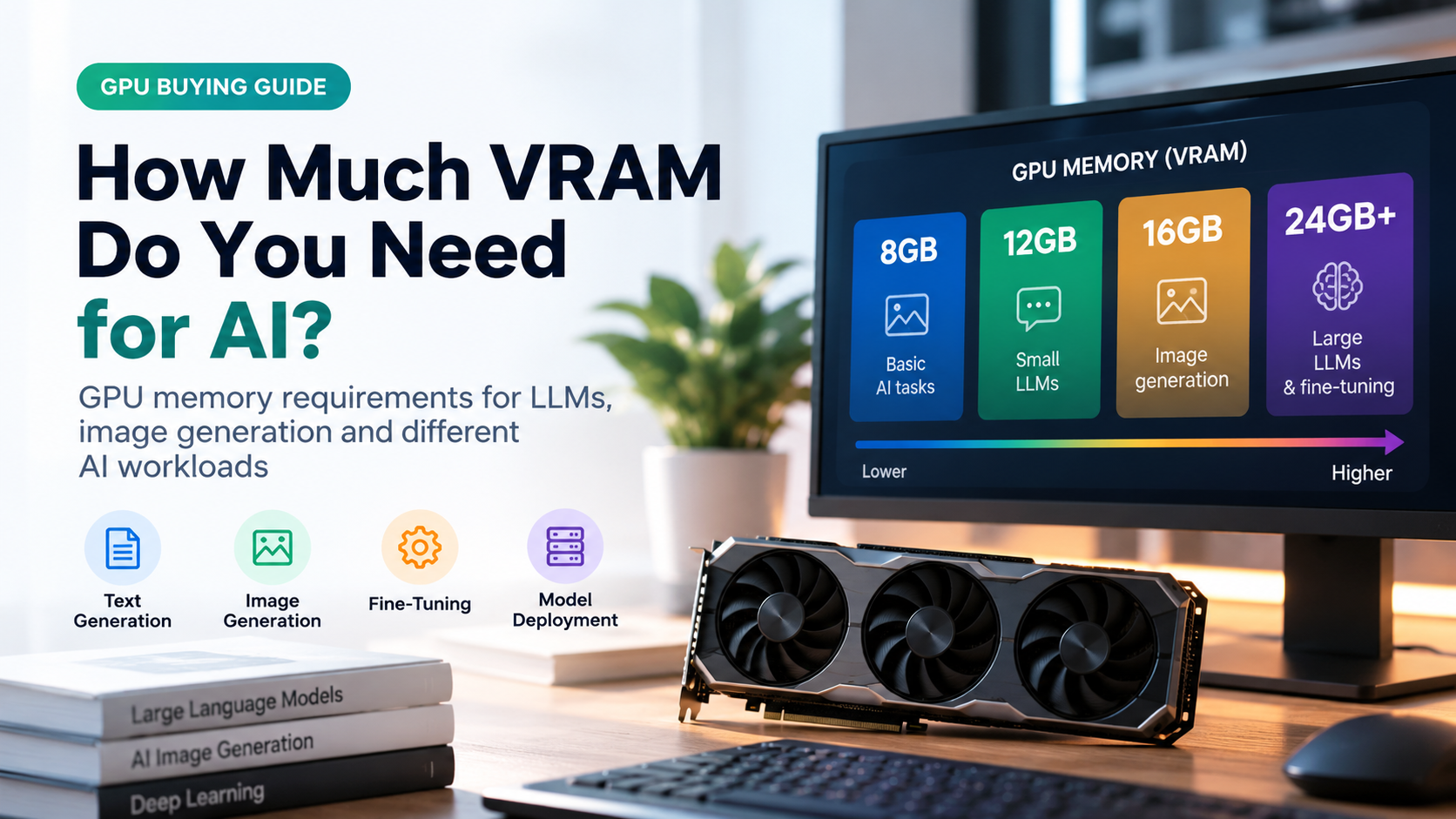
- 8 GB VRAM: small 3B-8B models with 4-bit quantization.
- 12 GB VRAM: 8B models comfortably, 14B models at tight settings.
- 16 GB VRAM: 14B models at 4-6 bit, the best value starting point.
- 24 GB VRAM: 32B models at 4-bit, very strong local AI.
- 48 GB or more: 70B models at 4-bit (usually two GPUs or a workstation card).
What Is VRAM and Why Does It Matter for LLMs?
VRAM (video random access memory) is the fast memory built into your graphics card. An LLM generates text by reading billions of numbers, called weights, every time it produces a token. To do that quickly, all the weights should sit in VRAM, where memory bandwidth is many times higher than normal system RAM.
When a model does not fit, runtimes such as llama.cpp can offload some layers to the CPU and system RAM. It works, but speed often drops sharply. That is why VRAM capacity, not raw GPU compute, is usually the main limit for local AI.
What Uses VRAM When Running an LLM?
Four things share your GPU memory:
- Model weights: the biggest part. It depends on parameter count and precision.
- KV cache: memory that stores the conversation so the model does not recompute it. It grows with context length and with the number of parallel users.
- Activations and buffers: temporary working memory during inference.
- Framework overhead: CUDA context, drivers and your display, typically 1-2 GB. If your monitor is plugged into the same GPU, the desktop takes some VRAM too.
The VRAM Formula (Easy Method)
You can estimate memory for any model with this rule of thumb:
Bytes per weight depend on precision: FP16 uses 2 bytes, 8-bit uses about 1 byte, and popular 4-bit formats such as Q4_K_M use roughly 0.6 bytes. So a 7B model needs about 14 GB in FP16 for weights alone, but only around 4-5 GB in 4-bit.
What Is Quantization?
Quantization compresses model weights into fewer bits. It is the single most useful trick for fitting bigger models into limited VRAM.
| Format | Bytes / weight | Quality | Best for |
|---|---|---|---|
| FP16 / BF16 | 2.0 | Original | Servers, training |
| Q8 (8-bit) | ~1.0 | Nearly lossless | High quality local use |
| Q5 / Q6 | ~0.7-0.8 | Excellent | Balanced choice |
| Q4_K_M (4-bit) | ~0.6 | Very good | Most popular for consumer GPUs |
| Q2 / Q3 | ~0.35-0.45 | Noticeable loss | Last resort |
VRAM Requirements by Model Size
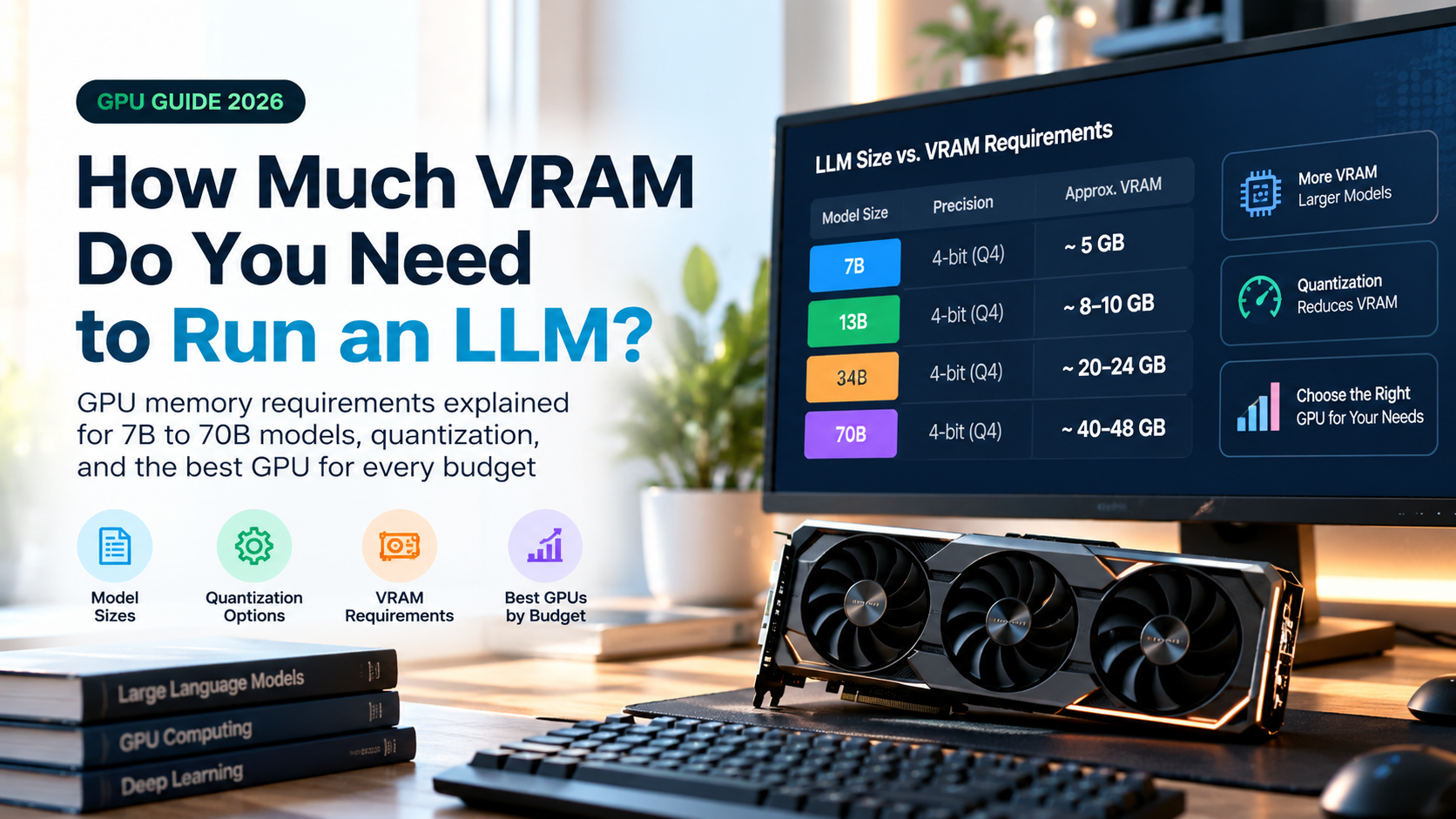
The chart and table below show approximate weight memory. Add 1-4 GB or more for context and overhead.
| Model size | FP16 | Q8 | Q4 |
|---|---|---|---|
| 3B | ~6 GB | ~3.5 GB | ~2.5 GB |
| 7B-8B | ~16 GB | ~9 GB | ~5-6 GB |
| 13B-14B | ~28 GB | ~15 GB | ~9-10 GB |
| 32B-34B | ~64 GB | ~35 GB | ~20-21 GB |
| 70B-72B | ~140 GB | ~75 GB | ~40-43 GB |
| 405B | ~810 GB | ~430 GB | ~240 GB |
Mixture-of-Experts (MoE) models need a special note. They activate only a fraction of their parameters per token, which makes them fast, but you still need to store all experts. A large MoE model therefore needs memory for its total size, though it can run well with expert layers offloaded to system RAM.
Don’t Forget the Context Window (KV Cache)
Longer conversations and documents cost extra VRAM. For a typical 8B model with grouped-query attention, the KV cache uses roughly 1 GB at 8K tokens and about 4 GB at 32K tokens in FP16. Larger models use proportionally more. Many tools can quantize the KV cache to 8-bit to cut this in half.
If you plan to summarize long PDFs, analyze codebases or run several chats at once, add a healthy VRAM buffer beyond what the weights need.
How Much VRAM Do You Need? By Use Case
8 GB VRAM: Entry Level
Good for 3B-8B models at 4-bit, short-to-medium context, simple chat, summarizing and learning. Expect to be limited with longer contexts. Many mainstream mid-range cards in the 8 GB class fit here.
12 GB VRAM: Comfortable Starter
Runs 8B models at 6-8 bit with decent context and can handle some 14B models at 4-bit. A very popular budget choice for hobbyists.
16 GB VRAM: The Sweet Spot
Fits 14B models at Q4-Q6 with room for context and 8B models at high precision. For most people who want real everyday use without spending workstation money, 16 GB is the smartest starting point.
24 GB VRAM: Enthusiast Tier
The classic enthusiast size. Runs 32B models at 4-bit, 14B models at 8-bit and supports longer context. Used high-end cards from previous generations remain attractive here because of the large memory.
32 GB and Above
The latest flagship consumer cards offer 32 GB, which gives more headroom for 32B models at higher quality or long context. For 70B-class models at 4-bit you need around 40-48 GB, so that means two 24 GB cards, a professional 48 GB card, or a unified-memory machine.
What About Apple Silicon and Unified Memory?
Apple Silicon Macs and some mini PCs share one memory pool between CPU and GPU. A machine with 64 GB or more can load 70B models at 4-bit. They are slower than a high-end Nvidia GPU for token speed, but they win on capacity per cost and power draw.
VRAM for Fine-Tuning and Training
Training costs far more memory than inference because you also store gradients and optimizer states. Full fine-tuning needs roughly 12-16 bytes per parameter, so a 7B model can need over 100 GB. Parameter-efficient methods change the picture:
- LoRA: a 7B model fits in roughly 16-24 GB.
- QLoRA (4-bit base + LoRA): a 7B-8B model can be fine-tuned in about 8-12 GB, a 13B-14B model in about 16-20 GB.
Tips to Reduce VRAM Usage
- Use a lower quantization. Q4_K_M is usually the best balance of size and quality.
- Shorten the context window if you do not need long documents.
- Quantize the KV cache to 8-bit to save memory on long chats.
- Offload some layers to the CPU when a model slightly exceeds your VRAM.
- Close other GPU apps such as games, browsers with hardware acceleration and video editors.
- Plug your monitor into integrated graphics if your CPU has it, freeing about 0.5-1 GB.
- Pick a smaller, newer model. Modern 8B-14B models often match older, much larger ones.
What to Look for When Buying a GPU for LLMs
- VRAM capacity first. A slower GPU with more memory often beats a faster one with less for LLMs.
- Memory bandwidth. Token generation speed is mostly limited by how fast weights are read.
- Software support. Nvidia CUDA has the widest compatibility with LLM tools. AMD and Intel are improving but may require extra setup.
- Power and cooling. Check your power supply wattage, case size and connectors before you buy.
- Future-proofing. Models keep growing, so buy the largest VRAM your budget allows.
- Used market. Previous-generation high-VRAM cards can offer excellent value per gigabyte.
Frequently Asked Questions
Can I run an LLM with 4 GB of VRAM?
Yes, but only very small models, such as 1B-3B parameters at 4-bit. Larger models will need CPU offloading and will be slow.
Is 8 GB VRAM enough for LLMs?
It is enough to learn and to run 7B-8B models at 4-bit with modest context. For a more flexible setup, aim for 12-16 GB.
Is 16 GB VRAM enough for a 70B model?
No. A 70B model at 4-bit needs around 40 GB or more. With heavy CPU offloading it will run, but very slowly.
Does system RAM matter?
Yes, if you offload layers or run large MoE models. 32 GB is a good baseline, 64 GB gives you more freedom.
Can I combine two GPUs?
Yes. Most runtimes can split a model across multiple GPUs, so two 16 GB cards can hold a model that needs about 30 GB. Speed is lower than a single large card due to communication overhead, and the cards do not need to match perfectly in many tools.
Is more VRAM or a faster GPU better for AI?
For running LLMs, VRAM capacity decides what you can run at all, and memory bandwidth decides how fast it feels. Prioritize VRAM first, then bandwidth.
Final Verdict
There is no single number, but the rule is simple: take the model size in billions, multiply by about 0.6 for 4-bit, then add 2-4 GB for context and overhead. For most people, 16 GB is the practical sweet spot, 24 GB is the enthusiast level, and 12 GB or less is best for small models and learning. Decide which models you want to run first, then choose the GPU that fits them with comfortable headroom.
Note: all figures are estimates. Real usage varies with the model architecture, runtime and settings.