








What Is Quantization in LLM? A Complete Beginner-Friendly Guide
Large language models are powerful, but they are also huge. A model with 70 billion parameters can need well over 100 GB of memory in its original form, which is far beyond what a normal PC, laptop or even a single high-end graphics card can handle. So how are people running capable chatbots on a home computer, a gaming laptop or even a phone? The answer, in most cases, is quantization.
In this guide you will learn exactly what quantization in LLM means, why it matters, how it works step by step, which formats and methods are most popular, and how to choose the right level for your own hardware. No advanced math is required.
Key Takeaways
- Quantization stores a model’s numbers using fewer bits (for example 8-bit or 4-bit instead of 16-bit).
- It can cut memory use by roughly 50% to 75% and often makes inference faster.
- 8-bit quantization is usually close to lossless, and 4-bit is the popular sweet spot for local use.
- Common methods and formats include GPTQ, AWQ, GGUF, bitsandbytes (NF4) and FP8.
- Quantization lowers the memory needed for weights, but you still need room for the context (KV cache).
What Is Quantization in LLM?
Quantization in LLM is a compression technique that reduces the numerical precision of a model’s parameters (called weights) and, in some cases, its intermediate values (called activations). Instead of storing each number as a 16-bit or 32-bit floating-point value, the model stores it as a smaller number, typically an 8-bit or 4-bit integer.
A helpful analogy is a photograph. A high-resolution photo has millions of subtle color shades. If you reduce the number of colors, the file becomes much smaller, yet the picture still looks almost the same to the human eye. Quantization does something similar to a neural network: it trades a small amount of numerical detail for a big saving in size.
An LLM is essentially a huge collection of numbers. A 7-billion-parameter model has 7 billion of them. If each number takes 2 bytes (FP16), the weights alone take about 14 GB. If each number is squeezed into 4 bits (half a byte), the same weights shrink to roughly 3.5 GB. That difference decides whether a model fits on your graphics card or not.
Why Do Large Language Models Need Quantization?
Modern LLMs have a hardware problem. They need a lot of memory to store their weights, and they need to move those weights from memory to the processor again and again while generating every single token. Quantization helps in several ways:
- Lower memory usage: Smaller weights mean bigger models fit into limited VRAM or system RAM.
- Faster inference: Text generation is often limited by memory bandwidth. Moving fewer bytes per token usually means more tokens per second.
- Lower cost: Companies can serve the same model on fewer or cheaper GPUs, which reduces cloud bills and energy use.
- Wider access: Students, developers and hobbyists can run capable models locally, privately and offline.
- Edge deployment: Smaller models can run on laptops, small servers, and mobile devices.
The simple formula is: memory (GB) is roughly parameters (in billions) multiplied by bytes per parameter. FP16 uses 2 bytes, INT8 uses 1 byte, and INT4 uses 0.5 byte. This is why a 70B model drops from about 140 GB at FP16 to about 35 GB at 4-bit for the weights alone.
How Does Quantization Work?
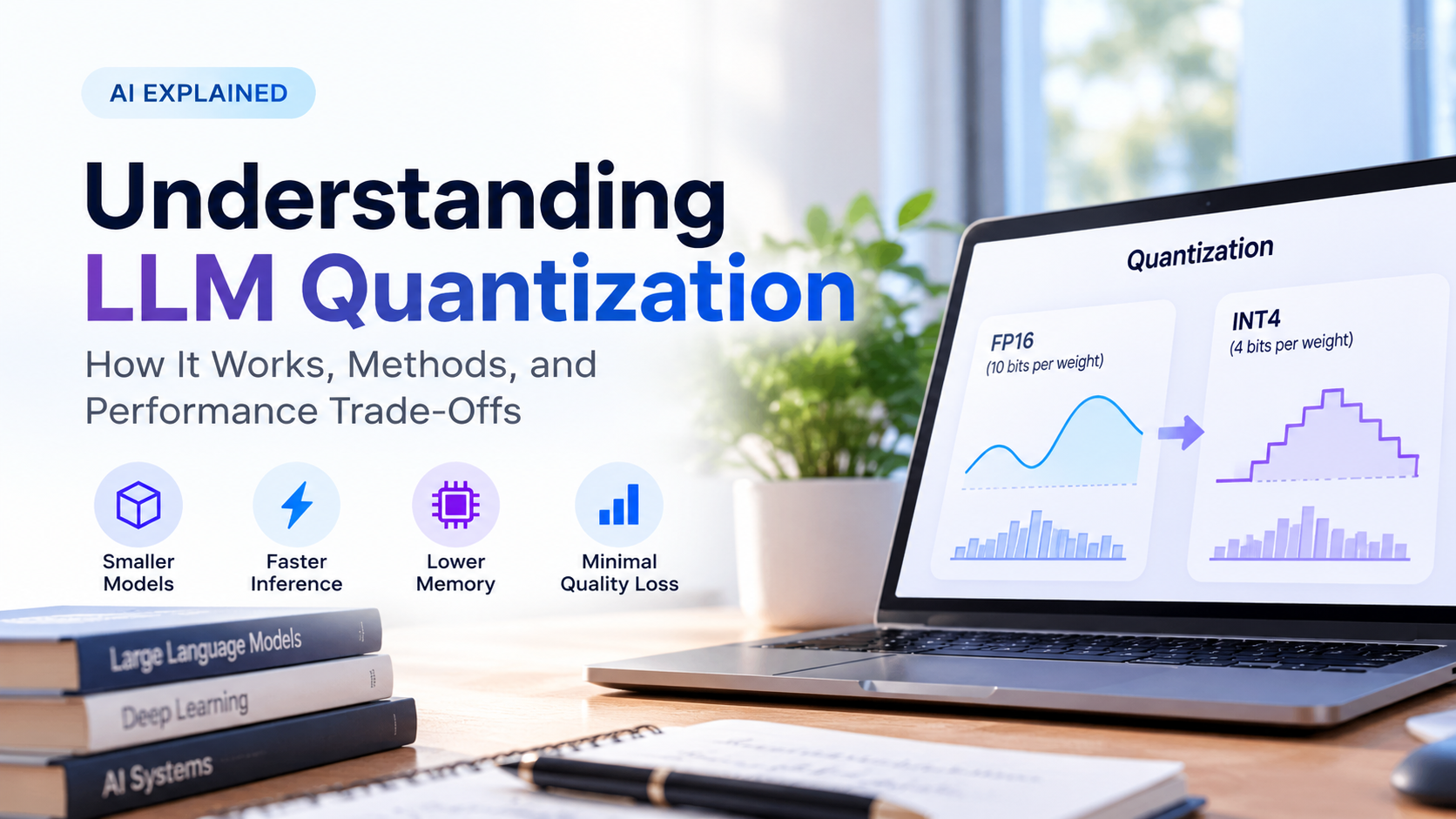
At its core, quantization maps a wide range of precise values onto a small set of allowed values. A 4-bit integer can represent only 16 distinct levels, while a 16-bit float can represent tens of thousands of distinct values. The process looks like this:
- Look at the original weights. The values are usually stored in FP16 or BF16.
- Find the range. The algorithm finds the smallest and largest values in a group of weights and calculates a scale (and sometimes a zero-point).
- Round to integers. Each weight is divided by the scale and rounded to the nearest integer in the target range.
- Store the compact version. The integers are saved together with their scale values.
- Dequantize while running. During inference, the integers are multiplied by the scale again (or used directly by special low-precision kernels) to approximate the original numbers.
A Simple Numeric Example
Imagine your weights range from -1.0 to 1.0, and one weight is 0.52.
- 8-bit (range -127 to 127): scale = 1 / 127 = 0.00787. The weight becomes 0.52 / 0.00787 = 66.04, which rounds to 66. Dequantized, it is about 0.5197. The error is only around 0.0003.
- 4-bit (range -7 to 7): scale = 1 / 7 = 0.1429. The weight becomes 0.52 / 0.1429 = 3.64, which rounds to 4. Dequantized, it is about 0.571. The error is around 0.051.
This shows the trade-off clearly. Fewer bits mean fewer levels and a larger rounding error for each weight. Good quantization methods work hard to keep the overall effect of these small errors from hurting the model’s answers.
Understanding Number Formats: FP32, FP16, BF16, INT8 and INT4
To understand quantization properly, it helps to know the common number formats used in AI.
| Format | Bits | Bytes per weight | Typical use |
|---|---|---|---|
| FP32 | 32 | 4 | Original training, high-precision calculations |
| FP16 | 16 | 2 | Standard inference and fine-tuning baseline |
| BF16 | 16 | 2 | Training and inference; wider range than FP16 |
| FP8 | 8 | 1 | Fast inference and training on newer GPUs |
| INT8 | 8 | 1 | Popular, near-lossless compression |
| INT4 / NF4 | 4 | 0.5 | Most common choice for local LLMs |
Floating-point formats (FP32, FP16, BF16) split their bits into a sign, an exponent and a mantissa, which lets them represent a huge range of values. Integer formats (INT8, INT4) are simpler and evenly spaced, which makes them very compact and fast, but they need a scale factor to match the range of the original weights.
Main Types of LLM Quantization
1. Post-Training Quantization (PTQ)
PTQ is applied after the model is already trained. You take a finished model, run a quantization algorithm (often with a small calibration dataset), and get a compressed version. It is fast, cheap and does not require retraining, which is why almost every quantized model you download is made this way.
2. Quantization-Aware Training (QAT)
QAT simulates low precision during training or fine-tuning so the model learns to cope with rounding errors. It can give better quality at very low bit widths, but it needs much more compute and engineering effort, so it is used less often by individual users.
3. Weight-Only vs Weight and Activation Quantization
- Weight-only (for example W4A16): only the stored weights are compressed, while calculations still use higher-precision activations. This is the most common approach for local LLMs.
- Weight and activation (for example W8A8): both weights and activations are quantized, which can speed up the actual math on supported hardware but is harder to do without losing accuracy.
4. Quantization Granularity and Symmetry
- Per-tensor: one scale for a whole weight matrix. Simple but less accurate.
- Per-channel: one scale per row or column. Better accuracy.
- Group-wise: one scale for every small group of weights (commonly 32, 64 or 128). This is how most 4-bit methods keep quality high.
- Symmetric vs asymmetric: symmetric quantization centers the range around zero, while asymmetric uses a zero-point to better fit uneven ranges.
Popular LLM Quantization Methods and Formats
You will see many abbreviations when browsing model pages. Here is what the most important ones mean.
GPTQ
GPTQ is a post-training method that quantizes a model layer by layer, using an approximation of second-order information to minimize the error introduced by rounding. It is widely used for 4-bit (and sometimes 3-bit or 8-bit) models that run on GPUs.
AWQ (Activation-aware Weight Quantization)
AWQ observes that a small fraction of weights matter much more than the rest, and it identifies them by looking at activation patterns. By protecting those important weights, AWQ often keeps accuracy high at 4-bit while remaining quick to run on GPUs.
GGUF (used by llama.cpp)
GGUF is a file format designed for efficient local inference, especially on CPUs and mixed CPU-GPU setups. It supports many quantization levels with names such as Q8_0, Q6_K, Q5_K_M and Q4_K_M. Its flexibility is the reason it became the favorite for people running models on everyday computers, including Apple Silicon Macs.
bitsandbytes: LLM.int8() and NF4
The bitsandbytes library makes it easy to load models in 8-bit or 4-bit inside popular Python tools. LLM.int8() handles rare outlier values in higher precision, and NF4 (4-bit NormalFloat) is a data type designed for weights that follow a bell-curve distribution. NF4 became well known through QLoRA, a technique for fine-tuning large models on modest hardware.
SmoothQuant and FP8
SmoothQuant moves part of the difficulty of quantizing activations into the weights, making 8-bit weight and activation quantization more practical. FP8 is an 8-bit floating-point format supported by newer data-center and high-end GPUs, giving big speedups with generally small quality loss.
GGUF Quantization Levels Explained
If you run models locally, you will meet GGUF names constantly. The numbers below are approximate, since the exact size depends on the model architecture.
| GGUF level | Approx. bits per weight | 7B model size (approx.) | Quality and best use |
|---|---|---|---|
| Q8_0 | ~8.5 | ~7.2 GB | Almost identical to the original. Use if you have plenty of memory. |
| Q6_K | ~6.6 | ~5.5 GB | Very close to original quality with solid savings. |
| Q5_K_M | ~5.7 | ~4.8 GB | Excellent balance for quality-focused users. |
| Q4_K_M | ~4.9 | ~4.1 GB | The popular sweet spot of size, speed and quality. |
| Q3_K_M | ~3.9 | ~3.3 GB | Noticeable quality drop. Use when memory is tight. |
| Q2_K | ~2.6 | ~2.7 GB | Heavy loss. Best avoided unless nothing else fits. |
How Much Memory Do You Need?
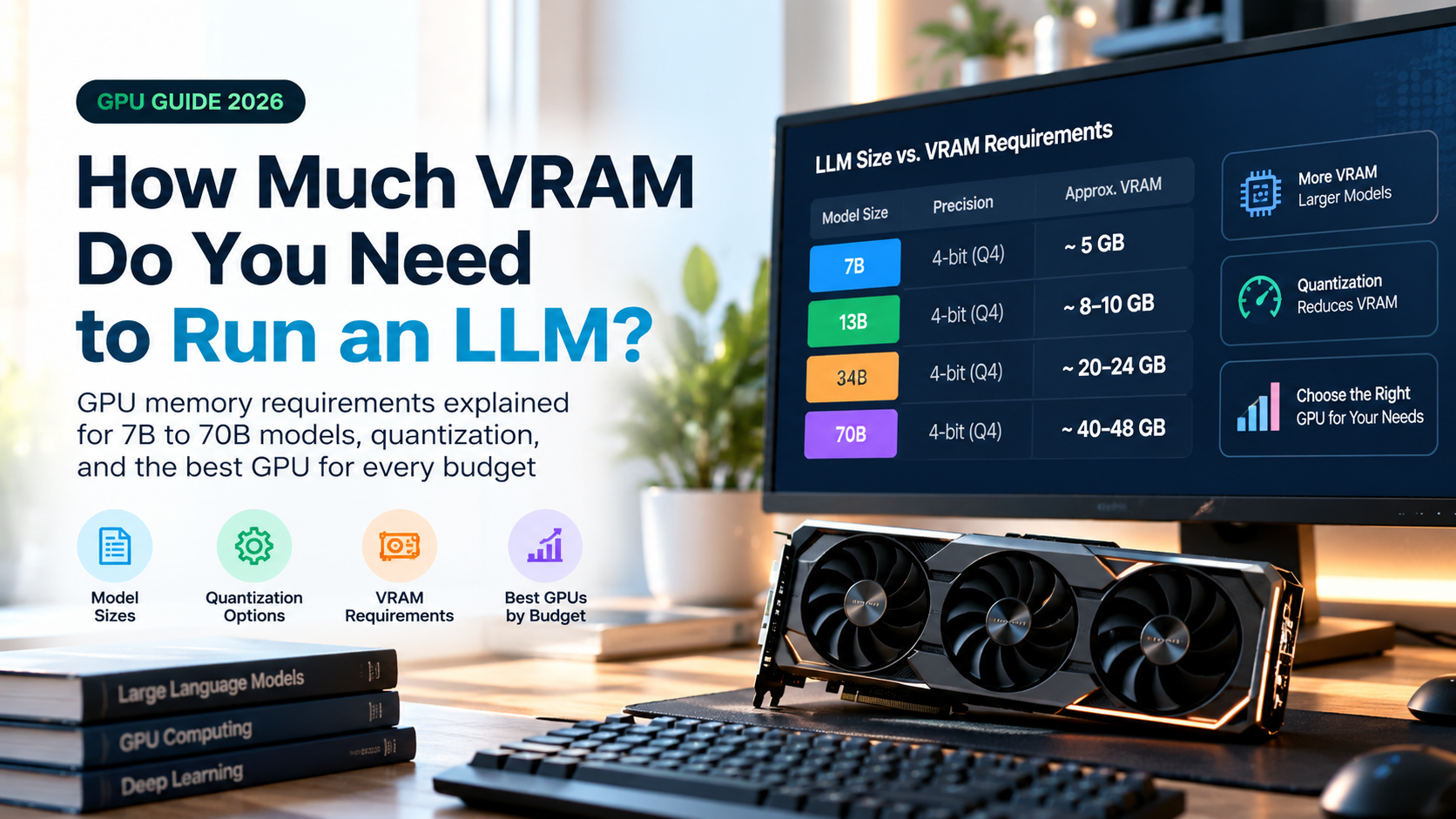
The table below gives a rough idea of how much memory the weights need at different precisions. Add extra room for the context window, because the KV cache (the model’s short-term memory of the conversation) grows as your prompts and chats get longer.
| Model size | FP16 | INT8 (8-bit) | 4-bit |
|---|---|---|---|
| 7B / 8B | ~14-16 GB | ~7-8 GB | ~4-5 GB |
| 13B / 14B | ~26-28 GB | ~13-14 GB | ~7-9 GB |
| 32B / 34B | ~64-68 GB | ~32-34 GB | ~18-20 GB |
| 70B | ~140 GB | ~70 GB | ~38-42 GB |
What Can Your GPU Realistically Run?
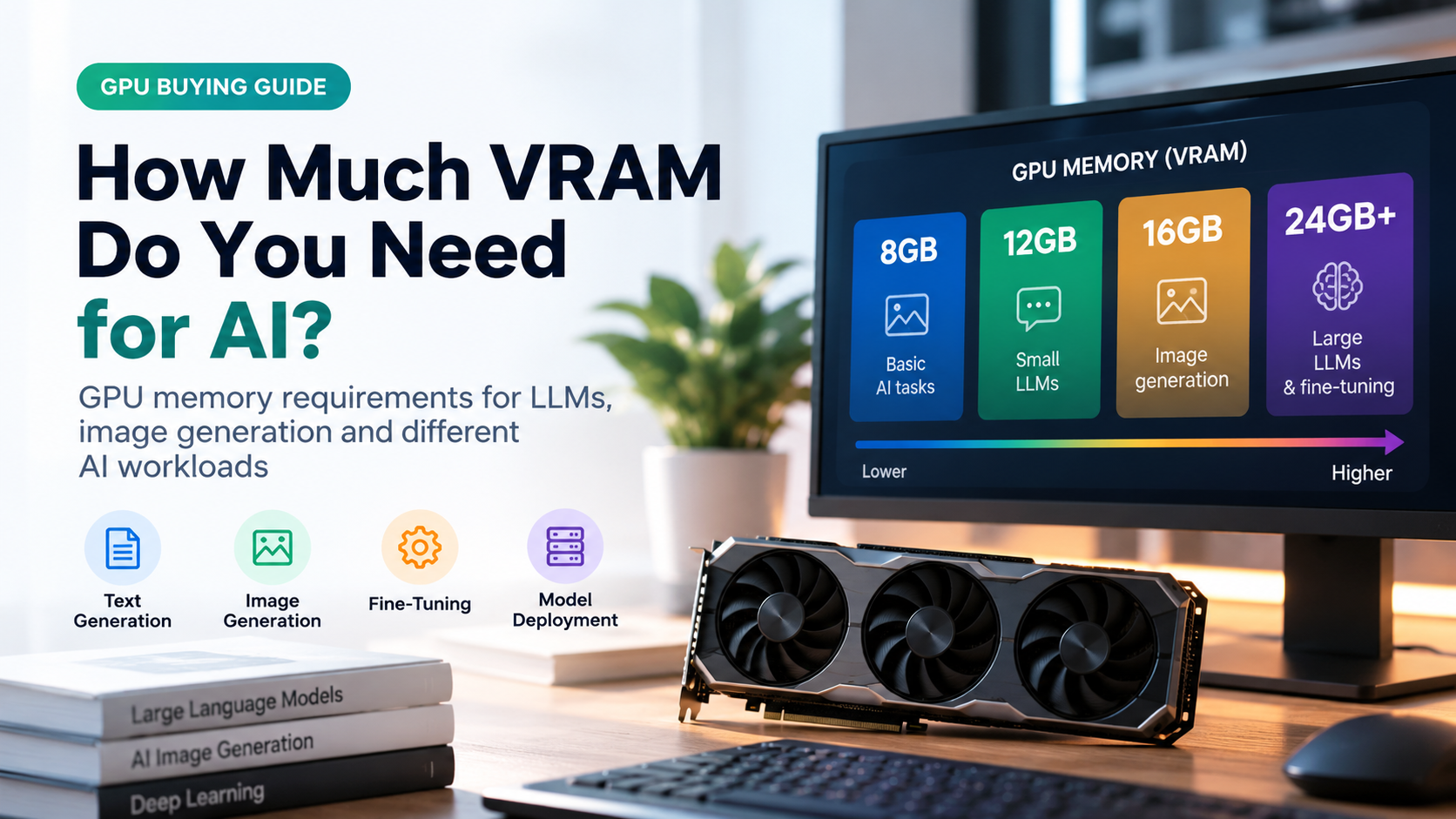
- 8 GB VRAM: 7B or 8B models at 4-bit with a moderate context length.
- 12 GB VRAM: 7B to 14B models at 4-bit, or smaller models at higher precision.
- 16 GB VRAM: 14B models comfortably at 4-bit or 5-bit, with more room for context.
- 24 GB VRAM: 30B to 34B class models at 4-bit.
- 48 GB or more (or large unified memory): 70B models at 4-bit.
These are general guidelines. Actual results depend on the runtime software, the context length, and how much memory your operating system and other programs use.
Does Quantization Hurt Model Quality?
Yes, a little, but how much depends on the bit width, the method and the model. As a general pattern:
- 8-bit: usually indistinguishable from the original model in everyday use.
- 5-bit and 6-bit: extremely close to the original, with tiny differences in benchmarks.
- 4-bit: a small, often barely noticeable drop, especially with modern methods like AWQ and GGUF K-quants.
- 3-bit and 2-bit: quality loss becomes visible, with more mistakes in reasoning, coding and factual accuracy.
Larger models also tolerate quantization better. A 70B model at 4-bit usually beats a 13B model at 8-bit, even though the 4-bit version may take similar or less memory. In practice, a bigger model at 4-bit is often a smarter choice than a smaller model at full precision.
Tasks that need precision, such as complex math, long multi-step reasoning, code generation and non-English languages, tend to show degradation sooner than casual chat. If you rely on those, prefer a higher bit width such as Q5 or Q6.
Benefits and Drawbacks of Quantization
| Benefits | Drawbacks |
|---|---|
| Much smaller model files and memory footprint | Some loss of accuracy, especially below 4-bit |
| Faster token generation on bandwidth-limited hardware | Quality varies by method, model and calibration data |
| Lower hardware, cloud and energy costs | Different formats need different software and hardware support |
| Makes local, private and offline AI possible | Speed gains depend on optimized kernels for your hardware |
| Easy to apply to existing models (PTQ) | Rare outlier weights can cause errors if not handled well |
How to Choose the Right Quantization Level
- Check your memory first. Note your GPU VRAM (or total unified memory on a Mac) and your system RAM.
- Pick the biggest model that fits at 4-bit. Larger models usually give better answers even when quantized.
- Reserve room for context. Leave a few gigabytes free for the KV cache, especially for long conversations or documents.
- Move up in precision if you have spare memory. Q5_K_M or Q6_K gives a quality boost over Q4_K_M when it fits.
- Match the format to your tools. Use GGUF for llama.cpp-style local apps, and AWQ or GPTQ for GPU-focused serving engines.
- Test with your own prompts. Run the same few prompts on two quantization levels and compare the answers.
Hardware Factors That Matter for Quantized Models
If you are planning a build or upgrade for running quantized LLMs, these are the factors that make the biggest difference:
- VRAM capacity: the single most important factor, because it decides which model and quantization level you can load fully on the GPU.
- Memory bandwidth: faster memory means more tokens per second, since generation constantly reads the weights.
- System RAM: important for GGUF models that offload layers to the CPU. 32 GB or more gives comfortable headroom.
- Fast SSD storage: quantized model files can be several to tens of gigabytes, and quick storage speeds up loading.
- Cooling and power supply: long generation sessions keep the GPU busy, so stable power and good airflow matter.
- Low-precision support: newer GPUs include hardware for INT8, FP8 and even FP4, which helps quantized models run faster.
Common Mistakes to Avoid
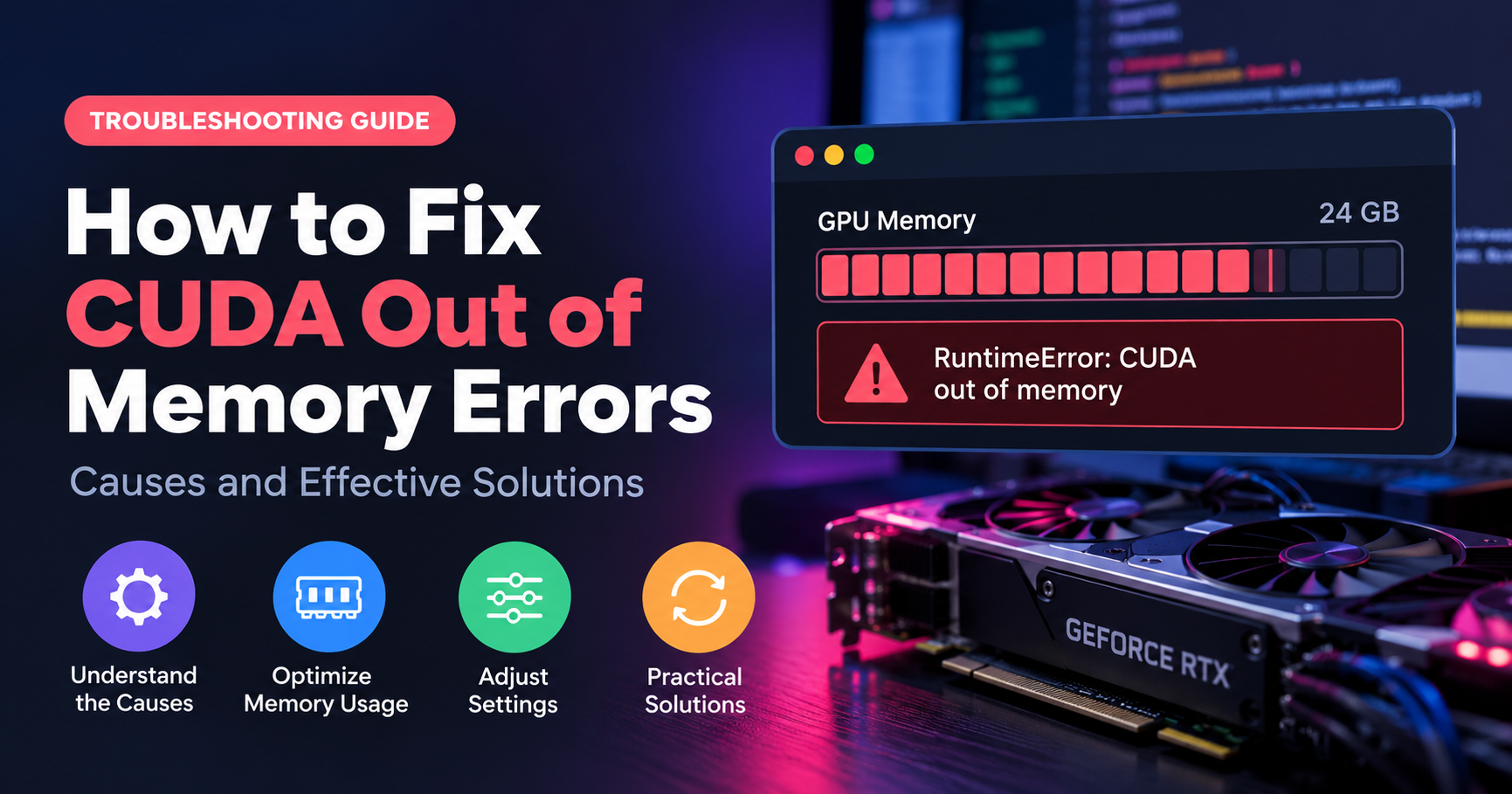
- Ignoring the context window. A model that barely fits will run out of memory as soon as the chat grows.
- Choosing the lowest bits by default. Q2 and Q3 save memory but can seriously hurt answer quality.
- Comparing different model sizes unfairly. Compare quantization levels of the same model to judge the real difference.
- Mixing up formats. A GGUF file will not load in a tool that expects GPTQ or AWQ, and vice versa.
- Forgetting overhead. File size is not total memory use. Plan for extra runtime memory.
Frequently Asked Questions
What is quantization in LLM in simple words?
It is a way of shrinking an AI model by storing its numbers with fewer bits, like compressing a photo, so it uses less memory and runs faster with only a small loss in quality.
Is 4-bit quantization good enough?
For most chat, writing and summarizing tasks, yes. Modern 4-bit methods keep quality close to the original. For demanding coding or math work, 5-bit or 6-bit may be a safer pick.
What is the difference between GGUF, GPTQ and AWQ?
GGUF is a file format built for efficient local inference, especially on CPUs and mixed setups. GPTQ and AWQ are quantization methods commonly used for GPU inference. They use different algorithms and file formats.
Does quantization make a model faster?
Often yes, because there is less data to move from memory. The actual speedup depends on your hardware and the software kernels used.
Can I quantize a model myself?
Yes. Many open-source tools can convert and quantize models, and the process usually runs on a normal computer for small and medium models. Most people simply download pre-quantized versions.
What is the difference between quantization and distillation?
Quantization compresses the same model by reducing numerical precision. Distillation trains a new, smaller model to imitate a larger one. The two can even be combined.
Does quantization change the number of parameters?
No. A quantized model has the same number of parameters; each one is simply stored with fewer bits.
Conclusion
Quantization in LLM is one of the most practical ideas in modern AI. By storing weights with fewer bits, it shrinks models dramatically, speeds up inference and puts powerful language models within reach of ordinary hardware. 8-bit is almost lossless, 4-bit is the sweet spot for most people, and anything lower should be used with care.
When choosing a model, start with your available memory, pick the largest model that fits comfortably at around 4-bit, leave space for the context window, and step up to 5-bit or 6-bit when you have room to spare. Once you understand these basics, browsing model pages and picking the right download becomes simple.