






Every time you chat with an AI assistant, generate an image, or get a recommendation on a streaming app, an AI model is doing a job. But behind the scenes, that model went through two very different phases: training, where it learned, and inference, where it puts that learning to work. People often mix the two terms up, and the confusion gets expensive when buying a GPU, renting cloud servers, or planning a home AI setup.
This guide explains the difference between inference and training in plain language, shows what happens inside the model in each phase, compares their hardware and cost needs, and helps you decide what you actually need.
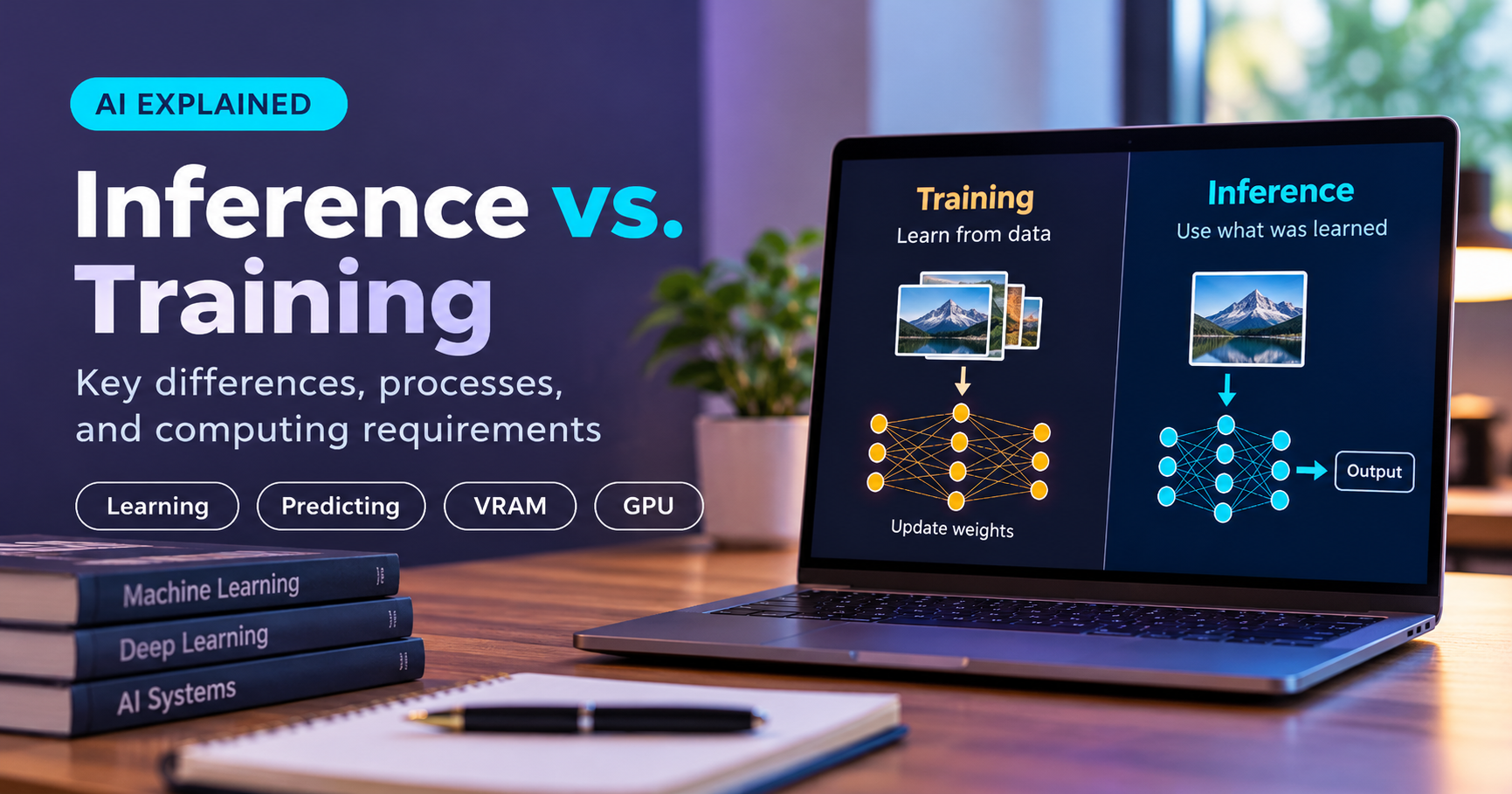
Quick answer: Training is the process of teaching an AI model by showing it a huge amount of data and adjusting its internal settings (weights). Inference is using the finished model to make predictions or generate answers from new input. Training builds the skill; inference uses it.
A Simple Analogy: Studying vs Taking the Exam
Imagine a student preparing for an exam. For months, they read textbooks, solve practice problems, check their mistakes, and improve. That is training: slow, effortful, and full of correction.
On exam day, the student reads each question and writes an answer using what they already know. They are not learning anything new in that moment. That is inference: fast, focused, and based on what was already learned.
AI works the same way. A model is trained once (or updated now and then), then used millions of times.
What Is AI Training?
Training is the process where a model learns patterns from data. A model starts with millions or billions of numbers called parameters (also called weights), set to random or near-random values. It knows nothing useful yet.
How Training Works, Step by Step
- Feed in data. The model receives a batch of examples, such as sentences, images, or audio clips.
- Make a prediction. The model runs the data through its layers (the forward pass) and produces an output.
- Measure the error. A loss function compares the prediction with the correct answer and gives a score for how wrong it was.
- Learn from the mistake. Backpropagation works out how much each weight contributed to the error.
- Update the weights. An optimizer (such as SGD or Adam) nudges the weights to reduce the error.
- Repeat. This loop runs across enormous datasets, often for many passes called epochs.
Because the model must keep extra information (gradients and optimizer states) alongside its weights, training is very demanding on memory and compute.
Types of Training You Will Hear About
| Type | What it means | Typical scale |
|---|---|---|
| Pre-training | Teaching a model general knowledge from a huge dataset from scratch. | Very large; clusters of data-center GPUs |
| Fine-tuning | Adjusting a pre-trained model on a smaller, specific dataset. | Moderate; one or a few strong GPUs |
| LoRA / QLoRA | Efficient fine-tuning that trains only a small set of added weights. | Small; can fit on a single consumer GPU |
| Reinforcement learning from feedback | Improving behavior using human or automated feedback. | Varies; often an extra stage after pre-training |
What Is AI Inference?
Inference is what happens when you actually use a trained model. You provide an input, a prompt, a photo, or a voice clip, and the model returns an output. The weights are frozen. The model does not change or learn from your request. It only runs the forward pass.
Everyday Examples of Inference
- A chatbot generating a reply to your question.
- A phone camera recognizing faces or scenes.
- A spam filter deciding whether an email is junk.
- A navigation app predicting traffic.
- An image generator creating a picture from your text prompt.
- A voice assistant transcribing what you say.
Where Inference Runs
- In the cloud: powerful servers handle requests from many users.
- On your own computer: a local GPU runs open models privately and offline.
- On the edge: phones, laptops with an NPU, cars, and smart cameras run small models directly on the device.
Inference vs Training: Side-by-Side Comparison
| Feature | Training | Inference |
|---|---|---|
| Purpose | Learn patterns from data | Use learned patterns on new data |
| Weights | Constantly updated | Frozen (fixed) |
| Computation | Forward pass, backward pass, weight update | Forward pass only |
| Data used | Large labeled or curated datasets | One request at a time |
| Frequency | Once, or occasionally for updates | Continuous, every user request |
| Memory need | Very high (weights, gradients, optimizer states, activations) | Much lower (weights and context cache) |
| Main goal | Accuracy and quality of the model | Speed, cost per request, and reliability |
| Typical hardware | Multiple high-end GPUs or accelerators | Single GPU, CPU, NPU, or edge chip |
| Who does it | Researchers, AI labs, developers fine-tuning | Everyone who uses the model |
Hardware Differences: Why It Matters When You Buy
This is where the two terms stop being theory and start affecting your wallet. The hardware you need for training can be many times bigger than what you need for inference.
Memory (VRAM) Requirements
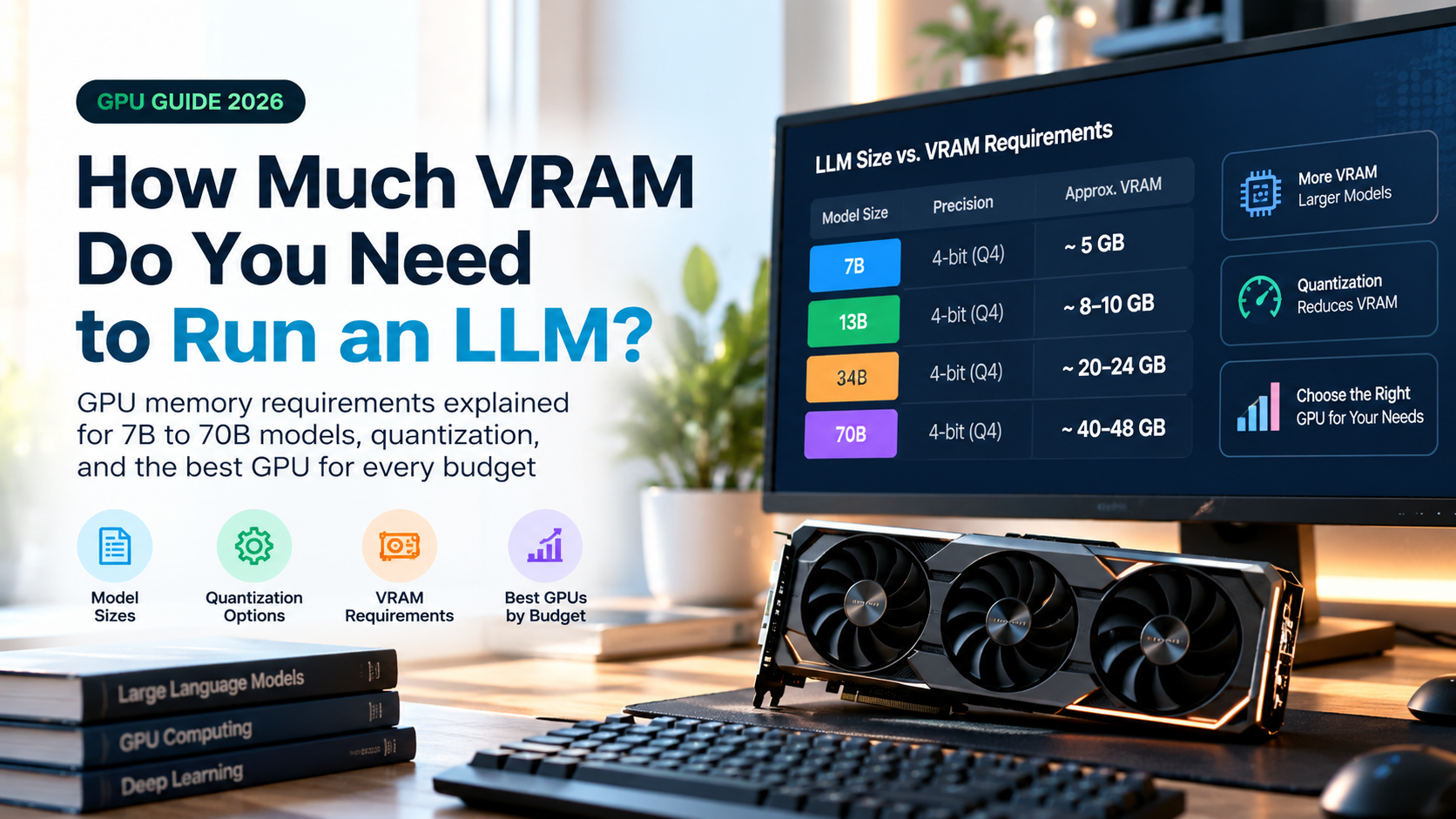
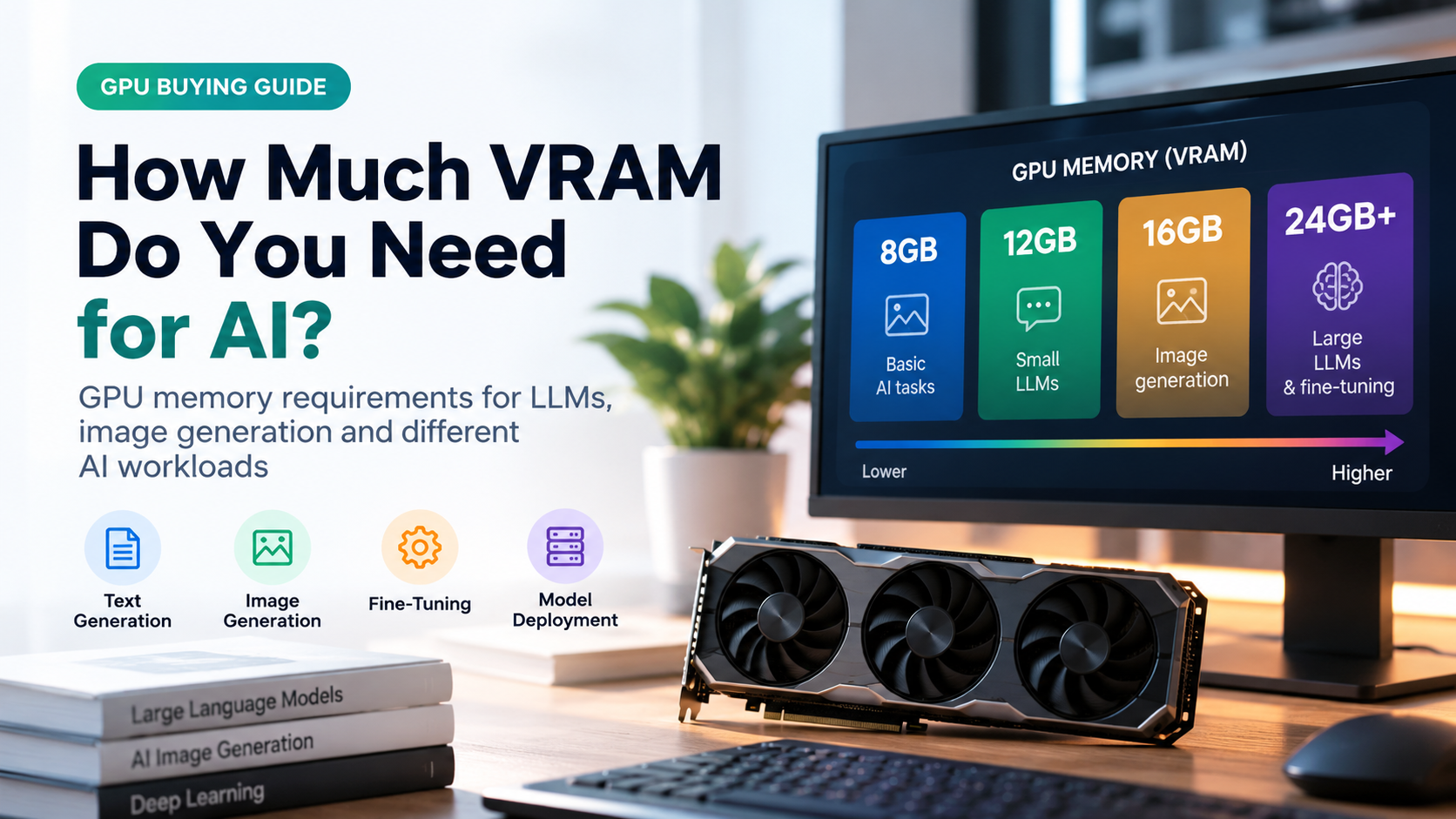
VRAM, the memory on your graphics card, is often the biggest limit. During inference, the card mainly holds the model weights plus a working cache for the conversation. During training, it must also store gradients, optimizer states, and intermediate activations.
As a rough rule of thumb, a model needs about 2 bytes per parameter to run in 16-bit precision, and quantized versions need far less (about 1 byte for 8-bit and about 0.5 bytes for 4-bit). Full training with a common optimizer such as Adam in mixed precision can need around 16 bytes per parameter. For a 7-billion-parameter model, that is roughly 14 GB to run in 16-bit but around 112 GB to train fully, before counting extra working memory.
Compute and Speed
Training is about throughput: how fast the system can chew through huge datasets. Inference is about latency (how quickly the first word appears) and tokens per second (how fast the answer streams out). A GPU with high memory bandwidth tends to help inference speed noticeably, since the card must read the model weights again for every generated token.
Power and Cooling
Large training runs can use dozens or thousands of accelerators running for days or weeks. Inference on a single home GPU is a very different scale, though heavy daily use still adds to your power bill and requires decent airflow.
Cost: A One-Time Bill vs a Running Bill
Training is typically a large, mostly one-time expense for a given model version. Inference is a smaller cost per request that repeats every time someone uses the model. For popular services, inference often ends up being the larger share of total spending over a model’s life, simply because it never stops.
This is why so much effort goes into making inference cheaper through quantization, smaller distilled models, batching requests, and specialized chips.
Ways to Make Inference Faster and Cheaper
- Quantization: storing weights with fewer bits (for example 8-bit or 4-bit) to cut memory use and speed up processing, usually with a small quality trade-off.
- Distillation: training a smaller “student” model to imitate a larger one.
- Batching: processing several requests together to use the hardware efficiently.
- Caching: reusing earlier computation (such as the key-value cache for text) instead of recalculating.
- Pruning: removing weights that contribute little to the output.
- Specialized hardware: GPUs, NPUs, and other accelerators built for inference workloads.
Which Do You Need: Training, Fine-Tuning, or Just Inference?
Most people only need inference. Here is a simple way to decide:
| Your goal | What you need | Hardware direction |
|---|---|---|
| Chat with an AI, write, summarize, or code with help | Inference only | Any modern device or cloud app |
| Run open models privately on your own computer | Local inference | A GPU with enough VRAM for the model size you choose |
| Teach a model your own style, data, or domain | Fine-tuning (LoRA or QLoRA) | A GPU with more VRAM, or rented cloud GPUs |
| Build a brand-new foundation model | Full pre-training | Large GPU clusters; usually out of reach for individuals |
Buying Tips for Home AI Users
- Prioritize VRAM. It decides which model sizes you can run at all.
- Check memory bandwidth. It strongly affects how fast text appears.
- Do not overbuy for training if you only plan to run models. Inference needs far less.
- Plan for fine-tuning only if you need it. LoRA-style methods let a single good consumer GPU handle many small projects.
- Consider cloud rentals for occasional heavy jobs instead of buying expensive hardware you will use rarely.
- Leave headroom. Longer conversations and bigger context windows use extra memory on top of the model itself.
Common Misconceptions
- “The AI learns from my chat as I talk.” During normal inference, the model’s weights do not change. Some services may collect data for later training, but that is separate from the live response.
- “Bigger GPU always means faster inference.” Memory size decides whether a model fits, while bandwidth and compute decide speed.
- “Training and inference need the same hardware.” Training needs far more memory and compute for the same model.
- “Inference is cheap, so it does not matter.” Small per-request costs add up quickly at scale.
- “Fine-tuning and training are completely different.” Fine-tuning is simply training that starts from an already-trained model.
Frequently Asked Questions
What is the main difference between inference and training?
Training teaches the model by updating its weights from data. Inference uses the finished model to produce outputs from new input without changing the weights.
Is inference cheaper than training?
Per run, yes, by a large margin. But inference happens constantly, so total inference cost over a model’s life can match or exceed the training cost for widely used services.
Can I do inference on a normal laptop?
Yes, for small or quantized models. A laptop with a capable GPU or NPU can run lightweight models, while larger ones need more memory.
Do I need a powerful GPU to run AI locally?
It depends on the model size. Small models run on modest hardware, while larger ones need more VRAM. Quantized versions help a lot.
Does ChatGPT-style AI learn from my conversations in real time?
No. The model generates replies using fixed weights. Any learning from user data would happen later in a separate training process, depending on the provider’s policies.
What is fine-tuning in simple terms?
It is extra training on a smaller, specific dataset to adapt an existing model to a new task, style, or subject.
What does latency mean in inference?
Latency is the delay between sending a request and receiving the response, often measured as time to first token for text models.
Which uses more VRAM, training or inference?
Training. It must store gradients, optimizer states, and activations in addition to the model weights.
Final Thoughts
Training and inference are two halves of the same story. Training is the expensive, memory-hungry phase where a model learns. Inference is the everyday phase where it answers, creates, and predicts. Understanding the difference helps you read specifications, avoid overspending, and choose hardware or cloud plans that fit what you actually want to do.
If you simply want to use AI tools or run models at home, focus on inference needs, especially VRAM and memory bandwidth. If you plan to customize a model, look at efficient fine-tuning methods and decide whether renting cloud GPUs makes more sense than buying. Match the tool to the task, and you will save both money and frustration.