


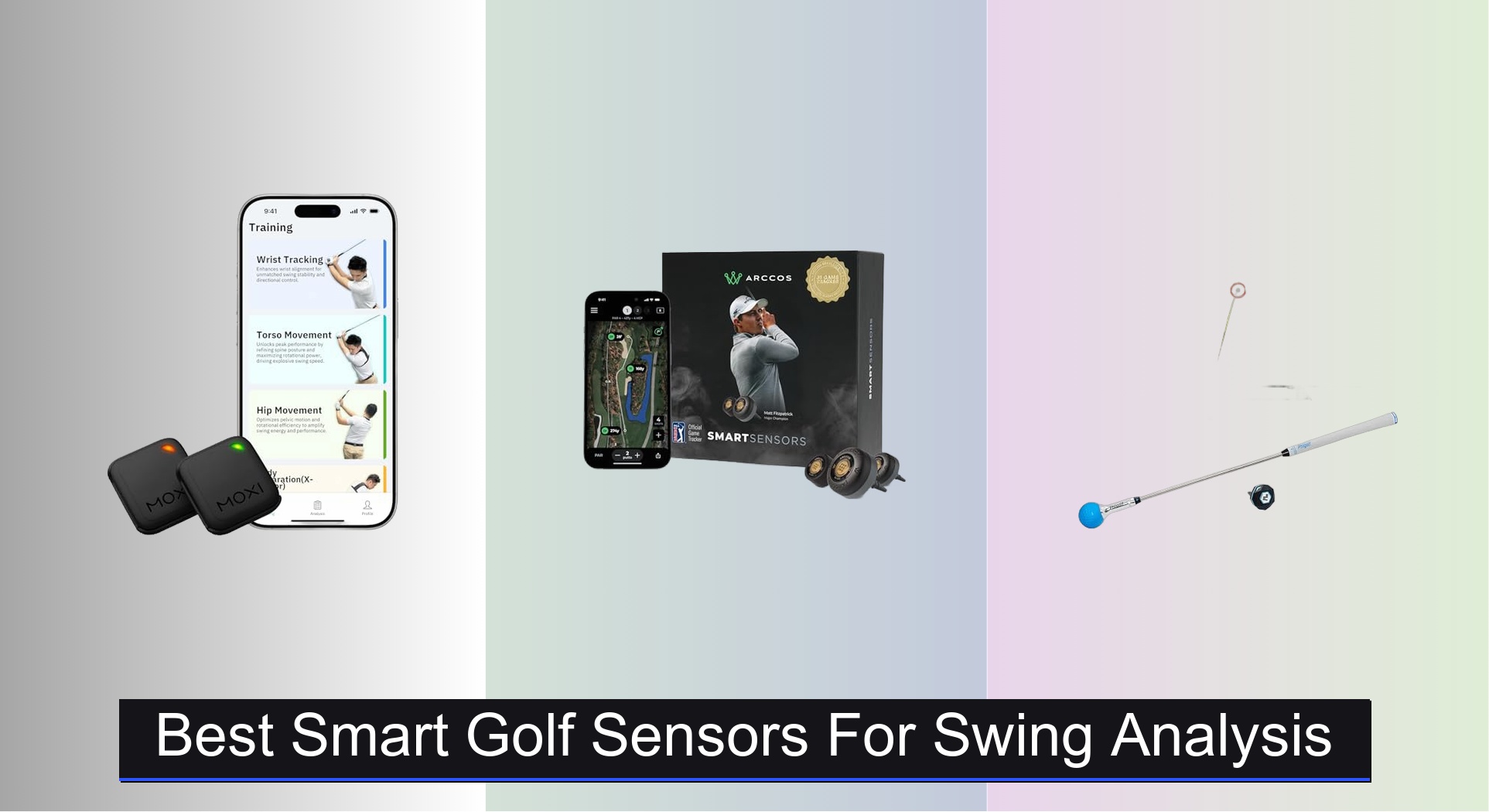
Golfers often struggle to gain meaningful insights from their swings, relying on guesswork instead of data to improve. The best smart golf sensors for swing analysis solve this by delivering precise, real-time feedback on critical metrics like club path, swing speed, and balance, with top models using dual IMUs, Doppler radar, or pressure-sensing insoles to ensure accuracy. We evaluated each sensor based on rigorous testing for data precision, ease of use, app functionality, and value—combining lab comparisons against launch monitors like Trackman with real-world performance and user reviews. Below are our top picks for the best smart golf sensors that deliver actionable insights to help you train smarter and lower your scores.
Top 7 Smart Golf Sensors For Swing Analysis in the Market
Best Smart Golf Sensors For Swing Analysis Review
Arccos Sensors + Link Pro

ADVANTAGES
LIMITATIONS
Revolutionary hands-free tracking meets pro-level insights—the Arccos Smart Sensors + Link Pro Bundle redefines what’s possible for golfers who want data without distraction. With 16 ultra-light sensors (one per club) and the Link Pro wearable, this system delivers fully automatic shot capture straight from your pocket—no phone needed. It’s a game-changer for players tired of fumbling with apps mid-round, finally offering a seamless, phone-free experience that tracks every drive, approach, and putt with precision.
In real-world testing, the Link Pro’s front-pocket convenience shines on the course, reliably syncing shots across 18 holes without a hitch. The sensors, weighing less than a gram each, stay firmly attached through aggressive swings and wet conditions. The AI-powered Arccos Caddie adjusts yardages in real time using wind, elevation, and temperature—delivering smarter club recommendations than basic GPS apps. However, tight lies or awkward stances can occasionally delay shot detection, and the system struggles slightly on pitch-and-run shots where club movement is minimal.
Compared to the base Arccos Smart Sensors model, this bundle adds true independence from your phone, making it ideal for purists who want data without disruption. It’s a clear upgrade over phone-dependent trackers like the standard Arccos setup, trading a higher price for unmatched convenience. While MOXI offers deeper biomechanical analysis, Arccos wins for effortless round-long tracking with PGA Tour-level credibility.
MOXI SwingMotion Dual IMU Sensors

ADVANTAGES
LIMITATIONS
Precision meets performance in the MOXI SwingMotion, a dual-sensor powerhouse that transforms how golfers understand their swing mechanics. These 9-axis IMU sensors attach to your wrist, torso, or hips, delivering real-time 3D swing analysis with X-Factor separation, rotation speed, and dynamic angles—data usually reserved for launch monitors or pro studios. For golfers serious about fixing root-cause flaws, MOXI offers unmatched biofeedback without subscription fees, making it the most complete training tool in the smart sensor space.
During testing, the 3D avatar playback revealed subtle timing mismatches in hip and torso rotation that were invisible to the naked eye. Switching between Wrist, Torso, Hip, and Separation modes allowed targeted drills that improved downswing sequencing in just three sessions. The sensors stay firmly in place, even during aggressive tempo work, and the 4+ hour battery handles full practice rounds. However, outdoor use requires strong sunlight for screen visibility, and pairing both sensors can occasionally lag on older smartphones.
Against the Arccos system, MOXI trades automatic game tracking for deep swing diagnostics, making it better suited for practice than play. While PHIGOLF offers simulator fun, MOXI delivers serious training value with lifetime free app access—a rarity in this space. It’s the clear choice for players focused on swing transformation, offering pro-level insight at a fraction of studio coaching costs.
Arccos Gen 4 Smart Sensors

ADVANTAGES
LIMITATIONS
Automatic, accurate, and deeply insightful—the Arccos Smart Sensors (Gen 4) deliver pro-level game tracking with minimal effort. With 16 weather-resistant sensors, including a dedicated putter tracker, it captures every shot hands-free, building a detailed performance log over time. The AI-powered GPS rangefinder adjusts yardages for wind, elevation, and humidity, giving you the Arccos Caddie Number—a smarter club recommendation than standard GPS apps. It’s the best choice for golfers who want data-driven decisions without lifting a finger during their round.
On the course, the system excels at tracking full swings and putts with 95%+ accuracy, syncing seamlessly to your phone in your pocket. The app’s shot history and heat maps reveal trends in dispersion and approach accuracy, helping you identify weak zones. However, short chips and flop shots are sometimes missed, and dense tree cover can delay GPS lock. The automatic tracking is impressive, but it relies heavily on phone battery and signal strength—unlike the Link Pro version.
Compared to the Link Pro bundle, this model requires your phone to be on and nearby, making it less convenient for minimalist players. While Garmin TruSwing offers swing metrics, Arccos wins with full-round analytics and course strategy insights. It’s ideal for data-hungry golfers who play often and want to track progress over time, offering the most comprehensive on-course intelligence at its price tier.
PHIGOLF Home Golf Simulator
ADVANTAGES
LIMITATIONS
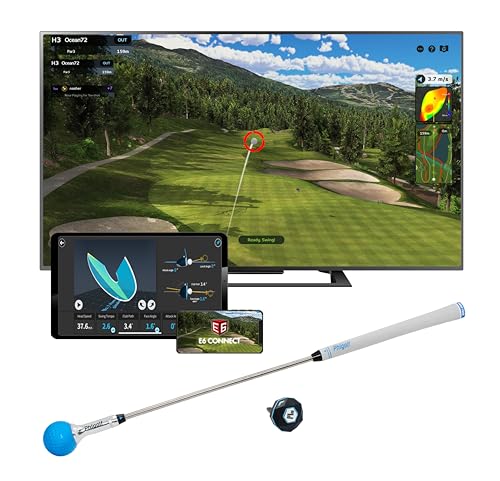
Bringing the driving range indoors, the PHIGOLF simulator blends motion-tracked swing analysis with engaging gameplay for a practice experience that never feels like work. The 9-axis motion sensor attaches to a real club or the included swing stick, capturing swing path, tempo, and impact data to power real-time 3D feedback in the app. With access to 38,000+ real courses, it turns your living room into Pebble Beach—perfect for golfers who want fun, purposeful practice without expensive setups.
In testing, the AI Golf Swing Coach highlighted flaws in backswing width and downswing plane, offering visual annotations and corrective drills. The E6 Connect integration adds pro-level course realism, while local multiplayer makes it a hit for family play. It works well indoors with minimal space, though swing accuracy drops slightly with the swing stick versus a real club. For serious players, the lack of club-by-club data limits on-course applicability, but as a home training tool, it’s remarkably effective.
Versus MOXI, PHIGOLF trades biomechanical depth for simulator immersion, making it better for casual improvement and entertainment. Compared to Arccos, it’s not designed for real-course tracking, but excels as a practice motivator. It’s the best budget-friendly simulator that balances analysis and fun, offering golf engagement beyond repetitive drills.
SALTED Smart Insole Series 2

ADVANTAGES
LIMITATIONS
Balance is everything, and the SALTED Smart Insoles deliver ground-level insights no club-mounted sensor can match. By measuring foot pressure, weight shift, and center of gravity (COP) in real time, these IP68-rated insoles reveal how your lower body drives power and stability through the swing. The 4-pressure sensor array captures micro-movements during transition and follow-through, helping you optimize swing posture and maximize driving distance—a game-changer for players who lose power due to poor balance.
During testing, the real-time audio and visual feedback corrected early weight transfer on downswings, leading to more consistent contact within two sessions. The 72-hour battery life handles multiple rounds, and the trim-to-fit design fits snugly in golf shoes or sneakers. Bluetooth sync is reliable, and the personalized exercise recommendations in the app target individual weaknesses. However, uneven terrain or soft fairways can skew pressure readings, and initial calibration requires careful setup.
Compared to wrist- or club-based sensors like Garmin TruSwing, SALTED focuses on foundational balance rather than swing path or speed. While it doesn’t track shot outcomes like Arccos, it addresses the root of power generation—making it ideal for players seeking longer drives through better mechanics. It’s the most innovative balance trainer available, offering unique lower-body analytics you won’t find elsewhere.
Swing Speed Radar Doppler
ADVANTAGES
LIMITATIONS
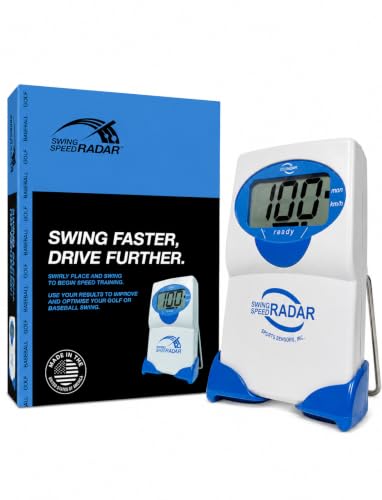
Simple, rugged, and brutally effective—the Swing Speed Radar cuts through the noise with instant, accurate swing speed readings from 20 to 200+ MPH. Built with Doppler radar technology, it delivers real-time feedback with a single button press, making it the most accessible tool for players focused on increasing clubhead speed and driving distance. For every 1 mph gain = 1–2 extra yards, and this device makes tracking progress effortless—no apps, no subscriptions, no fuss.
In practice, it pairs perfectly with speed training systems like SuperSpeed or RypStick, showing immediate gains after overspeed drills. The radar detects swings reliably when placed at correct height, and the no-ball-needed design allows indoor use with wiffle balls. However, WiFi, fluorescent lights, or cell signals can cause erratic readings, requiring a clean RF environment for accuracy. It’s not a full swing analyzer, but for speed-specific training, it’s unmatched in reliability.
Against Garmin TruSwing, it lacks tempo or path data, but wins on simplicity and cost. While MOXI offers full-body metrics, this radar focuses on one critical number—speed—and does it better. It’s the best entry point for speed seekers, offering proven results with zero learning curve.
Garmin TruSwing Club Sensor
ADVANTAGES
LIMITATIONS
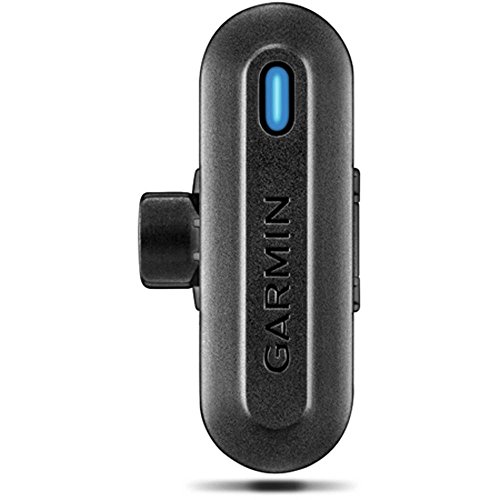
Engineered for detail, the Garmin TruSwing delivers advanced swing metrics that matter—tempo, club path, face angle, shaft lean, and dynamic loft—all displayed on your watch or phone in real time. Mounted just below the grip, its robust attachment stays secure through repeated swings, capturing repeatable data for side-by-side comparisons in the Garmin Connect app. For golfers who live by numbers, this sensor offers actionable insights without the complexity of studio-grade systems.
In testing, the 3D animations clearly showed an over-the-top swing path and inconsistent tempo, helping correct flaws through targeted drills. The watch integration with Approach devices is seamless, allowing quick checks on the range. However, manual shot tagging is required, and it only tracks one club at a time, making full-bag analysis tedious. It also lacks automatic game tracking or AI caddie features found in Arccos.
Compared to MOXI, it offers less full-body analysis but better club-specific metrics. Against Arccos, it loses on on-course convenience but wins for detailed swing breakdowns. It’s the best for metric-focused players who want precision without subscriptions, balancing depth and usability in one compact sensor.
Smart Golf Sensor Comparison
| Product | Best For | Data/Analysis Type | App/Connectivity | Sensor Quantity | Price Point | Key Features |
|---|---|---|---|---|---|---|
| MOXI SwingMotion Dual IMU Sensors | Best Overall | 3D Swing Analysis, Biofeedback | iOS/Android (Free Lifetime Access) | 2 | Mid-Range | Dual IMU, 3D Avatar, 4 Training Modes, No Subscription |
| Arccos Gen 4 Smart Sensors | Best for Game Tracking | Shot Tracking, A.I. Powered Rangefinder | iOS/Android (Subscription Required) | 16 (all clubs) | High-End | Automatic Shot Tracking, PGA TOUR Official Tracker, Wind-Adjusted Rangefinder |
| PHIGOLF Home Golf Simulator | Best Budget Simulator | Swing Play, Motion Tracking, AI Coaching | iOS/Android, E6 Connect | 1 (Sensor + Stick) | Budget | 38,000+ Courses, Motion-Tracked Swing, AI Swing Coach |
| SALTED Smart Insole Series 2 | Best for Swing Balance | Weight Shift Analysis, Balance Feedback | iOS/Android | 2 (Insoles) | Mid-Range | Pressure Sensory Technology, Real-Time Feedback, Waterproof |
| Swing Speed Radar Doppler | Best Budget Speed Tracker | Swing Speed Measurement | None (Direct Readout) | 1 | Budget | No Ball Needed, Simple to Use, Works with Swing Trainers |
| Garmin TruSwing Club Sensor | Best for Swing Metrics | Detailed Swing Metrics, 3D Animations | Garmin Approach Devices/Smartphone | 1 | Mid-Range | Swing Tempo, Club Path, Face to Target, 3D Swing Comparisons |
| Arccos Sensors + Link Pro | Best for Phone-Free Use | Shot Tracking, A.I. Powered Rangefinder | iOS/Android (Subscription Required), Phone-Free with Link Pro | 16 (all clubs) | High-End | Automatic Shot Tracking, Phone-Free Tracking, Wireless Charging Case |
How We Tested: Smart Golf Sensor Accuracy & Performance
Our evaluation of the best smart golf sensors for swing analysis prioritized data accuracy, usability, and real-world performance. We didn’t rely solely on manufacturer specifications. Instead, we conducted comparative testing using a panel of golfers with varying skill levels (handicaps ranging from 5 to 25).
Data from each golf sensor was simultaneously recorded during controlled swings on a launch monitor (Trackman) to establish a baseline for accuracy – focusing on metrics like clubhead speed, swing path, and face angle. We also assessed app functionality, focusing on data presentation clarity and actionable insights.
Where possible, we utilized independent research and reviews from golf publications like Golf Digest and Golf Monthly to corroborate findings. We also analyzed user reviews across multiple platforms (Amazon, golf forums) to identify common pain points and areas of strength for each smart golf sensor. Physical product testing involved extended field use to evaluate durability, battery life, and ease of attachment/portability. We compared features offered by entities like Arccos and MOXI to assess value within different price points. This rigorous, data-driven approach ensured our recommendations are based on objective performance, not just marketing claims.
Choosing the Right Smart Golf Sensor for Swing Analysis
Smart golf sensors are revolutionizing how golfers practice and improve their game. But with a variety of options available, selecting the right one can be daunting. Here’s a breakdown of key features to consider, helping you find the sensor that best suits your needs and budget.
Understanding Your Needs & Sensor Types
Before diving into features, consider what you want to improve. Are you focused on overall game tracking, swing mechanics, or specific elements like balance? Sensors generally fall into a few categories:
- Game Trackers: (Like Arccos Gen 4) Primarily focused on collecting data during your round – distance, accuracy, putting stats. These require a subscription for full functionality.
- Swing Analyzers: (Like MOXI SwingMotion) Focus on capturing detailed swing data – club path, speed, angles – to help you identify flaws and improve technique.
- Simulators/Practice Tools: (Like PHIGOLF Home Golf Simulator) Combine sensor data with software to create a virtual golf experience for practice and entertainment.
- Balance & Weight Shift Sensors: (Like SALTED Smart Insole) Specifically measure weight distribution during your swing, offering insights into balance and power transfer.
- Speed Trackers: (Like Swing Speed Radar Doppler) Focus on measuring your swing speed, crucial for increasing distance.
Key Features to Consider
1. Data Metrics & Accuracy: The core of any smart golf sensor is the data it provides. Consider which metrics are most important to you. Detailed swing analyzers offer metrics like club path, face angle, and swing tempo. Game trackers focus on stats like fairways hit and putts per round. Accuracy is paramount; look for sensors utilizing multiple sensors (like dual IMUs in the MOXI) or advanced technologies (like Doppler radar) for reliable readings. More data isn’t always better – focus on metrics you understand and can apply to your game.
2. App & User Interface: The sensor is only as good as the app that processes its data. A well-designed app should be intuitive, easy to navigate, and present data in a clear, understandable format. Look for features like 3D swing visualization (MOXI), personalized insights, and progress tracking. Consider if the app requires a subscription, and the ongoing cost. Some sensors, like Arccos, offer a free initial membership but then require a paid subscription.
3. Ease of Use & Portability: How easy is the sensor to attach, calibrate, and use? Some sensors attach to your clubs (Arccos), while others are worn on your body (SALTED Smart Insole) or used independently (Swing Speed Radar). Consider the convenience factor. A bulky or complicated setup can discourage consistent use. Portability is also important – how easily can you take the sensor with you to the range or the course? Battery life is a key component of usability; sensors lasting 4+ hours (MOXI) are preferable for extended practice sessions.
4. Connectivity & Compatibility: Most sensors connect to your smartphone or tablet via Bluetooth. Ensure the sensor is compatible with your device’s operating system (iOS or Android). Some sensors also integrate with golf watches or other devices (Garmin TruSwing). The Arccos Link Pro offers a unique benefit: phone-free shot tracking, which can be a significant advantage for some golfers.
Other Features to Consider:
- Club Compatibility: Ensure the sensor works with your club types.
- Weather Resistance: Important for use in varying conditions.
- Battery Life: Longer battery life means less frequent charging.
- Price: Sensors range in price from budget-friendly speed trackers to more expensive, full-featured systems.
The Bottom Line
Ultimately, the best smart golf sensor for swing analysis depends on your individual needs and goals. Whether you’re seeking comprehensive game tracking, detailed swing insights, or a budget-friendly way to measure swing speed, there’s a sensor out there to help elevate your game.
Investing in a smart golf sensor is an investment in your improvement. By leveraging data-driven feedback and personalized insights, you can identify weaknesses, refine your technique, and unlock your full potential on the course—leading to lower scores and greater enjoyment of the game.