



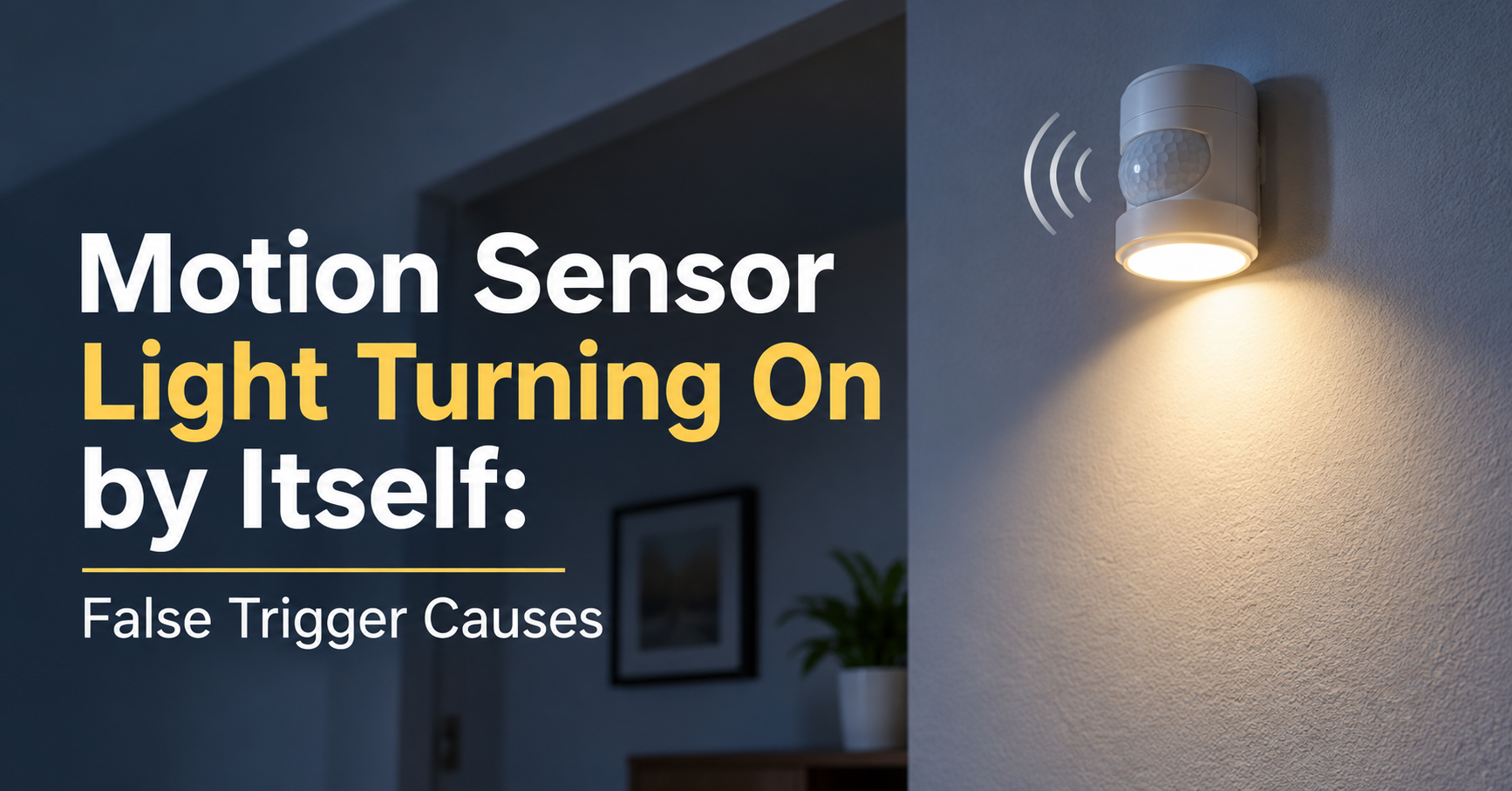
You walk past your driveway at midnight and the floodlight is already glowing. Nobody is there, no car has passed and the street is silent. If a motion sensor light turns on by itself, it can feel strange and a little unsettling. The good news is that it is almost always caused by something simple, and most fixes take only a few minutes with no special tools.
This guide explains how motion sensors work, the most common reasons for false triggers, step-by-step fixes, and how to choose a better light if your current one cannot be saved.
Quick Answer: Why Does My Motion Sensor Light Turn On By Itself?
A motion sensor light usually turns on by itself because the sensor detects a change in heat or movement that you cannot see. The most common triggers are swaying branches, small animals, insects, passing headlights, nearby heat sources, sensitivity set too high, a dirty lens, low batteries, or a failing sensor or wiring fault.
Quick tip
Before you change anything, watch the light for two or three nights. Note the time it turns on and what happens nearby. The pattern usually points straight at the cause.
How a Motion Sensor Light Works
Most outdoor and indoor motion lights use a PIR (passive infrared) sensor. It does not send out any signal. Instead, it watches the infrared heat in its surroundings. The lens divides the area into many invisible zones, and when a warm object moves from one zone to another, the sensor notices the sudden change in heat and switches the light on.
Because the sensor reacts to any rapid heat change, not only people, many harmless things can fool it. Understanding the main sensor types also helps:
- PIR sensors: the most common type. Affordable and reliable, but sensitive to heat and temperature swings.
- Microwave sensors: send out radio waves and detect reflections. They can sense movement through thin walls and glass, which sometimes causes unexpected triggers.
- Dual-technology sensors: combine PIR and microwave and need both to agree before switching on. They give far fewer false alarms.
- Ultrasonic sensors: use sound waves and are common indoors, but they can react to air movement.
8 Common Reasons a Motion Sensor Light Turns On By Itself
1. Swaying Trees, Bushes and Plants
Wind moves leaves and branches in and out of the detection zones. Warm sunlit leaves can also create tiny heat differences that the sensor reads as movement. If the light turns on mostly on windy nights, this is the likely cause.
2. Pets and Wildlife
Cats, dogs, raccoons, foxes, squirrels, rabbits and even large birds can set off a sensor. Many of these visitors come at night, so you may never see them. If the light turns on at similar times each night, an animal routine is a strong suspect.
3. Insects and Spiders
Moths and flying insects are attracted to the warmth and glow of the light. A bug that flies close to the sensor lens looks like a huge moving heat source. Spiders often build webs across the lens, and a web moving in the breeze can trigger the light again and again.
4. Car Headlights and Street Traffic
Headlights sweeping across the sensor can cause false triggers, especially if the sensor faces a road. Heat from engines and exhaust can also add to the problem when the sensor is installed close to the street or a driveway.
5. Nearby Heat Sources
Dryer vents, air conditioner outlets, heat pump fans, grills, chimneys and exhaust pipes release warm air. When that air blows across the sensor, the light reads it as movement. Indoor lights near heating vents or radiators can have the same issue.
6. Sunlight and Sudden Temperature Changes
When the sun hits a wall, roof or pavement and then a cloud passes, the surface temperature changes quickly. Rain and cold gusts do the same. Direct sun on the sensor body can also make it behave oddly, especially on cheaper models.
7. Sensitivity, Range or Timer Set Wrongly
Most motion lights have small dials for sensitivity, range and time delay. If sensitivity is at maximum, the sensor will pick up distant or tiny movements. Factory settings are often too sensitive for real homes, and a power cut can reset adjusted settings.
8. Faulty Sensor, Loose Wiring or Power Problems
If none of the above fits, the problem may be inside the fixture. A worn sensor, loose wire, moisture inside the housing, power surges or a failing photocell can make the light flicker or switch on at random, even in daylight. Solar models may act strangely when the battery is nearly worn out.
How to Stop a Motion Sensor Light From Turning On By Itself
Work through these fixes in order. Start with the simplest, since most problems are solved in the first two steps.
Step 1: Lower the Sensitivity and Adjust the Range
Look for small dials or switches on the sensor head or fixture, usually labeled sensitivity (SENS), range and time (TIME). Turn sensitivity down by about one third, shorten the range, and test again. After each adjustment, wait a minute and walk through the area to confirm the light still detects people where it needs to.
Step 2: Re-Aim the Sensor
Tilt the sensor head slightly downward so that it covers the ground you actually want to protect. Aiming too high lets it see trees, rooftops and passing cars. Point it away from roads, shrubs, vents and any bright reflective surface.
Step 3: Trim Plants and Remove Heat Sources
Cut back branches and bushes that sit in the detection area. If a dryer or AC vent blows near the sensor, move the light a little or fit a small shield to block the view. Even moving the fixture one metre to the side can solve a stubborn false trigger.
Step 4: Clean the Lens and Remove Webs
Wipe the sensor lens with a soft, dry or slightly damp cloth. Remove spider webs, dust and insect nests. Check the housing for condensation or water, and let it dry fully before turning the power back on.
Step 5: Use Shields or Masking for Problem Zones
Many sensors allow you to block part of the lens. A small piece of opaque electrical tape on the side facing a street or fence will remove that zone from the detection area. Test and adjust until only the area you want is covered.
Step 6: Check Batteries, Solar Panel and Power Supply
For battery or solar lights, replace old batteries and make sure the solar panel is clean and receives enough daily sun. Weak power is a very common cause of strange behavior. For wired lights, check that the power supply is steady and that no other device on the same circuit is causing surges.
Step 7: Inspect the Wiring (With the Power Off)
If you are comfortable with basic electrical work, switch off the circuit at the breaker and check that connections are tight and dry. If you see burn marks, corrosion or damaged insulation, or you feel unsure, stop and call a licensed electrician. Working with mains wiring is dangerous.
Step 8: Replace the Sensor or the Whole Light
If the light still turns on randomly after all these steps, the sensor is likely worn out. Replacing the unit is often cheaper and safer than repeated repairs, especially on older fixtures.
Safety first
Always turn off the power at the breaker before opening an outdoor or wired fixture. Use a stable ladder, keep water away from electrical parts, and never work on wiring in wet conditions.
Troubleshooting by Situation
| What you notice | Likely cause | Best fix |
|---|---|---|
| Turns on during windy nights | Moving branches or plants | Trim plants, re-aim, lower sensitivity |
| Turns on at the same time every night | Pets or wildlife routine | Aim lower, shorten range, use a pet-friendly sensor |
| Turns on and off repeatedly | Spider web or insects on the lens | Clean the lens and housing |
| Turns on when cars pass | Headlights or road in view | Mask the lens side or reposition the light |
| Turns on near AC or dryer running | Warm air from vents | Move the light or add a shield |
| Turns on in daylight or flickers | Faulty photocell, wiring or low power | Check wiring and power, replace if needed |
Is It Safe If My Motion Light Turns On By Itself?
In most cases, yes. A false trigger is a sign of sensitivity or placement, not danger. Still, if the light turns on at odd hours and you also notice other signs such as open gates, disturbed items or unfamiliar sounds, take it seriously and check your property. If you have a security camera, review the footage from the time the light switched on.
How to Choose a Better Motion Sensor Light
If you are replacing a faulty light, or want a model that gives fewer false alarms, look for these features:
- Adjustable sensitivity, range and timer: fine control is the most important feature for avoiding false triggers.
- Dual-tech or pet-immune sensing: reduces triggers from small animals and moving foliage.
- Adjustable sensor head: lets you aim the sensor independently from the lamp.
- Dusk-to-dawn setting: prevents the light from working in bright daylight.
- Weather rating: choose an IP44 rating or higher for outdoor use, and IP65 for exposed spots.
- Brightness and color temperature: 700 to 1500 lumens suits most entrances, and warm white is gentler for neighbors.
- Power type: hardwired lights are the most reliable, solar lights are easy to install, and battery lights suit sheds and garages.
- Manual override mode: lets you keep the light on or off when needed.
Buyer tip
For busy gardens with plants and pets, a dual-technology light with a tiltable head and a mask option gives the best long-term results.
Best Placement Tips for Fewer False Triggers
- Mount the light at around 2 to 2.5 metres (7 to 8 feet) above the ground.
- Aim the sensor across the walking path rather than straight at it, because PIR sensors detect crossing movement better than approaching movement.
- Keep it away from vents, grills, chimneys and reflective glass or metal.
- Avoid facing the sensor toward the street, a shared fence or dense shrubs.
- Check the area once or twice a year, as plants grow and conditions change.
Frequently Asked Questions
Why does my motion sensor light turn on at the same time every night?
A regular schedule usually means an animal, a heating or cooling cycle, or a daily temperature change. Look at what else runs at that time, such as an AC unit, a timer or wildlife that passes at night.
Can wind turn on a motion sensor light?
Wind does not move the sensor directly, but it moves branches, leaves and debris through the detection zones. It can also cause quick temperature changes that the sensor reads as motion.
Why does my motion sensor light stay on all the time?
Check the time delay setting first, then look for constant movement or heat in front of the sensor. If it stays on even in an empty area, the sensor or relay may be faulty, or the light may be set to a manual or test mode.
Can spiders really trigger a motion sensor?
Yes. A spider or a web close to the lens appears much larger to the sensor than a distant object, and even tiny movement can set it off. Regular cleaning prevents this.
Do I need to replace the light if it keeps turning on by itself?
Not always. Most issues are solved by lowering sensitivity, re-aiming, cleaning or masking. Replace the light only if the problem continues after those steps or the sensor shows clear signs of damage.
Why does my motion light turn on in the daytime?
The light sensor (photocell) may be dirty, covered, set to the wrong mode or failing. Check the day and night dial, make sure the unit is not shaded by a roof edge, and clean the sensor window.
Final Thoughts
A motion sensor light that turns on by itself is usually reacting to something real but harmless, such as heat, wind, insects or animals. Start with the easy fixes: lower the sensitivity, re-aim the head, clean the lens and remove nearby heat sources. If the problem continues, check the power supply and wiring safely, or upgrade to a better sensor with adjustable controls and dual-tech detection.
With a few small adjustments, your light will work properly again, switching on when it truly matters and staying off when it does not.