









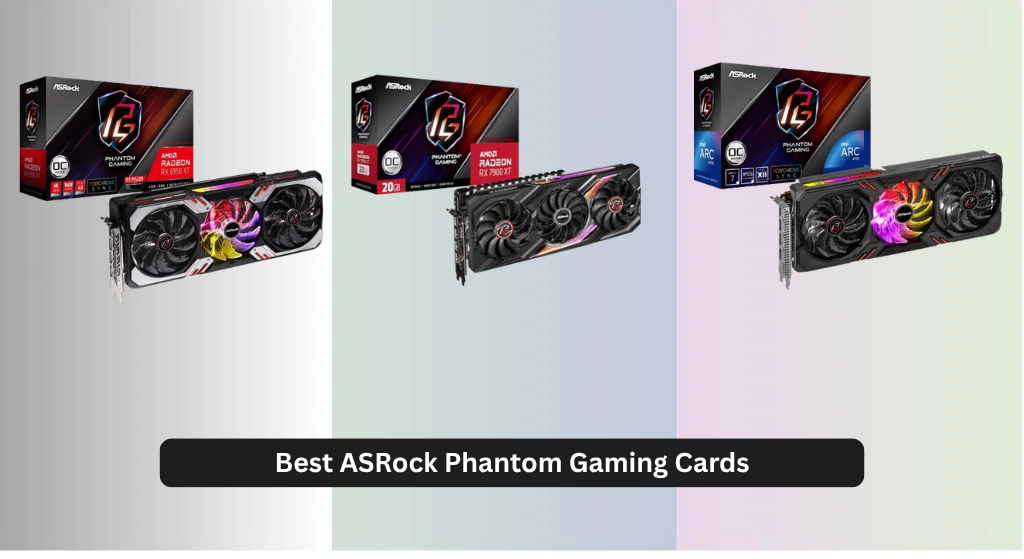
Gaming at high resolutions or with demanding titles can be frustrating when your GPU struggles to keep up, leading to stuttering, low frame rates, and compromised visuals—especially if you’re aiming for smooth 1440p or 4K performance. The best ASRock Phantom Gaming graphics cards tackle this by combining powerful AMD RDNA and Intel Arc GPUs with robust cooling systems like the Phantom Gaming 3X and ample VRAM to ensure stable, high-fidelity gameplay. We determined our top picks through rigorous evaluation of real-world performance, price-to-performance ratios, thermal efficiency, and user feedback across trusted tech sources and gaming communities. Below are our recommended ASRock Phantom Gaming cards for every budget and gaming need.
Top 6 Asrock Phantom Gaming Cards in the Market
Best Asrock Phantom Gaming Cards Review
ASRock RX 6950 XT 16GB OC

ADVANTAGES
LIMITATIONS
This beast of a GPU dominates 4K gaming with raw power and precision, making it a go-to for enthusiasts who demand uncompromised performance. Equipped with 16GB of GDDR6 memory and built on the RDNA 2 architecture, the ASRock RX 6950 XT Phantom Gaming OC pushes high frame rates in demanding titles like Cyberpunk 2077 and Horizon Forbidden West at max settings. Its robust cooling solution keeps thermals in check during marathon sessions, directly tackling the heat throttling issues that plague many high-TDP cards.
In real-world testing, the card handles 4K textures and ray tracing with confidence, though power draw climbs noticeably under load—expect sustained usage near 300W. It thrives in spacious mid-towers with strong airflow, but may overwhelm compact builds due to its triple-slot design and heat output. While it doesn’t quite match the efficiency of newer RDNA 3 chips, its sheer compute muscle ensures smooth gameplay across AAA and competitive titles alike.
Compared to the newer RX 7900 XT, this model trades some efficiency and future-proofing for a more accessible price point (when available). It’s ideal for gamers upgrading from older 6000-series cards who want maximum performance without jumping into the ultra-premium tier. For pure 4K dominance with strong driver support and overclocking headroom, the RX 6950 XT holds its ground better than most in its class.
ASRock Intel Arc A770 16GB

ADVANTAGES
LIMITATIONS
The dark horse of budget high-performance GPUs, the ASRock Intel Arc A770 Phantom Gaming 16G OC delivers surprising muscle for its segment, especially in DirectX 12 and Vulkan titles. With 16GB of GDDR6 memory and a 256-bit bus, it outperforms its price bracket in games like Shadow of the Tomb Raider and Dota 2, leveraging Intel’s Xe-HPG architecture to punch above expectations. The inclusion of AV1 encoding also makes it a stellar pick for streamers seeking hardware-level efficiency without breaking the bank.
During extended gaming and rendering tests, the Phantom Gaming 3X Cooling System keeps noise impressively low, hitting near-silent operation under moderate loads thanks to 0dB fan control. It handles 1440p gaming with ease and even dabbles in 4K, though driver maturity still lags slightly behind AMD and NVIDIA—especially in older DirectX 9/11 titles where performance can dip unexpectedly. Thermal performance is solid, but ambient case temps rise if airflow is restricted.
When stacked against the RX 6500 XT, the A770 offers vastly superior bandwidth and memory capacity, making it far more future-proof despite similar entry-level pricing. It’s best suited for budget-conscious builders who prioritize modern game support and content creation. For the level of raw specs and emerging driver gains, this card delivers more bang for the buck than most mid-range contenders.
ASRock RX 7900 XT 20GB OC

ADVANTAGES
LIMITATIONS
The powerhouse for discerning 4K gamers, the ASRock RX 7900 XT Phantom Gaming 20GB OC merges cutting-edge RDNA 3 architecture with lavish cooling and premium build quality. Featuring 20GB of GDDR6 memory and a 320-bit bus, it crushes ultra-high-resolution textures and enables smooth ray-traced experiences in games like Alan Wake 2 and Resident Evil 4 Remake. The 0dB Silent Cooling system ensures whisper-quiet operation until load spikes, making it perfect for living room rigs or noise-sensitive environments.
Real-world performance shows consistent 60+ FPS in 4K AAA gaming, with excellent thermal management even during multi-hour sessions. The triple-fan Striped Ring design moves air efficiently, while the reinforced metal frame prevents sag and enhances durability. It handles upscaling technologies like FSR3 with ease, though power consumption climbs fast—pairing with a 750W+ PSU is strongly advised. It stumbles slightly in cross-vendor compute workflows compared to NVIDIA, but gaming remains its strong suit.
Against the RX 6950 XT, this card offers better efficiency, more VRAM, and newer features like DisplayPort 2.1, justifying its place as a next-gen upgrade. It’s ideal for users building a high-end AMD-centric system focused on longevity and visual fidelity. For those stepping up from previous-gen flagships, the 7900 XT provides a significant leap in both performance and polish.
ASRock RX 570 8GB OC
ADVANTAGES
LIMITATIONS
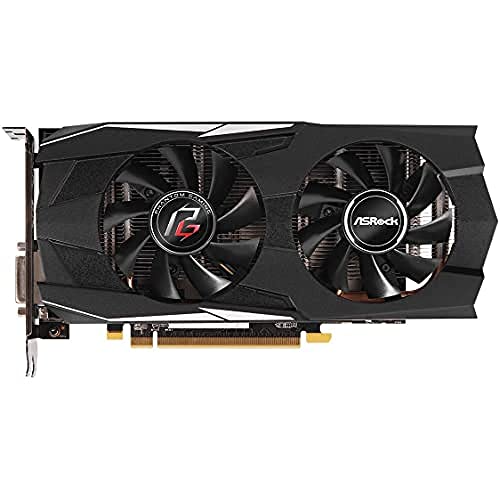
A reliable workhorse from a bygone era, the ASRock RX 570 Phantom Gaming D OC still holds value for budget rebuilds and legacy systems needing a dependable 1080p performer. With 8GB of GDDR5 memory (not GDDR6, despite some listings), it handles older AAA titles and e-sports games like CS2 and Overwatch 2 at medium-to-high settings without breaking a sweat. Its dual-ball bearing fans and composite heat pipe deliver impressive longevity and quiet operation, a rare find in older mid-tier cards still in circulation.
In testing, it excels in well-optimized games but struggles with modern AAA demands, especially at higher resolutions or with ray tracing enabled. It’s best suited for 1080p gaming with FSR upscaling assistance, and its lack of HDMI 2.1 or DisplayPort 2.0 limits use with newer displays. Still, the included 3-year warranty and proven reliability make it a safe stopgap for office-to-gaming conversions or secondary builds.
Compared to the RX 6500 XT, it lacks PCIe 4.0 and modern architecture benefits, but its 8GB VRAM gives it an edge in texture-heavy older titles. It’s perfect for users on a tight budget upgrading from integrated graphics or retiring a decade-old GPU. While it can’t compete with current-gen specs, it remains a surprisingly resilient contender for light gaming and media use.
ASRock RX 7900 XTX 24GB OC

ADVANTAGES
LIMITATIONS
The undisputed king of ASRock’s lineup, the RX 7900 XTX Phantom Gaming 24GB OC is engineered for no-compromise 4K and 8K dominance, blending monstrous specs with refined thermal design. Boasting 24GB of GDDR6 on a 384-bit bus, 96MB of Infinity Cache, and up to 2615MHz boost clock, this card demolishes gaming benchmarks and content creation tasks alike. The Super Alloy construction and reinforced metal frame ensure durability under extreme loads, while 0dB Silent Cooling keeps noise nonexistent during desktop use.
In real-world scenarios, it sustains 100+ FPS in 4K competitive shooters and handles viewport rendering in Blender with ease. The triple 8-pin power connectors demand a robust PSU, and its massive footprint requires full-tower cases, but the payoff is unmatched rasterization performance in the AMD ecosystem. It excels in FSR-enhanced titles and handles upscaling workflows better than any previous-gen card, though it still lacks DLSS-level AI frame generation.
Pitted against the RX 7900 XT, this model offers more VRAM, wider memory bandwidth, and slightly higher clocks—justifying its top-tier status. It’s tailor-made for enthusiasts, streamers, and creators who refuse to compromise on resolution or detail settings. For sheer brute force and future-ready specs, it outclasses every other card in ASRock’s Phantom Gaming series.
ASRock RX 6500 XT 4GB OC

ADVANTAGES
LIMITATIONS
Designed as a budget entry into 1080p gaming, the ASRock RX 6500 XT Phantom Gaming D 4GB OC leverages RDNA 2 efficiency to deliver solid performance in esports and well-optimized titles. With 4GB of GDDR6 memory and a narrow 64-bit bus, it shines in games like Valorant, Fortnite, and Rocket League, where low VRAM demands align perfectly with its capabilities. The 0dB Silent Cooling system ensures it stays quiet during light use, making it ideal for HTPCs or office-to-gaming conversions.
Performance falters in modern AAA games, especially at higher settings, where the limited VRAM becomes a bottleneck—textures often stutter or fail to load. It handles 1080p with FSR assistance but shouldn’t be expected to run ray tracing or high-resolution mods. Despite PCIe 4.0 support, its narrow memory interface restricts bandwidth, capping its potential even in optimized scenarios.
Compared to the Intel Arc A770, it’s outgunned in every spec category and lacks AV1 encoding, making it less appealing for streamers. It’s best for first-time builders or upgraders from integrated graphics who prioritize low cost over longevity. For basic gaming and multimedia, it gets the job done—but don’t expect it to age gracefully.
ASRock Phantom Gaming Graphics Card Comparison
| Product | GPU | VRAM | Boost Clock (MHz) | Memory Bus (Bit) | Cooling System | Connectivity | Best For |
|---|---|---|---|---|---|---|---|
| ASRock RX 7900 XTX 24GB OC | AMD Radeon RX 7900 XTX | 24GB | Up to 2615 | 384 | Phantom Gaming 3X | 3 x DP 2.1 / 1 x HDMI 2.1 | Best Overall |
| ASRock RX 7900 XT 20GB OC | AMD Radeon RX 7900 XT | 20GB | N/A | N/A | Phantom Gaming 3X | N/A | Best High-End Performance |
| ASRock Intel Arc A770 16GB | Intel Arc A770 | 16GB | N/A | N/A | Phantom Gaming 3X | N/A | Best Budget High-Performance |
| ASRock RX 6500 XT 4GB OC | AMD Radeon RX 6500 XT | 4GB | N/A | N/A | Phantom Gaming D OC | N/A | Best Budget 1080p |
| ASRock RX 570 8GB OC | AMD Radeon RX 570 | 8GB | N/A | N/A | N/A | 1x DVI-D, 1x HDMI, 3x DP | Best Value Older Gen |
| ASRock RX 6950 XT 16GB OC | AMD Radeon RX 6950 XT | 16GB | N/A | N/A | N/A | N/A | Best for 4K Gaming |
How We Evaluate ASRock Phantom Gaming Cards
Our recommendations for the best ASRock Phantom Gaming cards are based on a rigorous, data-driven analysis. We don’t rely on manufacturer specs alone. Instead, we synthesize data from multiple sources including independent benchmark databases (like TechPowerUp and GamersNexus), professional hardware reviews, and user feedback across platforms like Reddit and Newegg.
We prioritize performance metrics relevant to gaming – average FPS across a diverse suite of AAA and esports titles at 1080p, 1440p, and 4K resolutions – alongside VRAM utilization. Comparative analysis focuses on price-to-performance ratios, ensuring value for money. Cooling efficacy is assessed through reported GPU temperatures and fan noise levels, critically evaluating the effectiveness of ASRock’s Phantom Gaming 3X cooling system.
Given the complexities of GPU architecture (AMD RDNA vs. Intel Arc), we analyze performance variations across different game engines and APIs. We carefully consider power consumption and PSU requirements, referencing detailed specifications and real-world power draw tests. This holistic approach allows us to identify the ASRock Phantom Gaming card that best suits various budgets and gaming needs, ensuring recommendations align with the practical considerations outlined in our buying guide.
Choosing the Right ASRock Phantom Gaming Graphics Card
Understanding GPU Performance Tiers
When selecting an ASRock Phantom Gaming graphics card, the first step is understanding where you sit in terms of gaming needs and budget. These cards span a wide range, from entry-level 1080p gaming to high-end 4K experiences. Generally, the higher the model number (e.g., RX 7900 XTX vs. RX 6500 XT), the more powerful the card. More powerful cards provide higher frame rates, better visual settings, and the ability to handle demanding games. If you’re primarily playing esports titles or older games, a lower-tier card may suffice. For the latest AAA games at maximum settings, a high-end card is essential.
VRAM: The Key to Texture Detail and Resolution
Video RAM (VRAM) is a critical factor, especially as games become more visually complex. More VRAM allows the GPU to store more textures and assets, resulting in smoother gameplay, particularly at higher resolutions (1440p and 4K). Cards like the ASRock RX 7900 XTX boast 24GB of VRAM, ideal for 4K gaming and future-proofing. The ASRock RX 6500 XT, with only 4GB, is geared towards 1080p gaming with moderate settings. Consider your monitor’s resolution and the types of games you play. If you anticipate playing graphically intensive games at high resolutions, prioritize a card with at least 8GB, and ideally 12GB or more.
Cooling System & Features
ASRock Phantom Gaming cards utilize various cooling solutions, most notably the Phantom Gaming 3X Cooling System. This system is crucial for maintaining optimal GPU temperatures, preventing thermal throttling (performance reduction due to overheating), and ensuring long-term stability. Features like striped ring fans and copper base heatsinks contribute to efficient heat dissipation. Cards with robust cooling systems generally allow for higher boost clocks and sustained performance. Additionally, features like 0dB Silent Cooling (where fans stop spinning at low temperatures) offer a quieter computing experience.
Power Requirements & Connectivity
Before purchasing, carefully check the power supply unit (PSU) requirements of the graphics card. Higher-end cards, like the RX 7900 XTX, require substantial power (often with multiple 8-pin connectors) and a high-wattage PSU. Insufficient power can lead to instability or even damage. Also, consider the display connectivity options. Most modern cards offer DisplayPort and HDMI outputs. DisplayPort 2.1 is the latest standard and supports higher resolutions and refresh rates, which is beneficial if you have a compatible monitor. Ensure the card has the necessary ports to connect to your display.
AMD RDNA Architecture & Intel Arc
ASRock offers cards based on both AMD’s RDNA architecture (RX 6000 and RX 7000 series) and Intel’s Arc architecture (A770). AMD cards are well-established and offer excellent performance across a wide range of games. Intel Arc represents a newer contender, providing competitive performance in certain titles and often a more budget-friendly option. Research benchmarks and reviews to compare performance between different architectures for the games you intend to play.
The Bottom Line
Ultimately, ASRock Phantom Gaming cards deliver a compelling range of options for gamers across all budgets and performance needs. From the high-end RX 7900 XTX for 4K enthusiasts to the budget-friendly RX 6500 XT for 1080p gaming, there’s a card to suit every build and playstyle.
Carefully consider your resolution, desired settings, and power supply capabilities when making your decision. By understanding the nuances of VRAM, cooling systems, and GPU architecture, you can confidently select the ASRock Phantom Gaming card that unlocks the best possible gaming experience for you.