








What Is VRAM? Video RAM Explained and How Much You Really Need

If you have ever shopped for a graphics card, a gaming laptop, or a workstation, you have seen the term VRAM printed next to the model name: 8 GB, 12 GB, 16 GB, 24 GB. But what does it actually mean, and does more always mean better? This guide explains what VRAM is, how it works, how much you need for gaming, video editing, 3D work and AI, and how to avoid paying for memory you will never use.
What Is VRAM?
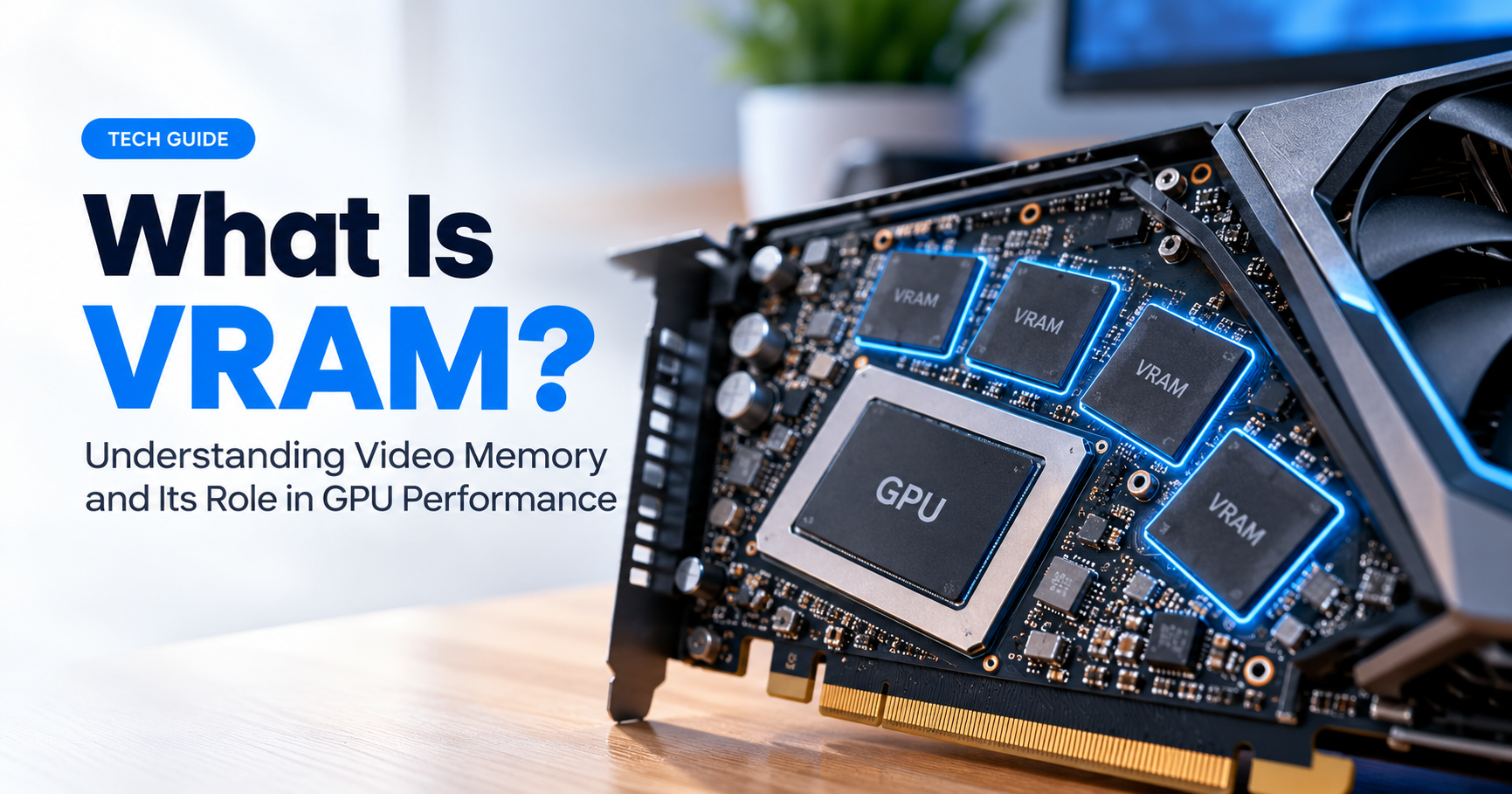
VRAM stands for Video Random Access Memory. It is a dedicated pool of memory that belongs to your graphics processing unit (GPU). While your computer’s regular RAM serves the processor (CPU) and general programs, VRAM exists for one job: feeding the GPU with the huge amount of visual data it needs every second.
Think of the GPU as a chef and VRAM as the countertop right beside the chef. Ingredients (textures, models, lighting data) placed on that counter can be grabbed instantly. If the counter is too small, the chef has to walk back to the pantry (system RAM or even the SSD) again and again, and the whole kitchen slows down.
How Does VRAM Work?
When you launch a game or a design application, the required assets are loaded from your storage drive into system RAM, and then the portion the GPU needs is copied into VRAM. From there the GPU reads and writes data at extremely high speed to build each frame you see on screen.
VRAM is designed for bandwidth, meaning how much data can move per second. It sits on a very wide memory bus right next to the GPU chip, which lets it transfer data far faster than ordinary system memory.
What Does VRAM Store?
- Textures: the surface images wrapped around 3D objects. Higher-resolution textures use much more VRAM.
- Frame buffers: the finished and in-progress images waiting to be shown on your display.
- 3D models and geometry: the shapes of characters, buildings and environments.
- Shaders and lighting data: information used for shadows, reflections and ray tracing.
- Z-buffer (depth data): tells the GPU which objects are in front of others.
- AI model weights: in machine learning and local AI tools, the model itself must fit in VRAM.
VRAM vs System RAM: What Is the Difference?
Both are memory, but they serve very different purposes. System RAM supports everything your computer does: the operating system, your browser, background apps. VRAM is reserved for graphics tasks only.
| Feature | VRAM | System RAM |
|---|---|---|
| Used by | GPU | CPU and general programs |
| Location | On the graphics card | On the motherboard (DIMM slots) |
| Bandwidth | Very high (hundreds of GB/s or more) | Lower (tens of GB/s) |
| Typical memory type | GDDR6, GDDR6X, GDDR7, HBM | DDR4, DDR5 |
| Upgradeable? | No, fixed to the card | Usually yes |
Types of VRAM: GDDR and HBM
Not all video memory is the same. The most common standards you will see are:
- GDDR5 / GDDR5X: older generation, found on budget and older cards.
- GDDR6: the mainstream standard for several years, offering a good balance of speed and cost.
- GDDR6X: a faster variant used on some high-end cards.
- GDDR7: the newest generation with even higher bandwidth for modern flagship cards.
- HBM (High Bandwidth Memory): stacked memory used mostly in data center and professional accelerators, with extreme bandwidth.
Remember that the type and the memory bus width matter as much as the capacity. A card with 12 GB of fast memory on a wide bus can beat a card with 16 GB on a narrow, slow bus in some situations.
How Much VRAM Do You Need?
The right amount depends on what you do and at which resolution. Use the chart below as a practical guide for current games and creative software.
Everyday Use and Office Work
Browsing, streaming and office apps need very little. Integrated graphics that share system memory, or a card with 2 to 4 GB, is enough.
Gaming
- 1080p: 8 GB is a comfortable target for most modern games at high settings. 6 GB can work for esports and older titles.
- 1440p: 12 GB gives breathing room for high-resolution textures and ray tracing.
- 4K: aim for 16 GB or more, especially for new releases with ultra textures.
Video Editing and 3D Rendering
Editing 4K footage with effects, color grading, or rendering complex 3D scenes can fill VRAM quickly. 12 to 16 GB is a sensible starting point, and 24 GB or more helps with 8K timelines and heavy scenes.
AI, Machine Learning and Image Generation
For local AI, VRAM is often the single most important spec. If a model does not fit in video memory, it either will not run or will run painfully slowly. Many image generation tools run well on 8 to 12 GB, while larger language models and training workloads benefit from 24 GB and beyond.
What Happens When You Run Out of VRAM?
When VRAM fills up, the system starts moving data back and forth to system RAM and storage, which is dramatically slower. Common symptoms include:
- Sudden stuttering and frame-time spikes, even when average FPS looks fine
- Textures that load late or look blurry
- Long loading times and freezes
- Crashes or “out of video memory” error messages
- Applications refusing to export or render large projects
How to Check How Much VRAM You Have
On Windows 10 and 11:
- Press Ctrl + Shift + Esc to open Task Manager.
- Open the Performance tab and select your GPU.
- Look at Dedicated GPU memory. This is your true VRAM.
Using DirectX Diagnostic Tool: press Windows + R, type dxdiag, press Enter, open the Display tab and check Display Memory (VRAM).
On Mac: click the Apple menu, choose About This Mac, then open System Report and look under Graphics/Displays. Apple silicon Macs use unified memory shared between CPU and GPU.
Dedicated VRAM vs Shared GPU Memory
Integrated graphics have no VRAM of their own. They borrow a slice of system RAM, often labeled shared GPU memory. This is much slower than dedicated VRAM and is also why dual-channel, fast system RAM helps on laptops and budget builds. A discrete graphics card has its own dedicated VRAM and delivers far better graphics performance.
Can You Increase VRAM?
You cannot physically add VRAM to a graphics card, because the memory chips are soldered to the board. On integrated graphics, some systems let you change the allocated memory in BIOS or UEFI settings, but this only reassigns system RAM and does not make the GPU faster. If you need more video memory, the real solution is a graphics card with more VRAM.
Tips to Reduce VRAM Usage
- Lower the texture quality setting in games first, as it has the biggest effect.
- Reduce the resolution or use upscaling technologies such as DLSS, FSR or XeSS.
- Turn off or lower ray tracing if memory is tight.
- Close background apps that use the GPU, such as browsers with many tabs, overlays and screen recorders.
- Keep your graphics drivers up to date for better memory management.
- In creative apps, use proxy files and lower preview quality while editing.
Buying Guide: Is More VRAM Always Better?
More VRAM helps only if the GPU is powerful enough to use it. A weak GPU with a huge pool of memory will not suddenly become fast. When comparing graphics cards, look at the whole picture:
- GPU performance tier: the processing power itself.
- VRAM capacity: enough for your resolution and workload.
- Memory bandwidth and bus width: how fast data actually moves.
- Future-proofing: newer games and AI tools keep demanding more memory every year.
- Power, cooling and budget: the supporting factors that decide real-world value.
As a rule of thumb, avoid buying a new card with less than 8 GB if you plan to game on it for years, and prioritize 12 GB or more if you work with creative or AI software.
Frequently Asked Questions
Is VRAM the same as GPU memory?
Yes. VRAM, GPU memory, graphics memory and video memory all refer to the dedicated memory attached to a graphics processor.
Does VRAM increase FPS?
Not directly. VRAM prevents slowdowns caused by running out of memory. Once you have enough for your settings, extra VRAM will not raise your FPS.
Is 8 GB VRAM enough in 2026?
For 1080p gaming at sensible settings, yes in most cases. For 1440p, 4K, heavy ray tracing, or creative and AI workloads, 12 GB or more is a safer choice.
Can system RAM replace VRAM?
Only partially. Integrated graphics use system RAM, but it is much slower than dedicated VRAM, so performance is far lower.
Does VRAM matter for laptops?
Yes. Laptop GPUs often have less VRAM than desktop versions of the same name, so always check the exact VRAM amount before buying a gaming or creator laptop.
Final Thoughts
VRAM is the high-speed workspace of your graphics card. It holds the textures, models and data your GPU needs right now, and having enough of it keeps games smooth, editing responsive and AI tools usable. Match your VRAM to your resolution and workload, balance it with GPU power and memory bandwidth, and you will get the best value from your next graphics card or PC build.