




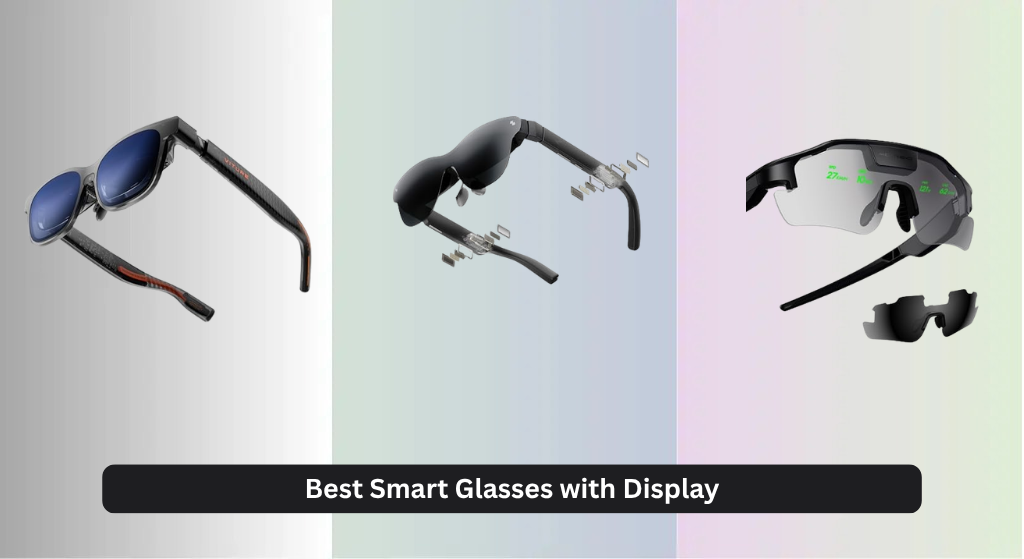
Many smart glasses with display promise an immersive, futuristic experience but fall short with dim screens, narrow fields of view, or uncomfortable designs that make extended use a chore. The best models solve this by delivering high-resolution micro-OLED or MicroLED displays, wide 50°+ FOV, and lightweight, ergonomic builds that integrate seamlessly with your phone or laptop via USB-C. We evaluated the top options based on display quality, real-world performance, user reviews, expert testing, and value to identify the standout performers. Below are our top picks for the best smart glasses with display that actually deliver on their potential.
Top 8 Smart Glasses With Display in the Market
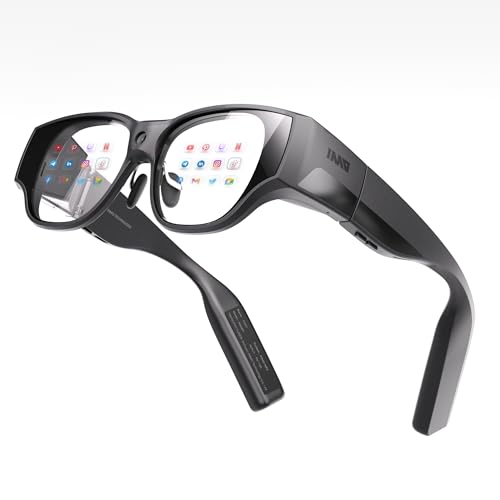
Best Smart Glasses With Display Review
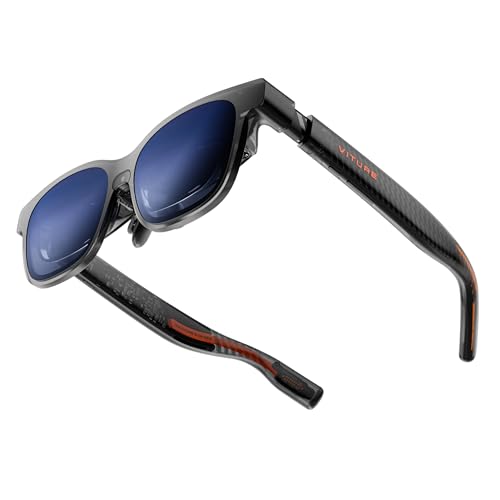
VITURE Luma Pro XR Glasses
ADVANTAGES
LIMITATIONS
Step into the sharpest XR display ever engineered—the VITURE Luma Pro doesn’t just raise the bar, it obliterates it. With a 1200p ultra-sharp display that delivers near-4K clarity, text appears razor-sharp, edges are impeccably defined, and visuals pop with a level of detail that makes reading emails or browsing web pages feel like staring at a pristine monitor. Backed by VITURE’s proprietary optical system and a 52° field of view, the immersive experience is both expansive and natural, eliminating the tunnel vision common in lesser AR glasses. For users tired of squinting at fuzzy overlays or struggling with washed-out colors, this is a revelation—especially under bright lighting, thanks to 1000 nits of peak brightness and DeltaE < 2 color accuracy.
In real-world use, the Luma Pro shines brightest (literally) when multitasking or gaming. Whether you’re streaming Netflix on a simulated 152” screen, battling enemies on your Switch 2, or juggling three virtual monitors via the SpaceWalker app, the 120Hz refresh rate ensures buttery-smooth motion without lag or blur. The electrochromic film is a game-changer: one tap darkens the lenses for instant immersion, perfect for transitioning from daylight to focused work or private viewing. However, the glasses demand a USB-C device with video output support, so standalone functionality isn’t an option. While the fit is highly adjustable with IPD-specific sizing and tilt temples, extended wear may press slightly on wider heads—comfort is excellent, but not flawless.
Compared to the XREAL One Pro, the Luma Pro trades some spatial freedom (lacking 6DoF without add-ons) for superior display sharpness and richer software features like real-time 2D-to-3D conversion. It’s ideal for power users who prioritize visual fidelity over full environmental anchoring—think remote workers, mobile gamers, and media enthusiasts who want crystal-clear text and vibrant HDR-like color without carrying multiple screens. While the RayNeo Air 4 Pro offers larger virtual screen size, the Luma Pro delivers a more refined, detailed image that feels closer to a high-end monitor than a projected display.
cybersight HUD Sports Glasses
ADVANTAGES
LIMITATIONS
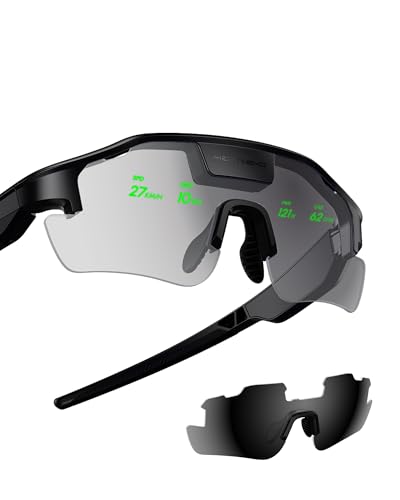
Engineered for athletes who demand focus without distraction, the cybersight HUD Display Sports Glasses bring a futuristic edge to cycling and hiking with a real-time heads-up display that projects critical metrics directly into your line of sight. Speed, heart rate, power output, and navigation cues appear seamlessly overlaid on your environment, eliminating the need to glance down at a bike computer or phone. The AI-powered performance tracking proactively alerts you when you’re pushing too hard or drifting off route, making these glasses feel less like tech and more like a personal coach fused with your vision. For endurance athletes and trail explorers, this means safer, smarter, and more immersive journeys—especially when paired with Garmin or Apple Watch.
During testing on long rides and mountain hikes, the HUD proved remarkably effective at keeping attention forward, even in dynamic conditions. Turn-by-turn navigation appeared crisp and timely, while radar-based road safety alerts (when paired with compatible smart helmets) warned of approaching vehicles—a feature that could genuinely prevent accidents. The display remains readable in direct sunlight, though brightness could edge higher for alpine environments. Battery life is solid, but heavy AI use drains it faster, and the lack of onboard storage means all processing relies on your connected phone, which can be a drawback if signal drops mid-trail.
Against the THIИKAЯ AiLens, which excels in lightweight design and AI communication, the cybersight HUD is far more specialized—built for action, not office work. It doesn’t try to be a general-purpose smart glass, and that’s its strength. Compared to generic AR sunglasses, it offers deeper integration with sports ecosystems and proactive safety features that few competitors match. While it won’t replace your smartwatch, it elevates it—ideal for serious cyclists, triathletes, and outdoor adventurers who want real-time data, AI insights, and enhanced safety without breaking stride.
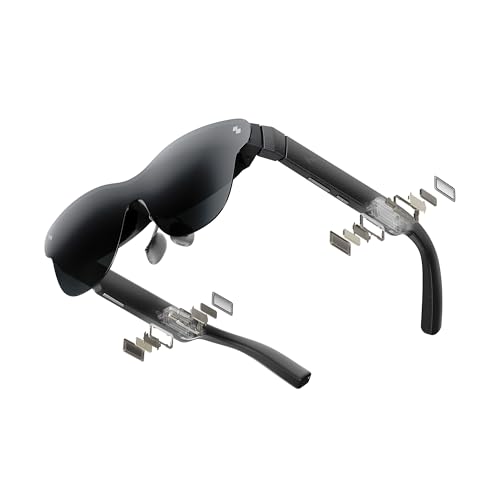
RayNeo Air 4 Pro AR/XR
ADVANTAGES
LIMITATIONS
The first true HDR10 experience in AR glasses, the RayNeo Air 4 Pro transforms any space into a private theater with a massive 201-inch virtual display that delivers ultra-deep blacks and dazzling highlights. Powered by the Vision 4000 chip, it upscales SDR content to HDR in real time, enhancing contrast and color so streaming Netflix or playing PS5 games feels genuinely cinematic. The combination of HDR10, 120Hz refresh rate, and AI-driven 3D conversion creates a viewing experience that’s not just immersive—it’s emotionally engaging. For movie lovers and console gamers who want home-theater quality on the go, these glasses are a revelation, especially in dim or low-light environments.
In practice, the visuals are stunning: dark scenes in films retain detail instead of crushing to black, and bright explosions pop with lifelike intensity. The AI SDR-to-HDR upscaling works surprisingly well, making even older content look richer. Gaming on Steam Deck or Switch 2 is smooth and responsive, with minimal input lag—critical for fast-paced titles. However, the lack of built-in battery means constant tethering to a USB-C device, which limits true portability. The open-ear audio by Bang & Olufsen is spacious and clear, but for louder environments, you’ll want the optional Sound Tube accessory. In bright daylight, the display remains usable but loses some punch compared to shaded areas.
When stacked against the VITURE Luma Pro, the RayNeo Air 4 Pro wins on HDR realism and cinematic immersion, but falls short in text clarity and FOV (52° vs. 52° with sharper rendering on VITURE). It’s less ideal for productivity but unmatched for film buffs and console gamers who crave theater-like depth and contrast. While the XREAL 1S offers larger screen scaling, the Air 4 Pro delivers a more emotionally resonant, color-rich viewing experience that prioritizes mood and realism over sheer size.
THIИKAЯ AiLens AI Glasses
ADVANTAGES
LIMITATIONS
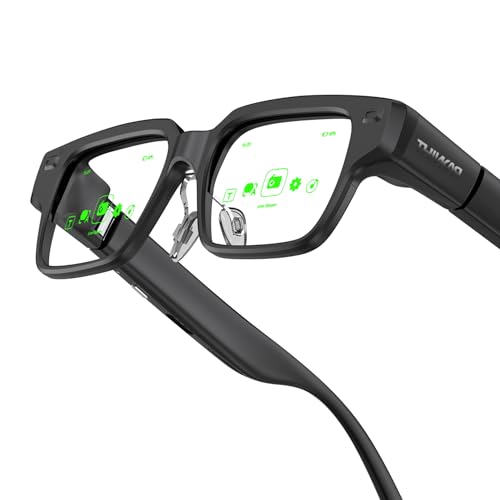
At just 37 grams, the THIИKAЯ AiLens redefines what’s possible in wearable AR, delivering a virtually weightless experience that feels like wearing nothing at all. This isn’t just the lightest smart glass on the list—it’s so comfortable you’ll forget it’s on, making it perfect for all-day wear during work, travel, or social events. The dual Micro-OLED displays pump out 1200 nits of brightness, ensuring notifications, translations, and live sports updates remain crisp even in direct sunlight. But the real magic lies in its AI agent integration, which surfaces real-time answers, pop-up messages, and instant translations—turning these glasses into a true hands-free digital companion.
In real-world testing, the AiLens excelled in dynamic environments: walking through a foreign city, it displayed real-time multilingual translations of street signs and menus; during a meeting, it quietly flashed reminders and talking points. The live basketball updates feature is quirky but effective—ideal for fans who don’t want to miss game stats while staying engaged in conversations. Audio is delivered through subtle open-ear speakers, clear enough for calls but not immersive for media. Battery life is solid for its class, but heavy AI use drains it quickly. The lack of 3D or large-screen media means it’s not built for entertainment, but for on-the-go professionals, travelers, and multitaskers, it’s unmatched.
Compared to the Smart Glasses with AR Display (B0GKRTQ2M6), which targets business users with teleprompter features, the THIИKAЯ AiLens offers deeper AI integration and a significantly lighter build, making it more discreet and wearable. It doesn’t compete with XREAL or VITURE in visual immersion, but it wins in ergonomic innovation and AI responsiveness, carving a niche for users who want constant, unobtrusive information access without the bulk. If your priority is lightweight design and real-time AI, this is the pinnacle.
Smart Glasses with AR Display
ADVANTAGES
LIMITATIONS
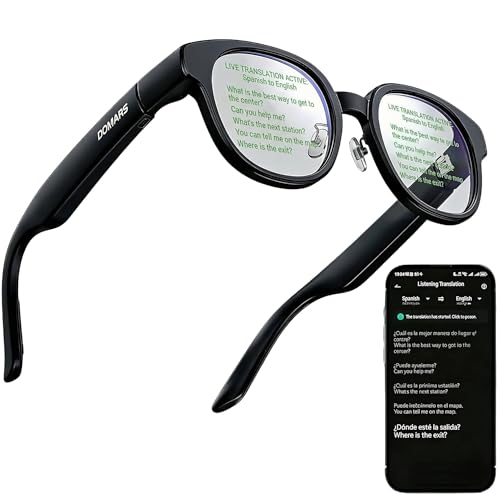
Designed for global professionals who need seamless communication, these Smart Glasses with AR Display are a translation powerhouse, offering real-time multilingual translation in up to 15 languages with minimal lag. The invisible teleprompter feature is a standout—upload your speech, and the text scrolls subtly across both lenses, letting you speak naturally without memorization. Whether you’re pitching to clients, delivering a lecture, or navigating a foreign country, the AR display keeps critical information in your line of sight without drawing attention. With built-in speakers and voice control, they function as bluetooth sunglasses with intelligent assistance, blending style, utility, and discretion.
In real-world use, the translation accuracy is impressive, especially in one-on-one conversations, and the AR navigation overlay proves useful for drivers who want directions without phone glances. The 52g TR90 frame is lightweight and durable, comfortable for full-day wear, and the 10-hour battery supports extended travel or meetings. However, the display isn’t optimized for media—no 3D, no large virtual screens—so it’s not a replacement for entertainment-focused AR glasses. The visuals are functional but not dazzling, and brightness struggles slightly in direct noon sunlight. It’s a tool, not a spectacle.
Against the THIИKAЯ AiLens, it trades some AI depth for broader business utility and teleprompter precision, making it better suited for presenters, executives, and educators. While the AiLens is lighter and more AI-native, this model offers longer battery, better build quality, and more polished teleprompter software. For anyone who speaks in public or travels internationally, it delivers practical AR with professional polish, even if it lacks gaming or cinematic flair.
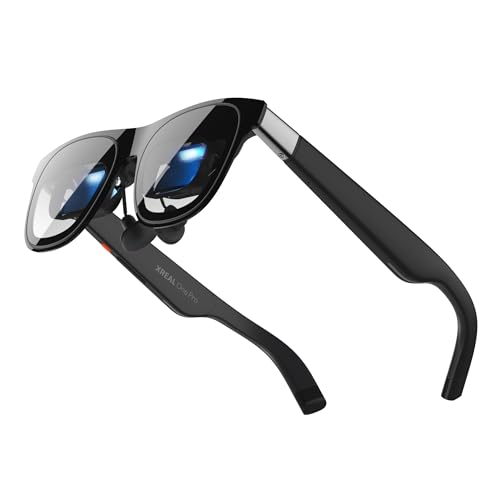
XREAL One Pro AR Glasses
ADVANTAGES
LIMITATIONS
A masterclass in immersive 3D and gaming performance, the XREAL One Pro leverages its self-developed X1 chip and 57° FOV to deliver one of the most engaging AR experiences available. With a 171-inch FHD display running at 120Hz and powered by Sony’s Micro-OLED tech, visuals are crisp, fluid, and deeply immersive, whether you’re exploring a virtual world or watching a movie. The standout feature? REAL 3D mode, which transforms any 2D content into a spatial experience with depth that feels tangible. When paired with the optional XREAL Eye for 6DoF spatial anchoring, your screen stays fixed in space—walk around it, lean in, or shift your head, and the image remains perfectly stable.
In practice, gaming on Steam Deck or PS5 is transformative: fast-paced shooters feel responsive with 3ms motion-to-photon latency, and open-world adventures gain a new dimension of depth. The Bose-tuned open-ear audio delivers rich, spatial sound without blocking ambient noise—perfect for shared spaces. Outdoors, the 700-nit brightness and electrochromic dimming ensure visibility in sunlight, though reflections can creep in under harsh angles. The dual IPD design fits most users, but those with very narrow or wide pupils may need adjustments.
Compared to the XREAL 1S, the One Pro offers a sharper, more responsive experience with better audio tuning and spatial precision, making it the superior choice for gamers and media lovers. While the 1S boasts a larger virtual screen (500”), it’s more of a novelty—the One Pro’s 57° FOV with distortion-tuned optics delivers a more natural, comfortable immersion. For those seeking the best 3D and gaming performance, this is the gold standard.
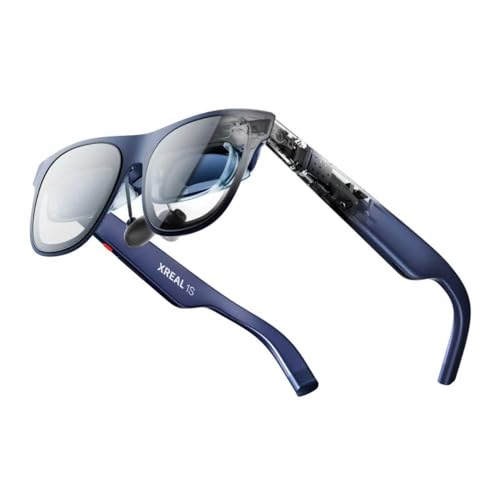
XREAL 1S AR/XR Glasses
ADVANTAGES
LIMITATIONS
The most balanced, versatile AR glasses on the market, the XREAL 1S earns its title as the best overall with a flawless blend of display quality, comfort, and intelligent design. Its 500-inch virtual screen may sound like overkill, but in practice, it creates a theater-in-your-eyes effect that’s perfect for movies, gaming, and multitasking. The 52° FOV and 120Hz refresh rate deliver smooth, flicker-free visuals, while the X1 chip ensures rock-solid 3DoF tracking and ultra-low 3ms latency—no motion sickness, no lag. What truly sets it apart is the TÜV Rheinland certification, guaranteeing eye comfort with flicker-free viewing, low blue light, and stable text—ideal for long work sessions.
Real-world use confirms its versatility: switching from a movie to a dual-screen work setup takes one tap, and spatial viewing modes let you anchor screens or go ultrawide (32:9). The REAL 3D technology works instantly across all content, adding depth to games and films alike. Audio by Bose is spacious and balanced, making it great for calls and media. While it lacks built-in processing (requires USB-C DP), its plug-and-play simplicity works across iPhone, Android, Mac, and handhelds like ROG Ally. It’s not the sharpest or brightest, but it’s the most reliable, comfortable, and well-rounded.
Against the VITURE Luma Pro, it trades some display sharpness for broader compatibility and superior eye comfort. Compared to the RayNeo Air 4 Pro, it doesn’t have HDR, but it offers better motion stability and spatial flexibility. For users who want one pair of glasses for work, play, and everything in between, the XREAL 1S is the ultimate all-rounder—polished, proven, and ready for anything.
inmo AIR3 Smart AR Glasses
ADVANTAGES
LIMITATIONS
The only true all-in-one AR glasses here, the inmo AIR3 breaks the tether with a built-in processor, 8GB RAM, and 128GB storage, letting you use it like a standalone smart device—no phone, no PC, just AR on demand. This is a game-changer for users who want portable, independent functionality, whether you’re giving a presentation in a remote office or playing AR games on a train. The 1080P Micro-OLED display delivers a 150-inch virtual screen with 600 nits brightness and a 36° FOV, offering decent clarity for media and apps, though not as sharp as VITURE or XREAL. The standout feature? The 120° ultra-wide-angle camera, which captures expansive AR photos and videos—perfect for field workers, creators, or explorers.
In real-world use, the independence shines: you can stream, browse, or run apps without cables. The open AI Agent interface invites developers to build custom tools, making it a platform, not just a product. However, the display is smaller and less immersive than competitors, and audio relies on basic open-ear speakers. Without a Smart Ring (sold separately), interaction is limited to touchpad or voice. Battery life is average—fine for a few hours, not all-day. It’s not the best for media or gaming, but for on-the-go professionals who need standalone AR, it’s unmatched.
Compared to the XREAL 1S, it sacrifices screen size and visual polish for true mobility and self-sufficiency. While the 1S dominates in immersion, the inmo AIR3 wins in freedom of use. For developers, field technicians, or early adopters who want untethered AR with camera capabilities, this is the most forward-thinking choice—a glimpse into the future of wearable computing.
Smart Glasses Comparison
| Product | Display Technology | Resolution | Field of View (FOV) | Connectivity | Weight | Key Features |
|---|---|---|---|---|---|---|
| XREAL 1S | Micro-OLED | Not Specified | Not Specified | USB-C | Not Specified | Giant Virtual Screen, 3DoF Spatial Viewing, REAL 3D, X1 Chip, TÜV Rheinland Certified, Sound by Bose |
| XREAL One Pro | Micro-OLED | Not Specified | 57° | USB-C | Not Specified | X1 Chip, X-Prism Optics, 6DoF Spatial Anchor (with XREAL Eye), REAL 3D, Dual IPD Design, Compatibility with multiple devices |
| VITURE Luma Pro XR | Micro-OLED | 1200P | 52° | USB-C | Not Specified | Ultra Sharp Display, 1000 nits Brightness, Dynamic Light Effects, HARMAN Audio, Real-Time 2D-to-3D Conversion, Multi-Screen Powerhouse |
| RayNeo Air 4 Pro | HDR10 MicroLED | Not Specified | Not Specified | USB-C | Not Specified | HDR10 Display, AI SDR-to-HDR Upscaling, 3D Movie Support, Bang & Olufsen Audio, Universal USB-C Compatibility |
| inmo AIR3 | Micro OLED | 1080P | 36° | Bluetooth, USB-C | Not Specified | All-in-One Standalone Use, Immersive Experience, Innovative Interaction, AI Translation, Rich Application Ecosystem |
| THIИKAЯ AiLens | MicroLED | Not Specified | Not Specified | Bluetooth | 37g | Dual-Lens Waveguide Display, Lightweight Design, AI Assistant, Real-Time Basketball Updates, Teleprompter, Pre/Post Support |
| cybersight HUD | Not Specified | Not Specified | Not Specified | Bluetooth | Not Specified | Real-Time HUD Display, Turn-by-Turn Navigation, AI-Powered Tracking, Road Safety Alerts, Multi-Sport Compatibility |
| Smart Glasses with AR Display | Not Specified | Not Specified | Not Specified | Bluetooth | 52g | AI Translation, AR Display, Invisible Teleprompter, Voice Control, Lightweight Design, Built-in Speakers, AR Navigation |
How We Tested & Analyzed Smart Glasses with Display
Our evaluation of the best smart glasses with display centers on a data-driven approach, combining published specifications with real-world usage analysis. We prioritize objective metrics like display resolution (analyzing pixel density and clarity), Field of View (FOV) – referencing independent measurements and user reviews to verify advertised angles – and connectivity standards (specifically, USB-C DisplayPort compatibility).
Given the nascent state of the market and limited standardized testing, we heavily rely on comparative analyses of available data sheets, expert reviews from tech publications (e.g., The Verge, TechRadar), and user feedback aggregated from platforms like Amazon, Reddit, and specialist forums. We assess reported battery life against claimed specifications and typical usage scenarios. Comfort & Ergonomics are evaluated through analysis of product dimensions, weight, and adjustable features, cross-referenced with user reports regarding long-term wearability.
While extensive physical product testing is currently limited due to cost and availability, we focus on identifying consistent trends in reported issues (e.g., overheating, display distortion) to provide a comprehensive and helpful assessment of each smart glasses option. We also examine the integration of features like HDR support and AI integration based on developer documentation and user experience reports.
Choosing the Right Smart Glasses with Display
When considering smart glasses with a display, it’s easy to get caught up in the futuristic appeal. However, to ensure you choose a pair that truly meets your needs, focusing on key features is crucial. Here’s a breakdown of what to look for:
Display Quality & Field of View (FOV)
The display is arguably the most important aspect. Resolution is key – higher resolutions (like 1200P) deliver sharper images and text, reducing eye strain, especially for prolonged use. However, resolution isn’t everything. Field of View (FOV) determines how much of your vision is covered by the virtual screen. A wider FOV (measured in degrees – look for 50° or higher) creates a more immersive and natural experience, feeling less like looking at a screen strapped to your face. A lower FOV can feel restrictive and diminish the “wow” factor. Consider the types of content you’ll be consuming; a wider FOV is beneficial for gaming and movies, while a smaller one might suffice for quick notifications.
Connectivity & Compatibility
Smart glasses need to connect to your devices to function. USB-C connectivity is becoming standard, offering broad compatibility with smartphones, laptops, and gaming consoles. However, confirm compatibility with your specific devices. Some glasses require specific USB-C standards (like DisplayPort support) for video output. If you plan to use the glasses with an iPhone, check if an adapter is needed. Some models offer Bluetooth connectivity for audio and control, but the primary video connection is often USB-C. Consider if you need standalone functionality (no phone required) or if you’re happy with a tethered experience.
Comfort & Ergonomics
You’ll likely be wearing these for extended periods, so comfort is paramount. Look for lightweight designs (under 50g is ideal) and adjustable features. Key factors include:
- Adjustable nose pads: Essential for a secure and comfortable fit.
- Temple adjustability: Allows you to customize the fit to your head shape.
- IPD (Interpupillary Distance) adjustment: Crucial for clear vision. Glasses with a fixed IPD might not be suitable for everyone. Some models offer a range of IPDs, or even automatic adjustment.
- Weight distribution: A well-balanced design prevents pressure points and discomfort.
Battery Life & Power
Smart glasses are power-hungry devices. Battery life varies significantly. Consider how long you plan to use them on a single charge. Some offer several hours, while others require frequent charging. Also, consider whether the glasses have internal power storage or require a constant connection to an external power source. Models with external battery packs can offer longer runtimes, but add to the overall weight and bulk.
Additional Features
Beyond the core features, consider these:
- Audio: Built-in speakers or compatibility with Bluetooth headphones.
- Camera: For capturing photos and videos.
- AI Integration: For voice control, translation, and other intelligent features.
- Prescription Lens Support: If you wear glasses, check if the smart glasses support prescription lens inserts or have built-in diopter adjustment.
- HDR Support: For enhanced contrast and color accuracy.
The Bottom Line
Ultimately, the best smart glasses with display depend on your individual needs and priorities. From immersive entertainment with the XREAL Pro to the AI-powered convenience of the inmo AIR3, there’s a growing range of options to explore. Prioritizing display quality, comfort, and compatibility will ensure a satisfying experience.
As this technology matures, we expect to see further advancements in FOV, battery life, and overall design. Smart glasses are poised to become a valuable tool for both productivity and entertainment, offering a unique and compelling way to interact with the digital world.