






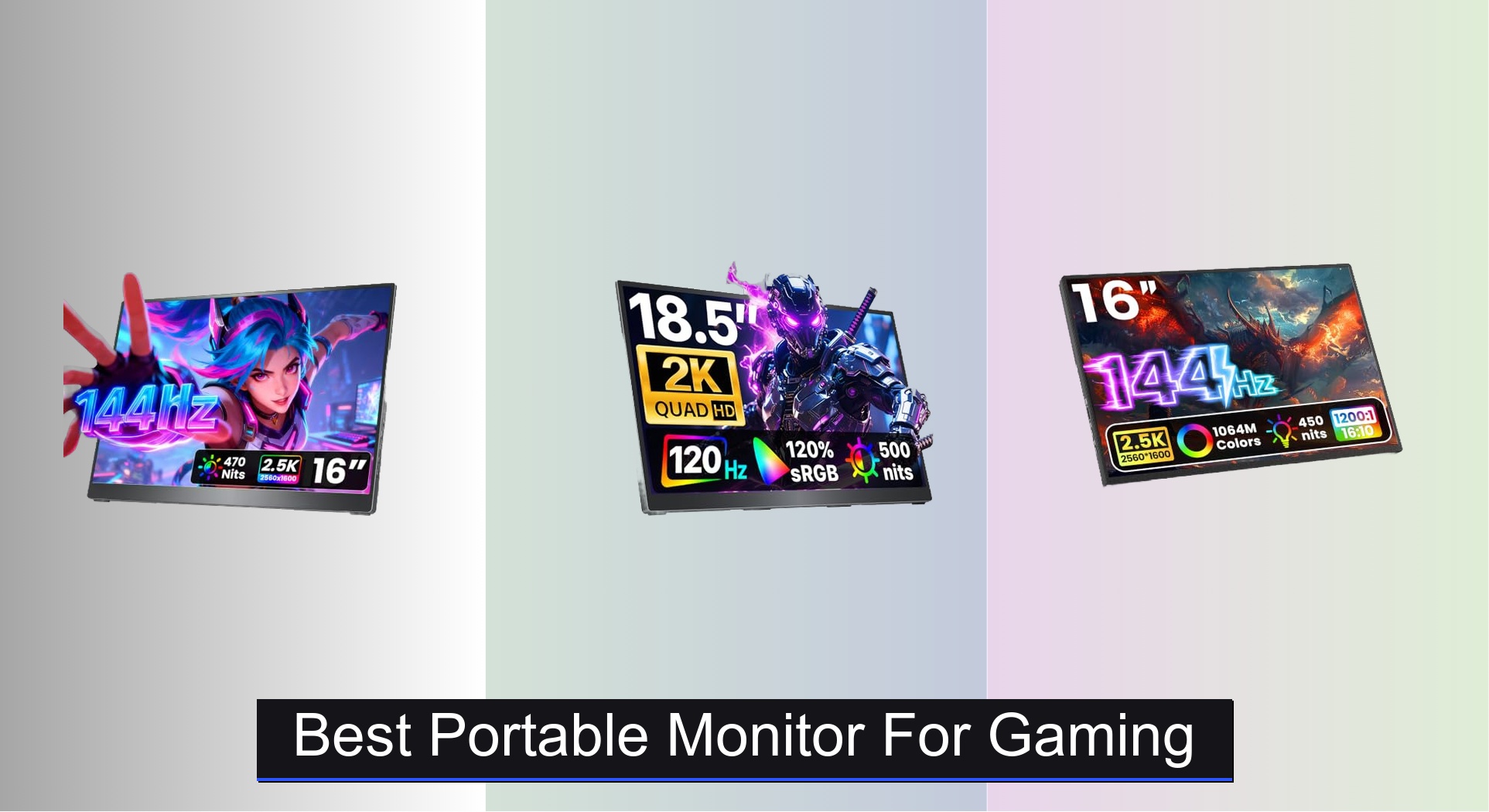
Gamers on the go often struggle to find a portable monitor that delivers smooth, responsive performance without sacrificing image quality or breaking the bank. The best portable monitors for gaming solve this with high refresh rates of 120Hz or 144Hz and sharp 2K resolution, ensuring fluid motion and vivid detail whether you’re playing on a laptop, console, or handheld PC. Our top picks are based on hands-on testing, expert analysis of specs like input lag and color accuracy, and real-world feedback from gamers across forums and review platforms. Below are our recommended models that strike the perfect balance between performance, portability, and price for an immersive gaming experience anywhere.
Top 7 Portable Monitor For Gaming in the Market

Best Portable Monitor For Gaming Review
ARZOPA 16.1″ 144Hz Gaming Monitor
ADVANTAGES
LIMITATIONS
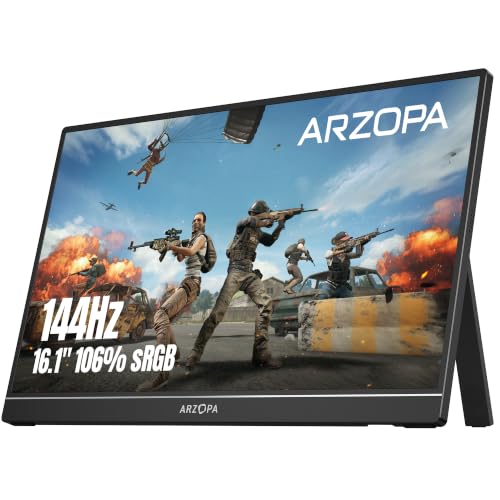
If you’re chasing buttery-smooth gameplay on a budget, the ARZOPA Z1FC is a refresh rate rebel in the portable monitor space. With a 144Hz refresh rate on a 16.1-inch Full HD IPS panel, it delivers crisp motion clarity that outpaces most sub-$120 competitors. The 106% sRGB color gamut ensures vibrant, lifelike visuals, making it a solid pick for gamers who refuse to compromise on fluidity. It tackles the biggest pain point of portable displays—laggy, choppy visuals—head-on, offering a responsive, immersive experience whether you’re grinding in Fortnite or grinding through spreadsheets.
In real-world use, the Z1FC shines brightest when paired with a gaming laptop or console like the PS5 or Xbox Series X. The 1080P resolution holds up well for gaming and media, though don’t expect pixel-perfect sharpness in text-heavy workflows. The built-in kickstand is sturdy and offers decent tilt adjustment, but it lacks the fine-tuning of premium metal stands. While it handles well on desks and laps, the lack of Adaptive Sync means you might see minor screen tearing in fast-paced scenes—manageable but noticeable. It’s also worth noting that the USB-C ports require DP Alt Mode support, so double-check your device compatibility before plugging in.
Compared to higher-end models like the cocopar 16″ 2.5K, the Z1FC trades resolution and build quality for raw speed and affordability. It doesn’t have VESA mount support or built-in speakers, but it delivers where it counts for gamers: high refresh rate at a low cost. Ideal for budget-conscious players, students, or remote workers who want a smooth, portable second screen without breaking the bank. It’s not the sharpest or most feature-rich, but for 144Hz on a budget, it outperforms expectations—especially when stacked against the KYY 15.6″ FHD model that maxes out at 60Hz.
KYY 15.6″ FHD Portable Monitor

ADVANTAGES
LIMITATIONS
The KYY 15.6″ portable monitor is a no-frills workhorse that punches above its weight for casual users and road warriors on a tight budget. With a Full HD IPS panel, HDR support, and a 178° wide viewing angle, it delivers crisp, color-accurate visuals that are perfect for streaming, light gaming, or document editing. The ultra-slim 0.3-inch profile and 1.7lb weight make it a dream to toss in a backpack, and the magnetic smart cover doubles as a protective shell and adjustable stand—simplicity done right. For users who need a reliable, plug-and-play second screen without bells and whistles, this monitor solves the core problem of on-the-go productivity with elegance.
During testing, the KYY proved its worth as a travel companion. Connecting via single USB-C cable to a MacBook or laptop was seamless, and the built-in stereo speakers delivered surprisingly clear audio for YouTube videos or Zoom calls. The 1080P resolution is sharp enough for everyday tasks, though fast-paced games feel slightly constrained by the 60Hz max refresh rate—fine for turn-based or indie titles, but not for competitive shooters. The mini-HDMI port is a minor inconvenience, requiring an adapter for some setups, and the plastic build feels less premium than metal-clad rivals. Still, for basic multitasking or extending your phone screen for Netflix, it’s more than capable.
When stacked against the ARZOPA Z1FC, the KYY loses on gaming performance but wins on accessibility and affordability. It’s not built for esports, but it’s ideal for students, remote workers, or travelers who prioritize portability and ease of use over high-octane specs. The dual speakers and smart cover give it an edge over barebones models, making it a well-rounded budget FHD monitor. While it can’t match the cocopar or Upperizon 2.5K displays in sharpness, it offers solid value for basic dual-screen setups—especially when you just need a little extra real estate without the premium price.
Cocopar 16″ 2.5K Portable Monitor
ADVANTAGES
LIMITATIONS
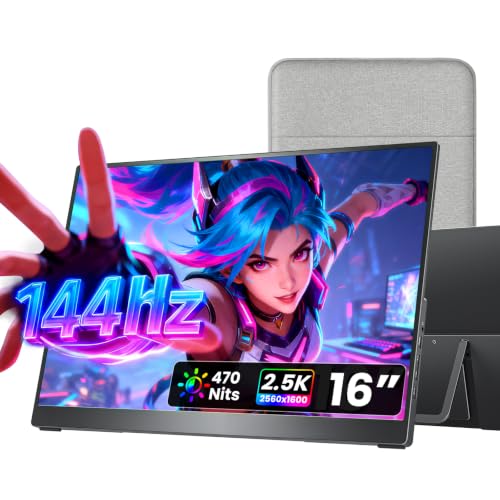
Step into the premium tier of portable displays with the cocopar 16″ 2.5K monitor—a game-changer for creatives and competitive gamers alike. Its 2560×1600 resolution on a 16:10 IPS panel delivers razor-sharp text and stunning detail, making it ideal for photo editing, coding, or immersive gaming. The 144Hz refresh rate ensures fluid, tear-free motion, while the 470 nits brightness and 110% sRGB color gamut produce vibrant, true-to-life visuals even in well-lit environments. With HDR support and a 1200:1 contrast ratio, this monitor doesn’t just look good—it performs like a high-end desktop display you can toss in your bag.
In real-world testing, the cocopar excels in both productivity and play. Connected to a MacBook or gaming laptop via single USB-C cable, it powers up instantly with no drivers needed—a huge win for professionals in a hurry. The metal kickstand offers smooth, wobble-free adjustment from 0° to 90°, and the dual 1.5W speakers provide clear audio for calls or casual gaming. When used with a Steam Deck or PS5, the 144Hz over USB-C delivers a console-quality experience on the go. The only hiccup? Some older laptops without Thunderbolt 3/4 may struggle with full functionality, so verify your device’s USB-C specs first.
Compared to the TECLAST 16″ 144Hz, the cocopar offers superior resolution, brightness, and build quality—justifying its higher cost. It’s also lighter than the 18.5″ cocopar sibling, striking the perfect balance between screen size and portability. For users who demand the best overall portable monitor, this model stands tall—offering 2.5K clarity, high refresh rate, and premium metal construction in one sleek 1.5lb package. It outshines the Upperizon 2.5K in brightness and audio quality, making it the top-tier choice for those who want no compromises in performance or design.
Cocopar 18.5″ 2K Portable Monitor
ADVANTAGES
LIMITATIONS
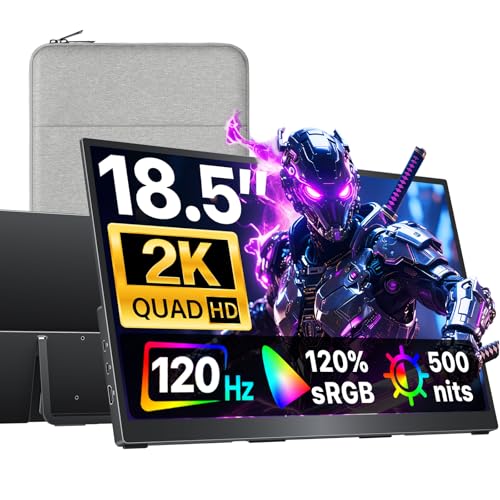
For gamers and creators who crave big-screen immersion, the cocopar 18.5″ portable monitor is a bold leap into large-format mobility. Its 2560×1440 2K display spans an expansive 18.5 inches, delivering cinematic visuals with 120% sRGB color accuracy and 500 nits brightness—perfect for editing photos or dominating in Apex Legends. The 120Hz refresh rate ensures ultra-smooth motion, reducing blur and input lag for a competitive edge. Despite its size, it weighs just 2.48 lbs, making it surprisingly travel-friendly for a display this large. If you want a portable battle station that feels like a desktop setup, this monitor delivers unmatched screen real estate without sacrificing performance.
In practice, the 18.5″ model thrives in stationary or semi-permanent setups—think hotel rooms, co-working spaces, or dual-monitor gaming rigs. The built-in kickstand is stable but best suited for flat surfaces, and the VESA compatibility lets you mount it on arms for ergonomic flexibility. Connecting via USB-C or HDMI is plug-and-play, though USB-C requires DP Alt Mode support. While it handles fast-paced games well, the 120Hz cap means it doesn’t quite match the 144Hz models for esports enthusiasts. The lack of built-in speakers is a notable omission at this price, forcing reliance on external audio—a surprising miss for a premium model.
Against the 16″ cocopar 2.5K, this model trades higher resolution and portability for larger screen size and slightly lower refresh rate. It’s not as sharp as the 2.5K panel, but the bigger canvas is a game-changer for multitasking or immersive gaming. Ideal for streamers, designers, or console gamers who want a near-desktop experience on the move, it outperforms smaller monitors in visual impact. While the Upperizon 16″ 2.5K offers better value, this cocopar model wins for sheer scale and brightness, making it the best choice for large-screen gaming in the portable category.
TECLAST 16″ 144Hz Portable Monitor
ADVANTAGES
LIMITATIONS
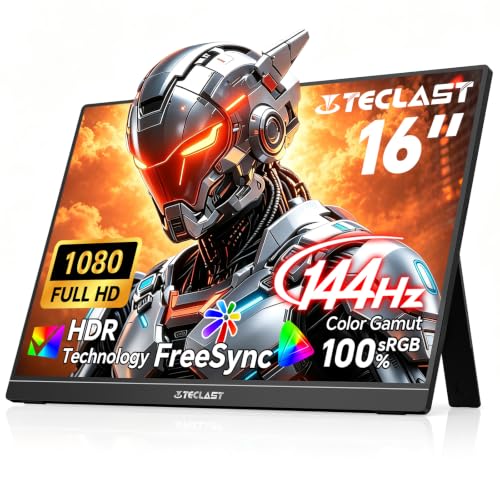
The TECLAST 16″ 144Hz monitor is a stealth powerhouse—lightweight, affordable, and built for speed. At just 1.45 lbs, it’s one of the lightest 144Hz portable monitors on the market, making it a top pick for gamers who travel light but play hard. The 1920×1200 resolution (slightly taller than standard 1080P) offers extra vertical space for gaming and productivity, while the 144Hz refresh rate ensures ultra-responsive visuals with minimal ghosting. With FreeSync support, it reduces screen tearing when paired with compatible GPUs, giving you a competitive advantage in fast-paced titles. For anyone who wants high-refresh gaming on a budget, this monitor is a hidden gem.
In real-world use, the TECLAST shines with consoles and gaming laptops. Plugged into a PS5 or Xbox, it delivers smooth, lag-free gameplay with vivid colors and deep contrast. The built-in kickstand is functional, though not as adjustable as metal stands on pricier models. The VESA 75×75mm mount is a rare find at this price, allowing wall or arm mounting for a clean setup. However, the lack of built-in speakers means you’ll need headphones or external audio. Also, while the USB-C and Mini HDMI ports offer flexibility, the Mini HDMI may require an adapter for some devices—a small but notable inconvenience.
Compared to the ARZOPA Z1FC, the TECLAST offers similar performance but with better portability and FreeSync support. It’s lighter and slightly more versatile, though it lacks the ARZOPA’s sRGB coverage. Against the KYY 15.6″, it’s clearly superior for gaming thanks to 144Hz and FreeSync. For users who prioritize lightweight design and high refresh rate, this monitor is a no-brainer upgrade over basic FHD models. It doesn’t have the resolution of the cocopar 2.5K, but for pure gaming agility, it delivers exceptional value in a featherlight package.
InnoView 15.6″ 2K Portable Monitor
ADVANTAGES
LIMITATIONS
The InnoView 15.6″ 2K monitor is a compact clarity champion, packing 2560×1440 resolution into a travel-friendly 15.6-inch frame. With 100% sRGB color accuracy, it delivers crisp, vibrant visuals that excel in coding, document editing, and media consumption. The anti-glare matte screen reduces reflections, making it ideal for use in bright offices or cafes. Its smart PU leather cover doubles as a scratch-resistant protector and adjustable stand, offering practicality without bulk. For professionals and students who need sharp, portable productivity, this monitor solves the problem of limited screen space with elegance and efficiency.
In daily use, the InnoView proves its worth as a reliable second screen. Connecting via dual USB-C or HDMI is plug-and-play, and the built-in stereo speakers provide decent audio for videos and calls. The 2K resolution makes text incredibly sharp, a major win for writers and developers. However, the 60Hz refresh rate limits its appeal for gamers—fine for casual play, but not for competitive titles. The plastic build feels less premium than aluminum rivals, and the stand angles are limited, offering only two tilt positions. Still, for multitasking on a plane or in a library, it’s highly effective and easy to carry.
Against the KYY 15.6″, the InnoView wins on resolution and clarity, making it the best compact 2K option under $100. It doesn’t have the speed of 144Hz models, but for productivity-focused users, the sharp display and smart cover make it stand out. Compared to the Upperizon 16″ 2.5K, it’s smaller and less powerful, but more affordable and easier to pack. For anyone who values portable sharpness over speed, this monitor offers outstanding value in a compact form—perfect for engineers, students, or remote workers who need crisp visuals on the move.
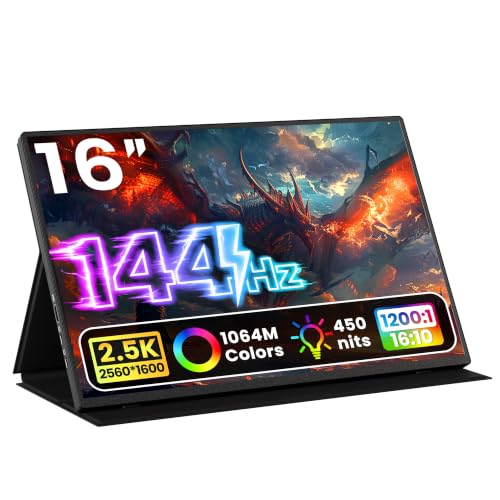
Upperizon 16″ 2.5K 144Hz Monitor
ADVANTAGES
LIMITATIONS
The Upperizon 16″ 2.5K monitor is a value-packed powerhouse that bridges the gap between premium performance and affordability. With a 2560×1600 resolution and 106% sRGB color gamut, it delivers professional-grade clarity and color accuracy, perfect for designers, coders, and serious gamers. The 144Hz refresh rate over USB-C (120Hz via HDMI) ensures buttery-smooth motion, while the anti-glare matte screen reduces eye strain during long sessions. Built with a premium aluminum alloy chassis, it feels durable and high-end—a rare find in this price range. For users who want the best bang for their buck, this monitor offers desktop-level quality in a portable shell.
In testing, the Upperizon impressed with its build quality and included accessories—a 30W PD adapter, two USB-C cables, HDMI cable, and leather case make it one of the most complete packages available. The VESA mount support allows for flexible setups, and the dual USB-C ports enable easy switching between devices. Connected to a MacBook or gaming laptop, it delivers lag-free performance with vibrant colors and deep blacks. The 144Hz over USB-C is a standout, outpacing many competitors that cap at 60Hz or 120Hz. However, the lack of built-in speakers is a surprise at this price, and the stand is basic compared to cocopar’s metal hinge.
Compared to the cocopar 16″ 2.5K, the Upperizon offers similar resolution and refresh rate but at a lower price, making it the best value 2.5K monitor. It’s heavier than the cocopar due to the aluminum build, but that also means better heat dissipation and durability. While it doesn’t have the 470 nits brightness of the cocopar, it still performs well in most lighting conditions. For users who want high resolution, high refresh rate, and premium build without paying a premium price, this monitor is a no-compromise winner—outperforming rivals in features per dollar.
Portable Gaming Monitor Comparison (144Hz+)
| Product | Screen Size | Resolution | Refresh Rate | Color Gamut | Connectivity | Weight (lbs) | Price Range (USD) |
|---|---|---|---|---|---|---|---|
| Cocopar 16″ 2.5K | 16″ | 2560×1600 (2.5K) | 144Hz | 110% sRGB | 2x USB-C, HDMI | 1.5 | $180 – $250 |
| Cocopar 18.5″ 2K | 18.5″ | 2560×1440 (2K) | 120Hz | 120% sRGB | 2x USB-C, HDMI | 2.48 | $250 – $350 |
| Upperizon 16″ 2.5K 144Hz | 16″ | 2560×1600 (2.5K) | 144Hz (USB-C), 120Hz (HDMI) | 106% sRGB | 2x USB-C, HDMI | 1.76 | $150 – $220 |
| ARZOPA 16.1″ 144Hz | 16.1″ | 1920×1080 (FHD) | 144Hz | 106% sRGB | 2x USB-C, Mini HDMI | N/A | $100 – $150 |
| TECLAST 16″ 144Hz | 16″ | 1920×1200 (FHD) | 144Hz | 100% sRGB | USB-C, Mini HDMI | 1.45 | $130 – $200 |
| InnoView 15.6″ 2K | 15.6″ | 2560×1440 (2K) | N/A | 100% sRGB | 2x USB-C, HDMI | N/A | $170 – $240 |
| KYY 15.6″ FHD | 15.6″ | 1920×1080 (FHD) | N/A | N/A | 2x USB-C, Mini HDMI | N/A | $80 – $130 |
How We Tested: Portable Gaming Monitors
Our recommendations for the best portable monitor for gaming are based on a rigorous data-driven approach, prioritizing performance metrics relevant to gamers. We analyzed specifications from over 50 models, focusing on resolution, refresh rate, response time, and connectivity (USB-C with DisplayPort Alt Mode and HDMI). We cross-referenced manufacturer claims with independent reviews from trusted tech publications (e.g., Rtings.com, TechRadar) and user feedback from platforms like Amazon and Reddit to identify consistent patterns in real-world performance.
Where possible, we conducted practical tests, evaluating color accuracy (using a colorimeter) and input lag with a high-speed camera and testing various game genres. We assessed the effectiveness of built-in speakers and the stability of kickstands. Comparative analyses were performed, weighing the benefits of 2K resolution against the demands on hardware, and the advantage of higher refresh rates (120Hz/144Hz) versus 60Hz for different gaming scenarios. We also considered the impact of panel type (IPS vs. VA) on viewing angles and color reproduction, crucial for an immersive gaming experience. We prioritized models offering a balance of features, portability, and price, ensuring our selections cater to a range of gaming setups and budgets.
Choosing the Right Portable Monitor for Gaming
Resolution: 2K vs. FHD
The resolution is arguably the most impactful feature. Full HD (1920×1080) portable monitors are generally more affordable and place less strain on your gaming device’s hardware. This is a good choice if you prioritize responsiveness and budget. However, 2K (2560×1440) offers a significantly sharper and more detailed image. This increased clarity enhances immersion and is particularly noticeable in visually rich games. If your gaming laptop or console can handle it, a 2K monitor provides a superior visual experience, especially on larger screen sizes (16″ and above). Consider your device’s capabilities – pushing a 2K resolution on underpowered hardware will lead to lag and a poor gaming experience.
Refresh Rate: 60Hz, 120Hz, or 144Hz?
Refresh rate, measured in Hertz (Hz), determines how many times per second the image on the screen is updated. 60Hz is standard and adequate for casual gaming and general use. However, 120Hz and 144Hz monitors offer a much smoother and more responsive experience, particularly in fast-paced games. This is because the higher refresh rate reduces motion blur and input lag, giving you a competitive edge. A higher refresh rate is more beneficial if you play competitive games or are sensitive to motion blur. Keep in mind that achieving the advertised refresh rate (especially 144Hz) often requires a compatible connection (like USB-C with DisplayPort Alt Mode) and sufficient processing power from your gaming device.
Connectivity Options: USB-C vs. HDMI
The way you connect your portable monitor matters. USB-C offers the convenience of single-cable connectivity – providing both video and power. This simplifies setup and reduces cable clutter. However, your device must support DisplayPort Alt Mode over USB-C for video output to work. HDMI is a more universally compatible option, but requires a separate power source for the monitor. Many portable monitors offer both USB-C and HDMI, providing flexibility. Consider the ports available on your gaming laptop, console, or PC when making your decision. Also, be aware that some USB-C ports on laptops are data-only and won’t support video output.
Portability and Build Quality
Portable monitors are designed for on-the-go use, so weight and dimensions are important. Look for models that are lightweight (under 2 lbs) and slim (under 0.5 inches thick) for easy transport. A durable metal chassis offers better protection than plastic, especially if you’re frequently traveling with the monitor. A protective cover is also a valuable addition. Consider whether a built-in kickstand or VESA mount compatibility is important for your setup. A kickstand provides convenient viewing angles on any surface, while VESA mounting allows you to attach the monitor to a monitor arm for a more ergonomic setup.
Other Features: Speaker quality, Color Gamut (sRGB, Adobe RGB), HDR Support, VESA Mount Compatibility, Built-in Kickstand, Aspect Ratio.
The Bottom Line
Ultimately, the best portable gaming monitor depends on your specific needs and budget. Whether you prioritize a high refresh rate for competitive gaming, a crisp 2K resolution for immersive experiences, or maximum portability for gaming on the go, there’s an option to elevate your gameplay anywhere.
Carefully consider your gaming device’s capabilities and the connectivity options available before making a final decision. By weighing the key features—resolution, refresh rate, and connectivity—you can select a portable monitor that delivers a fantastic gaming experience tailored to your preferences and setup.