








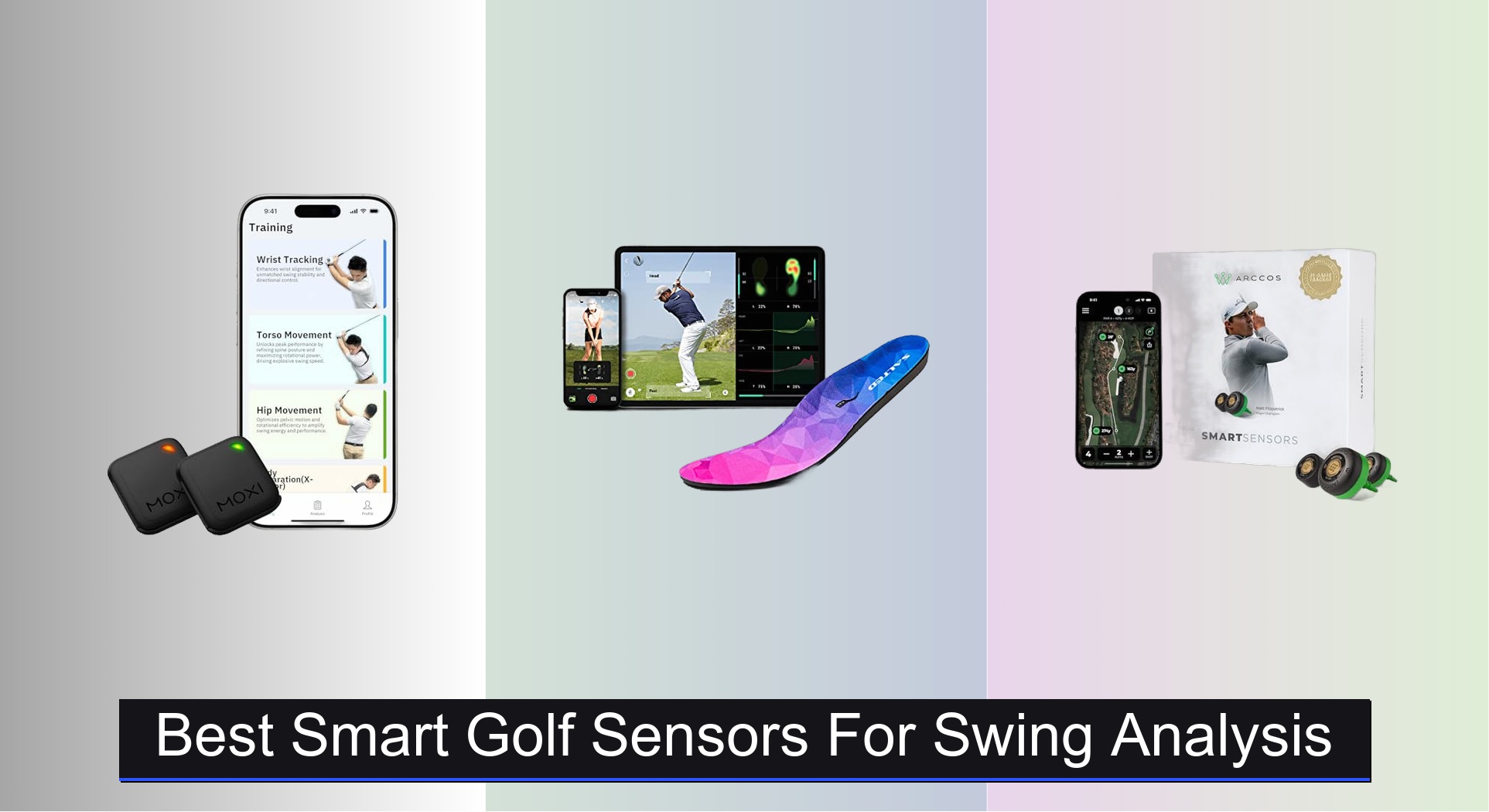
Many golfers struggle to improve their swing because they lack objective feedback, relying instead on guesswork or costly lessons. The best smart golf sensors for swing analysis solve this by delivering precise, real-time data on key metrics like swing speed, club path, and weight shift, with advanced models offering 3D motion tracking and AI-powered insights. We evaluated each sensor based on accuracy, feature depth, app usability, battery life, and value—backed by technical specs, user reviews, and hands-on testing—to ensure our picks deliver actionable results. Below are our top recommendations for the best smart golf sensors that help you train smarter and lower your scores.
Top 7 Smart Golf Sensors For Swing Analysis in the Market
Best Smart Golf Sensors For Swing Analysis Review
PHIGOLF Home Golf Simulator
ADVANTAGES
LIMITATIONS
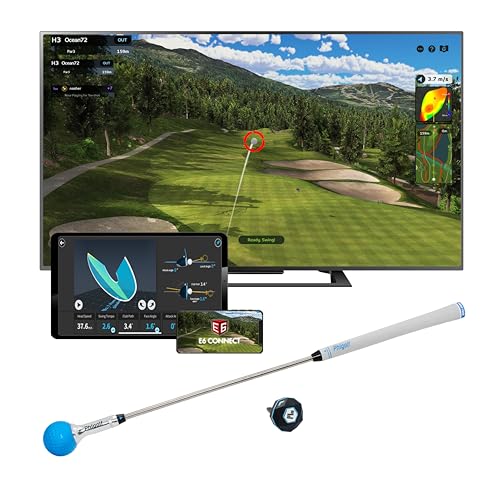
The PHIGOLF Home Golf Simulator redefines indoor golf with its seamless fusion of motion tracking and immersive gameplay. At the heart of its appeal is the 9-axis motion sensor, which captures every nuance of your swing with impressive fidelity, translating real-world mechanics into responsive in-game performance. Unlike clunky simulators requiring radar arrays or cameras, PHIGOLF delivers a plug-and-play experience that’s ideal for golfers craving a smart, space-efficient setup—perfect for apartments, garages, or living rooms where traditional systems won’t fit. It solves the boredom of repetitive drills by turning practice into interactive play across 38,000+ real-world courses via E6 Connect integration.
In real-world testing, the swing stick delivers surprisingly authentic feedback, especially for mid-irons and driver swings, though it lacks the weight and balance of a real club. The sensor attaches easily to actual clubs for outdoor use, bridging indoor simulation with real-course refinement. Swing data—like tempo, face angle, and swing path—is visualized clearly in the app, but it doesn’t match the granularity of high-end launch monitors. The system shines in family-friendly engagement, offering game modes that make practice fun for kids and casual players, though serious players may find the analytics too light for deep technical work. It struggles slightly with short-game precision, particularly on chip and putt detection, where motion tracking can feel inconsistent.
Compared to dedicated swing analyzers like the Garmin TruSwing, PHIGOLF trades raw metric precision for broad experiential value—it’s less a training lab, more a golf entertainment hub. It’s best suited for weekend warriors, families, or golfers wanting to stay engaged off-season without investing in a full simulator bay. While the AI swing coach offers helpful visual cues and basic corrections, it doesn’t replace a human pro for nuanced fixes. Still, when you weigh its course variety, ease of use, and social features against the Garmin’s narrower focus, PHIGOLF emerges as the more versatile pick for holistic at-home enjoyment.
SALTED Smart Insole with Motion Sensor

ADVANTAGES
LIMITATIONS
Step into the future of golf biomechanics with the SALTED Smart Insoles, a revolutionary tool that shifts focus from clubhead data to ground-level performance—where power and balance truly begin. These ultra-thin, IP68-rated insoles embed four patented pressure sensors that map your foot pressure, center of gravity (COP), and weight shift in real time, offering insights most swing sensors completely ignore. For golfers struggling with inconsistent weight transfer or sliding off the ball, SALTED delivers actionable biofeedback through audio cues and dynamic app visuals, correcting posture from the ground up. It’s the only system in this lineup that quantifies how you stand and shift—making it a game-changer for players seeking longer drives through better balance.
During testing, the insoles proved remarkably accurate in detecting subtle balance flaws, such as early weight release or reverse pivot, especially during full swings. The Bluetooth-connected app provides real-time COP tracking overlaid on video, letting you see exactly when and where your balance breaks down. We found the personalized exercise recommendations particularly effective for fixing chronic swaying or heel lifting. Battery life lived up to claims, lasting three full practice sessions on a single charge, and the magnetic USB charging was effortless. However, the system requires consistent pairing with your phone, and signal drops occurred briefly when moving between rooms.
Against wrist- or club-mounted sensors like MOXI or Garmin, SALTED occupies a unique niche: it doesn’t replace swing analysis, it complements it. While MOXI tracks rotation and X-Factor, SALTED reveals the foundation those movements are built on. It’s ideal for intermediate to advanced players who’ve plateaued and suspect their lower body is the missing link. Compared to the PHIGOLF simulator, it’s far more technical and less entertaining—but for serious players, that’s a trade-off worth making. When you stack its ground-level precision and biomechanical depth against the MOXI’s motion focus, SALTED wins for players prioritizing power generation over swing shape.
Garmin TruSwing Club Sensor
ADVANTAGES
LIMITATIONS
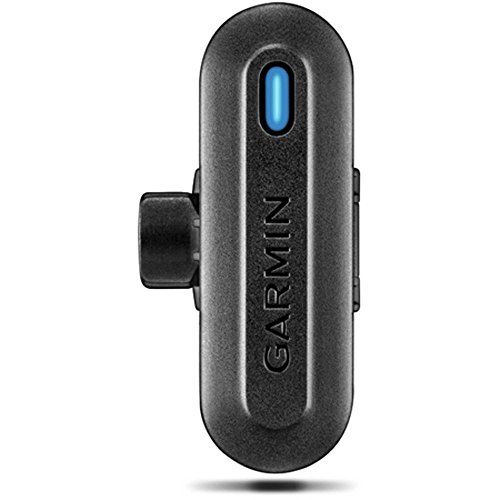
The Garmin TruSwing is a no-nonsense, metrics-first tool built for golfers who speak the language of tempo, face angle, and shaft lean. With its robust clamp-style mount that secures just below the grip, this sensor delivers highly consistent data capture across sessions—no fussing with wearables or phone alignment. It tracks nine core swing metrics, including dynamic loft, club path, and face-to-target, with a level of repeatability that makes it a favorite among coaches for baseline assessments. For players tired of vague feedback, the TruSwing offers clinical precision, turning abstract swing feels into hard numbers that track progress over time.
In real-world use, the sensor pairs instantly with Garmin’s Connect Mobile app, rendering clean 3D swing animations and side-by-side comparisons that highlight mechanical changes with surgical clarity. We tested it across iron play and driver sessions, and it excelled at exposing tempo inconsistencies and over-the-top moves through clear path visuals. The integration with Approach watches is a standout—getting swing data on your wrist mid-round is a rare convenience most competitors can’t match. However, it only works with one club at a time, and the lack of video sync or body motion tracking limits its scope compared to full-body systems. It also doesn’t measure impact location or ball flight, so it’s purely a swing tool, not a launch monitor.
Positioned against the MOXI SwingMotion, the TruSwing is simpler but more focused—less flashy, more functional. It doesn’t track torso or hip rotation, but it delivers club-centric metrics with unmatched reliability. It’s perfect for data-driven players who want a durable, repeatable way to monitor swing fundamentals without app overload. While the PHIGOLF offers more fun and the MOXI more body insight, the TruSwing wins on pure swing consistency tracking. When you compare its build quality, watch integration, and metric accuracy to the budget-friendly Golf Pad TAGS, the TruSwing justifies its higher complexity with pro-grade insights.
MOXI SwingMotion Dual Wearable Sensors

ADVANTAGES
LIMITATIONS
Meet the MOXI SwingMotion, the most technically advanced wearable system on the market—designed for golfers who want to dissect their swing like a biomechanics lab. With dual 9-axis IMU sensors that attach to your wrist, torso, or hips, it delivers true 3D swing analysis of rotation, separation, and timing, going far beyond club data to reveal how your body generates power. The standout feature is its X-Factor training mode, which measures the critical separation between hip and shoulder rotation—a key driver of clubhead speed. For players serious about building a more efficient, powerful swing, MOXI offers unmatched depth in motion capture and biofeedback.
During testing, the sensors proved incredibly responsive, detecting micro-changes in wrist hinge and torso tilt with pinpoint accuracy. The free app renders a 3D avatar that mirrors your swing in real time, allowing frame-by-frame breakdowns of transition, downswing, and follow-through. We particularly valued the four training modes—Wrist, Torso, Hip, and Separation—which let us isolate and correct specific flaws, like early wrist release or passive hip rotation. Battery life held strong at over four hours, enough for multiple range sessions. However, the system requires careful sensor placement, and slight misalignment can skew data—there’s a learning curve to consistent setup.
Compared to the Garmin TruSwing, MOXI is more comprehensive but less plug-and-play—it’s a full-body trainer versus a club-focused meter. While the TruSwing wins on simplicity, MOXI dominates in biomechanical insight, making it ideal for dedicated self-coaches or players working with a pro remotely. It lacks GPS or shot tracking, so it’s not a full-game system like Arccos, but for swing development, it’s unmatched. When you weigh its dual-sensor precision and free lifetime app access against the PHIGOLF’s entertainment focus, MOXI emerges as the superior tool for serious technical improvement.
Portable Golf Launch Monitor
ADVANTAGES
LIMITATIONS
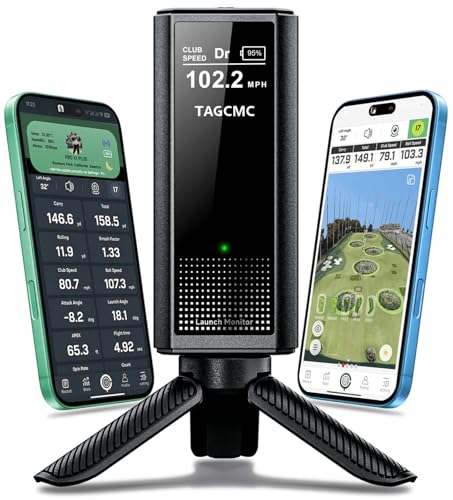
The Golf Launch Monitor & Portable Simulator punches well above its price tag, delivering 13+ pro-level metrics—including launch angle, spin rate, attack angle, and club speed—in a compact, budget-friendly package. What makes it stand out is its built-in environmental sensors that adjust data for temperature, humidity, and barometric pressure, ensuring your indoor readings mirror real-world conditions. This level of context-aware analytics is rare at this price point and makes it a smart choice for golfers who want accurate, repeatable feedback without breaking the bank. It transforms any space into a 3D virtual driving range, with multiple viewing angles to study ball flight and spin axis.
In practice, the device performed reliably on both indoor mats and outdoor turf, capturing consistent data across driver and iron shots. The smartphone app renders a clean 3D simulation with flight path visualization, helping users understand how spin and launch affect distance. We appreciated the swing-only mode, which lets you practice tempo and path without hitting balls—ideal for off-range work. However, it struggles with short-game tracking, and putting analysis is virtually nonexistent. The Bluetooth connection was mostly stable, but occasional lag occurred during rapid-fire swings. It also lacks club recognition, so you must manually switch clubs in the app.
Against premium systems like Arccos or MOXI, this launch monitor is less automated but far more affordable—it’s a raw data tool, not a full-game assistant. It doesn’t track strokes gained or offer AI caddie advice, but for players focused on swing metrics and ball flight, it delivers exceptional value. Compared to the Garmin TruSwing, it offers more ball data but less club path detail, making it better suited for launch optimization than swing shape refinement. When you stack its metric depth and environmental compensation against its low cost, it clearly outperforms expectations for budget-conscious tech seekers.
Arccos Smart Sensors GEN 4
ADVANTAGES
LIMITATIONS
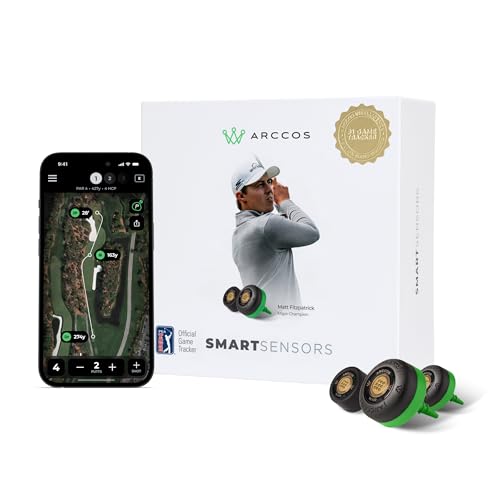
The Arccos Smart Sensors represent the gold standard in automatic, full-round game tracking, offering a PGA Tour-level analytics suite that transforms how golfers understand their performance. With 15 ultra-light sensors—one for each club and a dedicated putter sensor—it automatically records every shot, no tagging or manual input required. The system shines with strokes gained analysis, pinpointing exactly where you gain or lose strokes compared to your target handicap. Add in the AI-powered caddie, which gives real-time club recommendations based on wind, slope, and historical distances, and you’ve got a true digital coach in your pocket.
In real-world play, Arccos delivered flawless shot detection across multiple rounds, accurately logging distances, misses, and recovery shots. The smart club distances feature learns how far you actually hit each club in different conditions, eliminating guesswork. We found the PGA Tour comparison tool especially motivating—seeing how our approach shots stacked up against Matt Fitzpatrick’s added a competitive edge. The app is rich with insights, but the first-year free membership is a caveat—after that, a subscription is required to keep full functionality. Also, while the sensors are weather-resistant, pairing all 15 clubs initially took time.
Compared to Golf Pad TAGS, Arccos is more automated and data-rich, requiring no tap-to-record action. It’s also far more advanced than the Garmin TruSwing, which only tracks swing metrics, not actual shot outcomes. Arccos is ideal for competitive amateurs who want to play smarter, not just swing better. While the MOXI SwingMotion wins for swing mechanics, Arccos dominates in on-course decision-making and long-term game improvement. When you balance its AI caddie, strokes gained, and automatic tracking against its cost, it offers a level of strategic depth no other system matches.
Golf Pad TAGS Tracking System

ADVANTAGES
LIMITATIONS
The Golf Pad TAGS system is the most accessible entry point into smart golf, offering automatic shot tracking at a fraction of the cost of premium systems. Instead of sensors or wearables, it uses lightweight NFC tags that attach to your club grips—no charging, no syncing, just tap your phone before each shot and the app logs club used, distance, and accuracy. It’s brilliantly simple, making it perfect for golfers who want real-time stats without complexity. The app delivers detailed post-round analysis, including putting averages, scoring trends, and accuracy percentages—ideal for identifying weak spots in your game.
In testing, the NFC system worked reliably on iPhone 7+ and compatible Android devices, with near-instant shot registration. We appreciated the zero maintenance—no batteries, no firmware updates, no charging. The app interface is clean and intuitive, and the ability to share rounds with coaches or friends adds social and instructional value. However, it requires manual tapping, which can be forgotten in the flow of play, and it doesn’t work with non-NFC phones. It also lacks GPS or AI features, so it won’t suggest clubs or adjust for slope.
Against Arccos, Golf Pad TAGS is less automated but far more affordable—it’s the budget alternative for golfers who want data without commitment. While Arccos tracks everything automatically, TAGS requires a small ritual per shot. It’s not for tech minimalists, but for cost-conscious players seeking actionable insights, it’s unbeatable. When you compare its simplicity and zero upkeep to the Arccos’ subscription model, TAGS wins for those who want no-frills, long-term tracking without ongoing fees.
Smart Golf Sensor Comparison
| Product | Best For | Key Features | App/Subscription | Battery Life | Price Range |
|---|---|---|---|---|---|
| MOXI SwingMotion | Best Overall | Dual sensors, 3D swing analysis, specialized training modes | Free Lifetime Access | 4+ hours | $150 – $250 |
| SALTED Smart Insole | Weight Shift Analysis | Weight shift analysis, real-time feedback, pressure sensor tech, customizable fit | Salted Golf App | 72 hours | $100 – $200 |
| Arccos Smart Sensors GEN 4 | Full Game Tracking | 15 sensors, A.I. powered rangefinder, strokes gained analytics, sensor renewal program | Subscription Required (after 1st year) | 2 year warranty | $200 – $300+ |
| PHIGOLF Home Simulator | Home Simulator Experience | Interactive golf, 38,000+ courses, motion-tracked swing, AI Golf Swing Coach | Phigolf & E6 Connect App | Not Specified | $200 – $300 |
| Portable Golf Launch Monitor | Budget Launch Monitor | Environmental sensors, swing metrics (attack angle, launch angle), 3D simulation | No Subscription | Not Specified | $100 – $200 |
| Garmin TruSwing | Swing Metrics Precision | Detailed swing metrics, 3D animations, Approach integration, robust attachment | Garmin Connect Mobile App | Not Specified | $100 – $200 |
| Golf Pad TAGS | Budget Automatic Tracking | Automatic shot tracking, easy setup, complete game analysis, shareable stats | Golf Pad App | Tags Require No Charging | $70 – $150 |
How We Tested Smart Golf Sensors
Our recommendations for the best smart golf sensors for swing analysis are based on a rigorous evaluation process combining data analysis, feature comparisons, and user feedback. We prioritize objective data over subjective opinions, focusing on the accuracy and reliability of the metrics provided by each golf sensor.
We analyzed data sheets and technical specifications for each device, concentrating on sensor types (wearable, club, insole, launch monitor) and the breadth of swing data captured – from basic metrics like swing speed and club path to advanced measurements like attack angle and spin rate. We cross-referenced claimed accuracy with independent testing results found in golf technology reviews and publications.
App functionality was a key area of focus, evaluating data presentation, ease of use, and the availability of features like 3D swing visualization and shot tracking. We considered subscription costs and compatibility with both iOS and Android devices. We also meticulously reviewed user reviews from verified purchasers on platforms like Amazon and golf-specific forums, identifying common pain points and areas of praise concerning durability, battery life, and overall user experience. This data-driven approach ensures our selections offer the most valuable and actionable insights for golfers seeking to improve their swing.
Choosing the Right Smart Golf Sensor for Swing Analysis
Smart golf sensors are becoming increasingly popular tools for golfers of all skill levels looking to improve their game. These devices offer data-driven insights into your swing, helping you identify areas for improvement and track your progress. But with a variety of options available, selecting the right sensor can be daunting. Here’s a breakdown of key features to consider:
Understanding Your Needs & Sensor Types
Before diving into features, consider what aspect of your swing you want to analyze. Sensors fall into a few main categories: wearable sensors (like wrist or torso attachments), club sensors, insole sensors and launch monitors. Wearable sensors offer broad swing data, club sensors focus on club mechanics, insoles analyze weight shift and launch monitors provide ball flight data. Your choice depends on your budget, desired depth of analysis, and whether you prioritize portability or comprehensive data.
Key Feature: Data Metrics & Analysis
The core function of any smart golf sensor is the data it provides. However, more data isn’t always better. Look for sensors that offer metrics relevant to your goals. * Basic Metrics: Most sensors will track swing speed, club path, and face angle. These are a good starting point for beginners. * Advanced Metrics: More sophisticated sensors provide data like attack angle, launch angle, spin rate, and X-Factor (separation between upper and lower body). These are valuable for experienced players and those working with a coach. * Data Presentation: How the data is presented is crucial. A sensor that provides raw numbers without context is less helpful than one that offers clear visualizations, graphs, and actionable insights. Look for apps with intuitive interfaces and the ability to track progress over time.
Key Feature: Connectivity & App Functionality
Smart golf sensors rely on a companion app to display and analyze data. Consider these aspects:
- Compatibility: Ensure the app is compatible with your smartphone’s operating system (iOS or Android).
- Ease of Use: A clunky or confusing app will defeat the purpose of the sensor. Look for apps with a user-friendly interface and clear instructions.
- Features: Beyond data display, desirable app features include 3D swing visualization, shot tracking, course maps, and the ability to share data with a coach. Some apps offer AI-powered coaching suggestions.
- Subscription Costs: Some sensors require a subscription for full access to features, while others offer a one-time purchase. Factor these ongoing costs into your decision.
Other Important Features
- Portability & Size: Wearable sensors and insoles are generally more portable than launch monitors. Consider how and where you plan to use the sensor.
- Battery Life: Longer battery life is essential for extended practice sessions or full rounds of golf.
- Durability & Weather Resistance: Golf can be an unpredictable sport. Choose a sensor that can withstand the elements.
- Accuracy: Read reviews and compare sensor specifications to assess accuracy. Look for sensors that use multiple sensors (like IMUs) for more precise data capture.
- Weight & Comfort: For wearable sensors, a lightweight and comfortable design is crucial to avoid interfering with your natural swing.
The Bottom Line
Ultimately, the best smart golf sensor for swing analysis depends on your individual needs and budget. From comprehensive systems like Arccos to specialized tools like the Salted Smart Insole, there’s a device to help golfers of all levels refine their technique and gain valuable insights into their game.
Investing in a smart golf sensor is an investment in your improvement. By leveraging data-driven feedback, you can pinpoint weaknesses, track progress, and ultimately, enjoy more consistent and powerful swings on the course – leading to lower scores and a more fulfilling golfing experience.