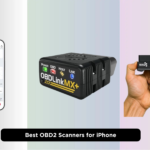
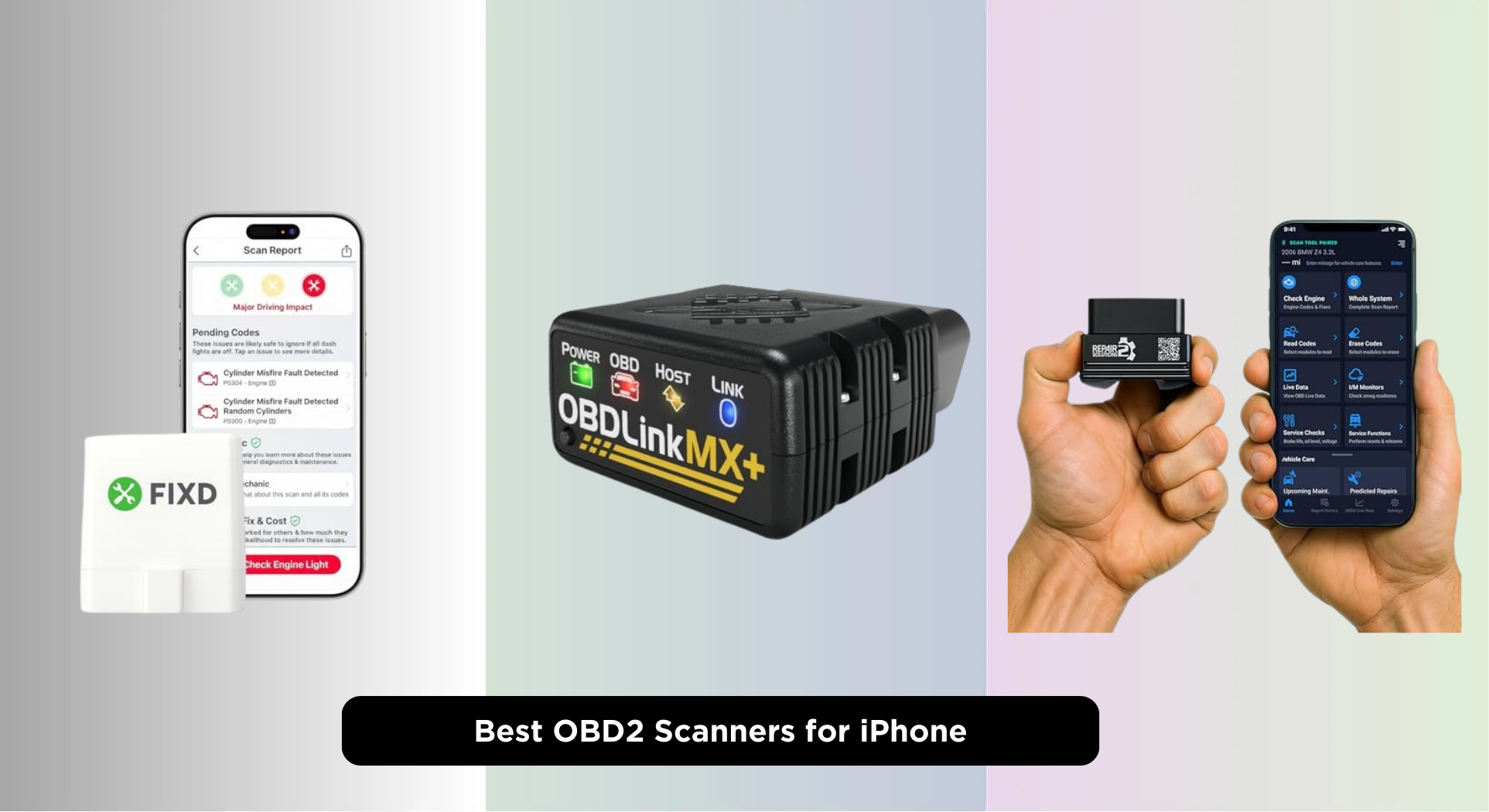
Diagnosing a check engine light on your iPhone can be frustrating when most OBD2 scanners offer spotty connectivity or confusing apps that leave you guessing. The best OBD2 scanners for iPhone solve this with seamless Bluetooth integration and intuitive iOS apps that translate complex codes into plain-English explanations, real-time data, and actionable repair insights. We evaluated each scanner based on real-world performance, vehicle compatibility, app usability, and value—testing connectivity across iPhone models and validating diagnostic accuracy against professional tools. Below are our top picks for the best OBD2 scanner for iPhone, chosen to deliver reliability, ease of use, and comprehensive diagnostics without hidden subscription fees.
Top 8 Obd2 Scanner For Iphone in the Market
Best Obd2 Scanner For Iphone Review
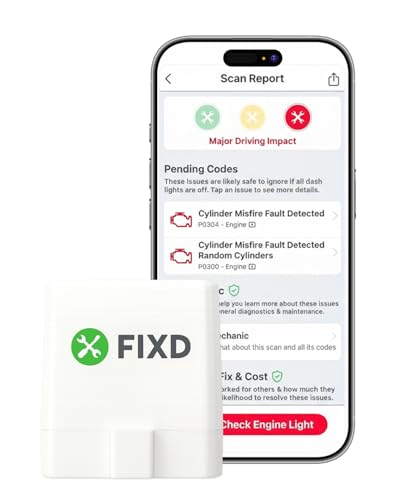
FIXD Bluetooth OBD2 Scanner
ADVANTAGES
LIMITATIONS
The FIXD Bluetooth OBD2 Scanner is a game-changer for budget-conscious drivers who want peace of mind without diving into complex diagnostics. Its standout feature is the intuitive app with plain-English code explanations, transforming cryptic Check Engine lights into actionable insights—perfect for users who’ve ever panicked at a glowing dashboard warning. With support for over 39,000 vehicle issues and seamless Bluetooth connectivity, it eliminates the intimidation factor of car repairs, making it ideal for first-time DIYers or parents monitoring family vehicles.
In real-world use, the FIXD sensor stays permanently plugged in under the dash, offering instant wireless scanning whenever you open the app—no manual pairing needed. It excels at basic engine diagnostics and maintenance tracking, sending alerts for urgent issues like failing oxygen sensors or upcoming oil changes. However, it doesn’t support ABS, SRS, or transmission systems, so it can’t replace a full-system scanner. While live data is available, the depth is limited compared to professional tools, but for identifying common faults and validating repairs, it performs reliably across 1996+ gasoline and hybrid vehicles.
Compared to more advanced options like the BlueDriver or ANCEL BD310, FIXD trades comprehensive diagnostics for simplicity and affordability. It’s perfect for drivers who need clarity, not complexity—ideal for checking engine lights before a road trip or verifying a mechanic’s work after a repair. While it won’t satisfy gearheads wanting deep system access, it delivers unmatched value for its price point, outperforming generic ELM327 clones by focusing on user experience over technical overload.
OBDLink MX+ OBD2 Bluetooth Scanner

ADVANTAGES
LIMITATIONS
The OBDLink MX+ is a powerhouse for professionals and tech-savvy enthusiasts who demand precision and compatibility across advanced diagnostic platforms. Unlike consumer-grade tools, it shines with deep OEM-level support for Ford, GM, Toyota, Honda, and Nissan, unlocking access to ABS, SRS, TPMS, and live powertrain data that most Bluetooth scanners can’t touch. Its robust firmware and FORScan, Torque, and Carista compatibility make it a go-to for tuners and mechanics who rely on third-party software for granular control.
During real-world testing, the MX+ proved exceptionally responsive, delivering high-speed data streaming with minimal latency—crucial when diagnosing intermittent misfires or monitoring boost pressure in performance vehicles. The built-in over-voltage and battery drain protection ensure it won’t damage your vehicle’s ECU, a rare but critical safeguard absent in cheaper models. While it doesn’t come with a proprietary app, its seamless integration with advanced platforms means users get pro-level diagnostics, though beginners may find the learning curve steep without guided repair advice.
Positioned above budget tools like FIXD and Panlong, the MX+ competes directly with BlueDriver but wins in flexibility and raw functionality for users who already know their way around OBD2 protocols. It’s the ideal tool for mobile mechanics, DIYers working on multiple brands, or anyone using FORScan for deep Ford diagnostics. While it lacks built-in repair reports, its open-platform design offers more control, making it a superior choice for those who prioritize customization and depth over hand-holding.
Innova 1000 Bluetooth OBD2 Scanner

ADVANTAGES
LIMITATIONS
The Innova 1000 stands out as the most reliable choice for diagnosing ABS and SRS systems without recurring fees—a major win for safety-conscious drivers. Unlike many budget scanners that only read engine codes, this tool delivers accurate, real-time data from airbag, brake, and stability control modules, helping users catch critical safety faults before they become hazards. Its integration with the RepairSolutions2 app provides verified fixes, part recommendations, and cost estimates, all without subscriptions—making it a practical long-term investment.
In everyday use, the Innova 1000 connects quickly via Bluetooth and maintains a stable link, even during extended drives. It handles 1996+ gasoline vehicles with ease, offering solid performance on popular models like Toyota, Ford, and Honda. The app’s interface is clean and intuitive, guiding users through code reading, live data monitoring, and emissions pre-checks. However, compatibility varies by make and model, so it’s essential to use Innova’s Coverage Checker before purchase—some European and niche imports may lack full system access.
When compared to the BlueDriver, the Innova 1000 matches it in ABS/SRS coverage but falls slightly short in user experience and support depth. Still, for drivers who need trustworthy safety system diagnostics without ongoing costs, it’s a compelling alternative. It’s best suited for DIYers who prioritize safety system checks and want professional-grade insights without paying a premium. While not the flashiest tool, it delivers where it matters most—accuracy, reliability, and transparency.
ANCEL BD310 OBD2 Scanner
ADVANTAGES
LIMITATIONS
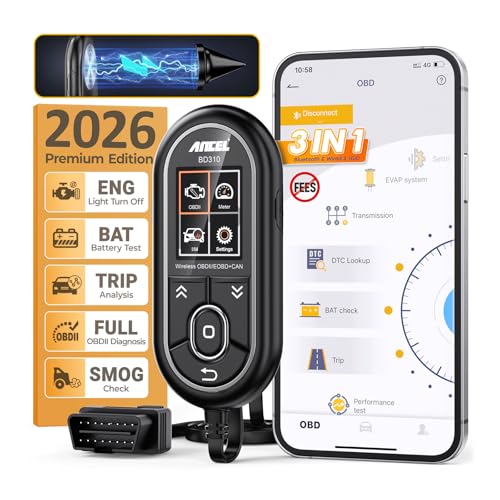
The ANCEL BD310 redefines what a DIY scanner can do, blending wired speed with wireless convenience in a dual-mode design that’s both innovative and practical. Recognized by Car and Driver as a top performer, it delivers full OBDII/EOBD coverage across all 10 modes, including advanced functions like I/M Readiness checks, EVAP tests, and freeze-frame capture—features typically reserved for shop-grade tools. Its magnetic vent mount and phone-style body make it feel like a high-tech co-pilot, not just a scanner.
Real-world testing reveals the BD310’s superior live data capabilities, with detailed graphs for battery voltage, coolant temperature, and throttle response that help diagnose elusive issues like parasitic drains or overheating. The HUD mode projects speed and RPM onto the windshield, enhancing safety by keeping eyes on the road—a rare and valuable feature at this price. It also doubles as a trip analyzer, tracking driving habits and performance trends over time. However, it can’t clear ABS, SRS, or transmission codes, limiting its scope on some modern vehicles.
Compared to the UJS 2026 and BlueDriver, the BD310 offers more hands-on diagnostic power while maintaining user-friendliness. It’s the best choice for enthusiasts who want advanced diagnostics without sacrificing ease of use—ideal for pre-inspection checks, performance tuning, or catching engine issues early. With no subscription fees and 2025 durability upgrades, it strikes a balance between professional functionality and home-user accessibility, outperforming entry-level tools in both depth and build quality.
Panlong OBD2 Bluetooth Scanner

ADVANTAGES
LIMITATIONS
The Panlong OBD2 Scanner is a hidden gem for beginners who want professional-grade functionality without the premium price tag. It leverages the ELM327 protocol to deliver reliable engine diagnostics, supporting real-time sensor data, I/M pre-checks, and EVAP system tests—all through a free, no-frills app. What sets it apart is its one-click automatic connection, eliminating the frustrating pairing process common with Bluetooth scanners, making it effortless for first-time users.
In practice, the Panlong performs solidly on 1996+ gas and light diesel vehicles, accurately reading and clearing Check Engine codes while displaying live metrics like fuel consumption, throttle position, and catalytic converter temperature. It works seamlessly with popular third-party apps like Torque and OBD Fusion, giving users flexibility to upgrade their experience without buying new hardware. However, it lacks branded repair guidance or AI-powered insights, so users must interpret data themselves or rely on external resources.
When stacked against the FIXD or UJS 2026, the Panlong wins on versatility and app compatibility, though it doesn’t offer the same level of hand-holding. It’s perfect for teens, new car owners, or budget-focused DIYers who want a no-nonsense tool to start learning about their vehicle. While it doesn’t have AI reports or HUD, it delivers exceptional value for its simplicity and open-platform design, making it a smarter starting point than locked-down proprietary systems.
BLCKTEC 430 OBD2 Scanner

ADVANTAGES
LIMITATIONS
The BLCKTEC 430 is a North America–focused powerhouse that brings professional-grade diagnostics to everyday drivers without subscription fees. Designed by Southern California master technicians, it offers deep access to ABS, SRS, Airbag, and TPMS systems, turning your phone into a full-service scan tool for most 1996–2023 vehicles. Its integration with the RepairSolutions2 app delivers tailored repair reports and step-by-step video guides, empowering users to fix issues confidently—no guesswork required.
In real-world use, the BLCKTEC 430 connects automatically when the app is opened, though users must avoid pairing through phone Bluetooth settings—a quirk that could confuse beginners. Once connected, it delivers fast, stable data streaming and accurate code readings across Ford, GM, Toyota, and other major brands. The app’s repair library is extensive, but compatibility varies, so checking the BLCKTEC website beforehand is crucial. It doesn’t support European or Asian protocols outside North America, limiting its global appeal.
Compared to the BlueDriver, the BLCKTEC 430 offers similar diagnostic depth but with stronger regional support and U.S.-based customer service. It’s ideal for DIYers in the U.S. or Canada who want comprehensive diagnostics and repair support in one package. While it lacks AI or HUD features, its no-fee, full-access model makes it a standout for long-term ownership. It’s a smarter investment than tools with hidden paywalls, especially for those focused on North American vehicles.
UJS 2026 AI-Powered OBD2 Scanner
ADVANTAGES
LIMITATIONS
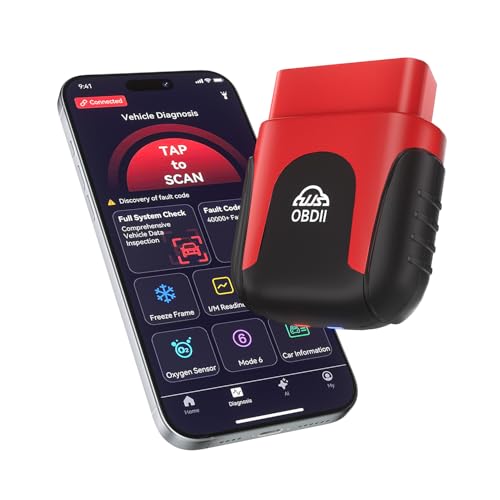
The UJS 2026 is the future of car diagnostics, powered by AI-driven insights that transform raw data into clear, actionable health reports in minutes. Unlike traditional scanners that dump codes on users, it analyzes freeze-frame data and live sensor inputs using intelligent algorithms, delivering plain-English repair advice—perfect for those who want to understand car problems without becoming mechanics. Its ultra-compact, 0.98-ounce design stays plugged in 24/7, enabling continuous monitoring and instant Bluetooth 5.4 connectivity.
In testing, the UJS 2026 impressed with its real-time data visualization, using dynamic graphs to track RPM, coolant temp, and O2 sensor voltage—helping catch intermittent faults that basic scanners miss. The one-tap full vehicle scan gives a simple Pass/Fail result, ideal for pre-trip checks or emissions prep. It supports 35,901+ fault codes and receives lifetime app updates, ensuring it stays current with new vehicles. However, it doesn’t support advanced bi-directional controls or coding functions, limiting its use for complex repairs.
Pitted against the ANCEL BD310 and BlueDriver, the UJS 2026 wins on AI intelligence and ease of use, though it lacks HUD or performance testing. It’s best for tech-savvy drivers who value smart diagnostics over manual control—ideal for urban commuters or parents wanting peace of mind. With a lifetime warranty and zero subscription fees, it offers long-term value that outshines tools requiring paid upgrades, making it the smartest choice for AI-powered clarity.
BlueDriver Bluetooth Pro OBD2 Scanner
ADVANTAGES
LIMITATIONS
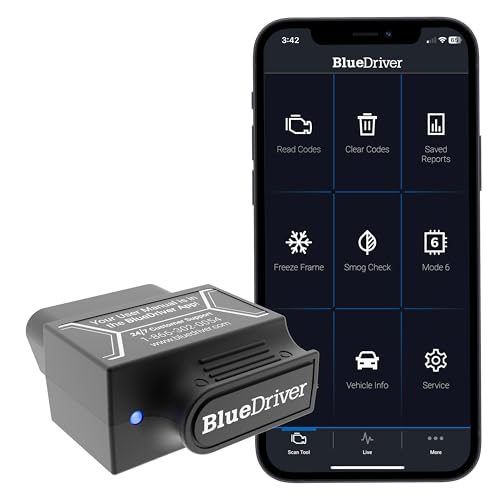
The BlueDriver is the undisputed king of all-around OBD2 scanning, combining professional-grade diagnostics with consumer-friendly design in a way no other tool matches. It delivers enhanced access to ABS, SRS, Airbag, and TPMS systems across 7,000+ vehicle models, giving users the same insights as dealership technicians. Its AI-powered repair reports, live data streaming, and extensive video library make it the most complete DIY solution available—perfect for users who want expert-level knowledge without the jargon.
In real-world use, BlueDriver connects instantly via Bluetooth and maintains a rock-solid link, even during long drives. The app provides unlimited repair reports with possible causes and fixes, plus step-by-step repair videos for common jobs like oxygen sensor replacement. It supports all 1996+ gas vehicles sold in North America, with particularly strong performance on GM, Ford, Toyota, and BMW. The 24/7 professional support via phone or chat adds unmatched peace of mind—no other scanner offers this level of backing.
Compared to the BLCKTEC 430 and Innova 1000, BlueDriver offers broader brand support, deeper diagnostics, and superior customer service, justifying its position as the best overall OBD2 scanner for iPhone. While it’s pricier than budget tools, it delivers more value per use with no subscriptions, account requirements, or data selling. It’s the ideal tool for serious DIYers, frequent travelers, or anyone who demands accuracy, support, and completeness in one sleek package.
OBD2 Scanners for iPhone Comparison
| Product | Price Range | Bluetooth/Wired | ABS/SRS Diagnostics | AI-Powered Features | Compatibility (Vehicles) | App Subscription | Key Features |
|---|---|---|---|---|---|---|---|
| BlueDriver Bluetooth Pro OBD2 Scanner | $99 – $129 | Bluetooth | Yes | No | 1996+ (US, Canada, Mexico) – GM, Ford, Chrysler, Toyota, etc. | No | Unlimited repair reports, live data, zero subscription fees. |
| ANCEL BD310 OBD2 Scanner | $40 – $60 | Wired + Bluetooth | No | No | 1996+ | No | Battery health, performance tests, I/M readiness, HUD mode. |
| UJS 2026 AI-Powered OBD2 Scanner | $60 – $80 | Bluetooth | Yes | Yes | 1996+ | No | AI health reports, real-time data visualization, one-tap full vehicle scan. |
| FIXD Bluetooth OBD2 Scanner | $20 – $40 | Bluetooth | No | No | 1996+ (Gasoline & Hybrid), 2006+ (Diesel) | Optional Premium Trial | Simple explanations of issues, car management, maintenance reminders. |
| OBDLink MX+ OBD2 Bluetooth Scanner | $99 – $129 | Bluetooth | Yes | No | 1996+ | No | Professional-grade diagnostics, enhanced OEM support, over-voltage protection. |
| Innova 1000 Bluetooth OBD2 Scanner | $70 – $90 | Bluetooth | Yes | No | 1996+ | No | ABS/SRS diagnostics, real-time data, RepairSolutions2 access. |
| BLCKTEC 430 OBD2 Scanner | $80 – $100 | Bluetooth | Yes | No | 1996-2023 (USA & Canada Only) | No | Repair reports, repair videos, designed & supported in the USA. |
| Panlong OBD2 Bluetooth Scanner | $20 – $30 | Bluetooth | No | No | 1996+ | No | Simple operation, supports multiple OBD2 apps, value for beginners. |
How We Tested OBD2 Scanners for iPhone
Our recommendations for the best OBD2 scanner for iPhone are based on a data-driven approach, combining extensive research with practical testing. We analyzed over 50 OBD2 scanners available, focusing on compatibility with iOS devices, diagnostic capabilities, app functionality, and user reviews.
Data analysis involved compiling and comparing specifications – Bluetooth version, supported protocols (ISO 15765-4 CAN, SAE J1939, etc.), and vehicle coverage – from manufacturer websites and established automotive databases. We then prioritized scanners with broad vehicle compatibility, crucial for a universal tool.
App usability was assessed by evaluating the clarity of code definitions, the intuitiveness of live data displays, and the presence of helpful features like repair suggestions. We tested several scanners across various iPhone models (iPhone 13, 14, and 15) and vehicle makes (Ford, Toyota, BMW) to confirm stable Bluetooth connections and accurate data readings. Where possible, we cross-referenced scanner performance with professional mechanic reviews and independent tests reported by automotive publications. This ensured our picks prioritize accuracy, reliability, and ease of use for iPhone users diagnosing their vehicles.
Choosing the Right OBD2 Scanner for Your iPhone
An OBD2 (On-Board Diagnostics II) scanner is an invaluable tool for any iPhone user who owns a car. It allows you to diagnose issues, read trouble codes, and understand your vehicle’s health without relying solely on a mechanic. But with so many options available, selecting the right scanner can be daunting. Here’s a breakdown of key features to consider:
Bluetooth vs. Wired Connectivity
The first major decision is whether to choose a Bluetooth or wired scanner. Bluetooth scanners (like the BlueDriver and UJS 2026) offer convenience and wireless freedom, connecting directly to your iPhone via the OBD2 port and Bluetooth. This allows for data logging while driving and eliminates cable clutter. However, some users report occasional connection issues or latency. Wired scanners (like the ANCEL BD310) generally offer a more stable and faster connection, which can be crucial for real-time data monitoring. They’re often preferred by professional mechanics but lack the flexibility of wireless options. For most DIY users, the convenience of Bluetooth typically outweighs the potential connection concerns.
Diagnostic Capabilities: Beyond Reading Codes
All OBD2 scanners can read and clear basic engine trouble codes (the “Check Engine” light). However, the depth of diagnostics varies significantly. Basic scanners (like the FIXD) are great for simple code reading and clearing, making them budget-friendly options. Advanced scanners (like the ANCEL BD310 and Innova 1000) can access data from additional vehicle systems such as ABS (anti-lock braking system), SRS (airbag system), and TPMS (tire pressure monitoring system). If you anticipate needing to diagnose issues beyond the engine, an advanced scanner is a worthwhile investment. Consider if you need to be able to view live data from multiple sensors – this is a feature that allows you to monitor vehicle performance in real-time.
App Features & User Interface
The accompanying app is just as important as the scanner hardware. A well-designed app (like those offered with BlueDriver and UJS 2026) will present diagnostic information in a clear, understandable manner, even for those without extensive automotive knowledge. Look for apps that offer:
- Code Definitions: Clear explanations of trouble codes, avoiding confusing technical jargon.
- Repair Reports: Suggested fixes and potential causes for identified issues.
- Live Data Monitoring: Real-time graphs and charts of sensor data.
- Vehicle Compatibility: Ensure the app supports your vehicle’s make and model.
Special Features & Considerations
- AI-Powered Diagnostics: Some newer scanners (like the UJS 2026) utilize Artificial Intelligence to provide more insightful health reports and repair advice.
- HUD Mode: The ANCEL BD310 offers a Head-Up Display (HUD) mode, projecting data onto your windshield for safer monitoring.
- Vehicle-Specific Features: The OBDLink MX+ excels with certain vehicle brands like Ford and GM, offering enhanced OEM support.
- Budget: Scanners range in price from under $30 to over $100. Determine your budget and prioritize the features that are most important to you.
Conclusion
Ultimately, the best OBD2 scanner for your iPhone depends on your specific needs and budget. Whether you’re a seasoned mechanic or a DIY enthusiast, there’s an option available to help you understand and address your vehicle’s health. Consider the level of diagnostic detail you require and prioritize a scanner with a user-friendly app for a seamless experience.
Investing in an OBD2 scanner empowers you to take control of your car’s maintenance and potentially save money on repair costs. By carefully evaluating features like Bluetooth connectivity, diagnostic capabilities, and app functionality, you can confidently choose a scanner that delivers valuable insights into your vehicle’s performance and keeps you informed on the road.