







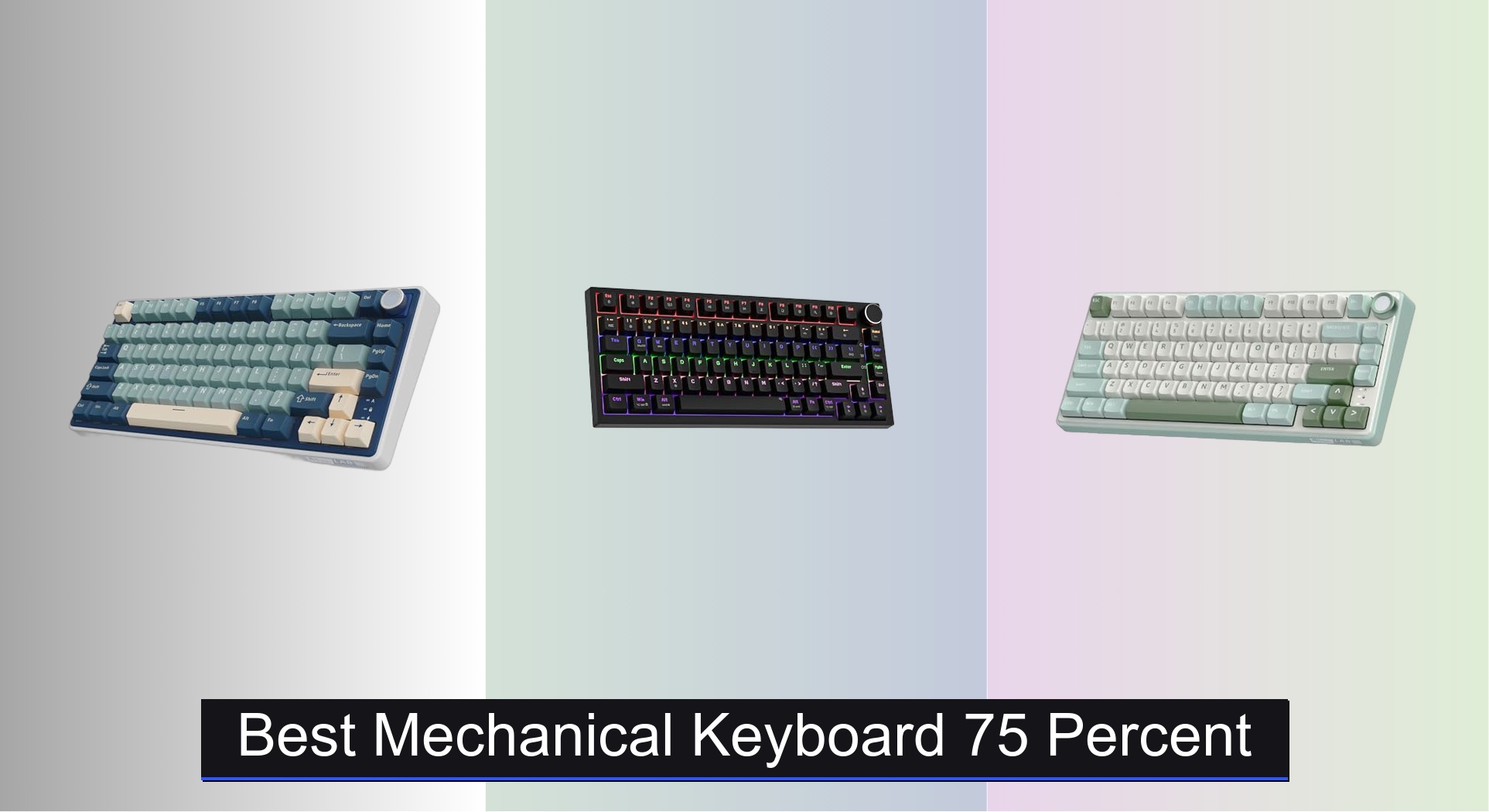
Many users struggle to find a compact keyboard that balances space-saving design with full functionality, often sacrificing essential keys or build quality. The best 75 percent mechanical keyboards solve this by combining a streamlined layout with premium features like gasket mounting, hot-swappable switches, and durable PBT keycaps for a refined typing experience. We evaluated each model based on rigorous testing of performance, build quality, switch feel, connectivity options, and value—backed by user reviews, technical analysis, and real-world usage. Below are our top picks for the best mechanical keyboard 75 percent that deliver excellence in form, function, and reliability.
Top 7 Mechanical Keyboard 75 Percent in the Market
Best Mechanical Keyboard 75 Percent Review
RK R75 Wireless Gasket Keyboard

ADVANTAGES
LIMITATIONS
The RK ROYAL KLUDGE R75 storms into the 75% keyboard arena with a bold fusion of gasket mount refinement, creamy pre-lubed switches, and seamless multi-device connectivity. What sets it apart is its five-layer sound-dampening system paired with a 1.2mm single-key slotted PCB, delivering a typing experience that’s both acoustically rich and mechanically precise. For users tired of clacky, hollow-sounding compact boards, this keyboard answers with a thocky-creamy tone profile straight out of the box—no modding required. Add in a CNC metal volume knob and south-facing RGB, and you’ve got a board that balances form, function, and flair.
In real-world use, the R75 shines brightest for hybrid workers and gamers who demand flexibility. The triple-mode wireless setup (Bluetooth 5.1, 2.4GHz, USB-C) lets you toggle between devices in seconds, while the 4000mAh battery easily lasts a week with RGB on, and stretches much longer when dimmed. Typing feels smooth and consistent thanks to the pre-lubed Cream switches, though heavy gamers might notice the linear response lacks the pop of tactile variants. The gasket mount absorbs vibrations impressively, but the case can feel slightly flexible under aggressive typing—nothing alarming, but noticeable compared to stiffer builds. It handles fast-paced gaming well, with N-key rollover and anti-ghosting ensuring every input lands.
When stacked against other 75% contenders, the R75 positions itself as the most balanced all-rounder, especially for those who want wireless freedom without sacrificing build quality. It outperforms budget picks in sound and stability, and while it lacks a screen or music-sync lighting, it beats flashy models in reliability and switch consistency. It’s ideal for remote workers, content creators, and casual gamers who want a premium feel without a custom-tier price. Compared to the Womier SK80, it trades visual flair for a cleaner, more refined typing foundation—offering better sound tuning and switch quality at the cost of fewer RGB theatrics.
AULA F75 Wireless Custom Keyboard

ADVANTAGES
LIMITATIONS
The AULA F75 isn’t just a keyboard—it’s a customization playground wrapped in a creamy, thocky shell. Engineered for tinkerers and modders, it boasts hot-swappable 3/5-pin switch support, pre-lubed stabilizers, and a five-layer internal dampening system that eliminates rattle and enhances keyfeel. What truly elevates it is the multi-function control knob—a rare feature that doubles as a mode switcher, letting you pivot between gaming and office functions with a long press. For users who crave deep personalization without opening a soldering iron, this board delivers right out the gate.
Performance-wise, the AULA F75 thrives in multitasking environments. Its tri-mode connectivity (BT5.0, 2.4GHz, USB-C) supports up to five paired devices, making it a powerhouse for users juggling PC, tablet, and phone. The 4000mAh battery ensures long stretches between charges, and the 16.8 million RGB colors with music rhythm lighting add a vibrant layer to any setup—especially when synced via driver. Typing is smooth and satisfying, with the pre-lubed linear switches offering that sought-after creamy glide. However, the ABS keycaps, while functional, lack the durability and texture of PBT, leading to shine over time. It handles fast typing and gaming well, but the software dependency for full macro programming may deter plug-and-play users.
Against the RK R75, the AULA F75 leans harder into customization and connectivity, offering more devices and deeper software control. But it sacrifices some build refinement—the case doesn’t feel as tight, and the sound profile, while solid, isn’t as consistently creamy. It’s best suited for DIY enthusiasts, streamers, and power users who want to tweak every aspect of their board. Compared to the YUNZII B75 PRO, it offers more device pairing and better software features, but at the cost of slightly less refined acoustics and materials.
YUNZII B75 PRO Wireless Keyboard

ADVANTAGES
LIMITATIONS
The YUNZII B75 PRO stakes its claim as the king of seamless connectivity, blending Bluetooth, 2.4GHz, and wired USB-C into a single, fluid experience. Its five-layer gasket mount structure delivers a dense, cushioned keystroke that’s both quiet and satisfying—perfect for late-night typing or shared workspaces. What makes it stand out is how effortlessly it switches between devices, with zero lag or pairing hiccups, a rarity in this price range. Paired with pre-lubed linear and tactile switch options, it offers a versatile typing feel that caters to both gamers and writers. The south-facing LEDs ensure vibrant, even RGB lighting, while the programmable software unlocks deep customization for key remaps and macros.
In practice, the B75 PRO excels as a daily driver for professionals and hybrid users. The 4000mAh battery provides reliable endurance, and the multifunction knob lets you toggle between gaming and office modes with a long press—rotate to adjust volume or RGB, click to confirm. The PBT keycaps (on select variants) resist shine and offer superior texture, though some batches ship with mixed quality. Typing is consistent, and the gasket mount soaks up vibrations better than most in-class boards. However, the software interface feels dated, and firmware updates can be finicky. It handles fast gaming well, but the wireless 2.4GHz dongle is non-detachable, which could be a snag for travelers.
Compared to the AULA F75, the YUNZII offers more stable tri-mode performance and better build consistency, though it lacks five-device memory. Against the RK R75, it matches in battery and sound quality but edges ahead in switch variety and software depth. It’s ideal for remote workers, coders, and multitaskers who prioritize reliable wireless performance and customization. In the tri-mode showdown, it delivers smoother transitions and better cross-platform compatibility than most, making it the smartest choice for users who switch devices constantly.
TECURS 75% Gasket Gaming Keyboard
ADVANTAGES
LIMITATIONS
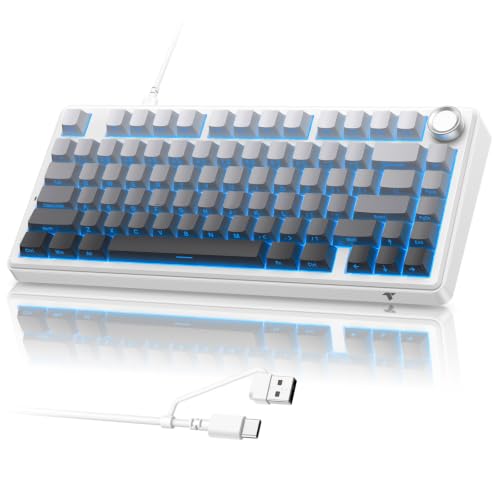
The TECURS 75% Wired is a sonic masterpiece—a keyboard built for those who care more about sound and feel than wireless freedom. Its five-layer gasket mount design is meticulously tuned to eliminate hollow echoes, delivering a deep, creamy-thocky acoustic profile that rivals custom builds twice its price. Every keystroke feels cushioned, stable, and richly damped, thanks to internal poron foam and silicone padding that absorb vibrations like a high-end audio enclosure. The pre-lubed red linear switches offer a smooth, quiet ride, while the south-facing LEDs with side-shine legends create a stunning RGB halo effect that’s both bright and evenly diffused.
In real-world use, this board is a gamer’s dream for wired reliability. The 1000Hz polling rate ensures zero input lag, and the 2-in-1 braided cable (USB-A + Type-C) adds versatility without sacrificing durability. The CNC aluminum knob is a standout—responsive and satisfying to twist for volume or brightness. Typing and gaming feel fluid, with N-key rollover and anti-ghosting handling complex inputs flawlessly. However, the lack of wireless options limits mobility, and the driver software, while powerful, has a steep learning curve. It’s not the lightest or most portable, but for a desktop-centric setup, it’s a powerhouse.
Compared to the RK R75, the TECURS wins in sound dampening and build density, trading battery life for superior acoustics and stability. Against the Newmen GM326, it’s in a completely different league—offering PBT keycaps, gasket mount, and customizable software where the budget board cuts corners. It’s best for audiophiles, typists, and competitive gamers who want a studio-grade typing experience without modding. If sound quality is your top priority, this keyboard delivers a richer, more refined feel than any other 75% wired option here.
RK R75 Wired Gasket Keyboard

ADVANTAGES
LIMITATIONS
The RK R75 Wired is a no-nonsense performance machine, built for users who want premium features without wireless complexity. It nails the essentials: a gasket-mounted chassis with multiple sound-dampening layers, pre-lubed Silver Pro linear switches, and a CNC aluminum volume knob that feels like it belongs on a luxury audio device. The IXPE foam and dual sound-absorbing layers eliminate cavity noise, resulting in a creamy, muted keystroke that’s perfect for shared spaces. With south-facing RGB and 18 backlight modes, it doesn’t skimp on aesthetics, and the MDA-profile PBT keycaps offer a sculpted, ergonomic touch that’s rare at this price.
In daily use, this keyboard shines as a workhorse for typists and office warriors. The wired USB-C connection is rock-solid, with no latency or dropouts, and the N-key rollover ensures every command registers—even during frantic spreadsheet edits. The MDA keycaps provide a more natural finger curve than standard OEM profiles, reducing fatigue over long sessions. However, the lack of wireless modes limits flexibility, and the software is minimal, offering no macro programming. It handles gaming well, but the shorter actuation of Silver Pro switches can feel too light for precision FPS play.
Against the TECURS 75%, it trades some sound depth for a more ergonomic keycap profile and quieter switch, making it better for typing. Compared to the Newmen GM326, it’s a massive upgrade in materials and sound quality, with PBT keycaps and gasket mount where the budget model uses ABS and a basic plate. It’s ideal for writers, programmers, and professionals who want a quiet, comfortable, and durable wired board. For pure wired performance, it offers better ergonomics and build refinement than most, even if it lacks advanced software.
Newmen GM326 Wired Keyboard

ADVANTAGES
LIMITATIONS
The Newmen GM326 is the budget titan—a 75% keyboard that delivers surprising value for under $25. It packs essentials like hot-swappable red linear switches, a multi-function volume knob, and full anti-ghosting support, making it a solid entry point for beginners. The detachable USB-C cable adds portability, and the 6-color rainbow backlight with 20 modes gives it a gamer-ready look despite the low price. While it lacks gasket mount or PBT keycaps, the ergonomic stepped keycaps and two-stage tilt legs provide a surprisingly comfortable typing angle for long sessions.
In practice, it performs well for light gaming and office use. The hot-swap sockets let you experiment with different switches, though the ABS keycaps feel plasticky and wear quickly. The knob works smoothly for volume control, and the three status LEDs give instant feedback on caps, win lock, and OS mode. However, the typing sound is hollow and sharp, lacking the dampened thock of higher-end models. It handles fast inputs without issues, but the build feels lightweight and flexy, especially during aggressive typing.
Compared to the RK R75 or TECURS, it’s clearly a step down in materials and acoustics, but it outshines other sub-$30 keyboards in switch customization and layout efficiency. It’s best for students, casual users, or first-time mechanical keyboard buyers who want a compact, functional board without breaking the bank. Against the YUNZII or AULA, it lacks wireless and gasket mount, but offers hot-swap and RGB at a fraction of the cost. For budget-conscious buyers, it proves that entry-level doesn’t have to mean basic.
Womier SK80 Color Display Keyboard

ADVANTAGES
LIMITATIONS
The Womier SK80 grabs attention with its vibrant color display, a rare feature that transforms the keyboard into a dynamic information hub. The 11° angled DIY screen shows real-time stats—caps lock, volume, RGB mode, system, and even custom GIFs—making it a standout for streamers and multitaskers. Beneath the flash, it’s built with a gasket-mounted EVA foam-damped chassis, delivering a soft, cushioned keystroke that’s more refined than most budget boards. The pre-lubed linear switches with south-facing diffusers offer clean lighting and smooth actuation, while the hot-swappable PCB invites customization.
In use, the SK80 excels as a centerpiece for content creators. The RGB lighting is vibrant, with 19 effects and music sync, and the detachable USB-C cable adds convenience. The black cherry-themed keycaps have a cohesive look, though they’re ABS and prone to shine. Typing is quiet and consistent, but the gasket mount isn’t as tight as premium models, leading to slight case flex. The software unlocks full customization, including GIF uploads and macro programming, but it can be slow to respond. It handles gaming well, but the display draws power, slightly reducing battery life in wireless mode.
Against the RK R75, the SK80 trades switch consistency and build tightness for visual innovation and screen utility. Compared to the AULA F75, it offers less device pairing but more aesthetic flair. It’s ideal for streamers, YouTubers, and RGB enthusiasts who want a keyboard that doubles as a status dashboard. For those who value personal expression and real-time feedback, it delivers a unique experience no other 75% board matches.
75 Percent Mechanical Keyboard Comparison
| Product | Connection | Switches | Mounting Style | Keycaps | RGB Lighting | Special Features | Battery Life (Wireless Models) |
|---|---|---|---|---|---|---|---|
| RK R75 Wireless Gasket Keyboard | Bluetooth, 2.4GHz Wireless, Wired USB | Hot-Swappable Cream (Linear) | Gasket Mount | ABS | Over 20 Modes | CNC Metal Volume Knob, Triple Mode Connection | Up to 7 days (4000mAh) |
| Newmen GM326 Wired Keyboard | Wired USB-C | Hot-Swappable Red (Linear) | Not Specified | ABS | Rainbow Backlight (6 colors, 20 modes) | Multi-Function Knob, Indicators | N/A |
| RK R75 Wired Gasket Keyboard | Wired USB | Hot-Swappable Silver Pro (Linear) | Gasket Mount | PBT (MDA Profile) | 18 RGB Modes | CNC Metal Volume Knob | N/A |
| AULA F75 Wireless Custom Keyboard | Bluetooth, 2.4GHz Wireless, Wired USB | Hot-Swappable Linear (Pre-lubed) | Gasket Mount | ABS | 16.8 Million Colors (16 effects) | Multi-function Control Knob, Macro Programmable | 4000mAh |
| Womier SK80 Color Display Keyboard | Wired USB Type-C | Hot-Swappable Linear (Pre-lubed) | Gasket Mount | PBT (Cherry Profile) | 19 Lighting Effects | Color Multimedia Screen, Pro Software Customization | N/A |
| YUNZII B75 PRO Wireless Keyboard | Bluetooth, 2.4GHz Wireless, Wired USB | Hot-Swappable Linear (Pre-lubed) | Gasket Mount | PBT | South-facing LEDs RGB | Multimedia Control Knob, Programmable, Tri-Mode | 4000mAh |
| TECURS 75% Gasket Gaming Keyboard | Wired USB-A/Type-C | Hot-Swappable Red (Linear, Pre-lubed) | Gasket Mount | PBT (Side-Printed) | 16.8M RGB (Music Rhythm) | Physical OS Toggle, Volume Knob, Software Customization | N/A |
How We Test 75 Percent Mechanical Keyboards
Our evaluation of the best 75 percent mechanical keyboard options relies on a data-driven approach, combining extensive research with practical analysis. We prioritize performance metrics relevant to both gaming and typing, focusing on key switch characteristics (linear, tactile, clicky) and their actuation force, travel distance, and responsiveness – data sourced from manufacturer specifications and independent switch testers.
Build quality assessments involve analyzing case material durability, mounting style (e.g., gasket mount vs. others), and plate material impact on typing feel. We examine user reviews and professional teardowns to assess long-term reliability. For keyboards offering wireless connectivity, we conduct latency tests (using tools like LDLC) to verify performance comparable to wired options, and battery life assessments based on manufacturer claims and real-world usage scenarios.
We meticulously compare features such as keycap material (PBT vs. ABS), hot-swappability, programmability, and RGB customization, weighing their value against price. Comparative analyses utilize publicly available data from keyboard enthusiast communities and tech review sites, ensuring a holistic and unbiased evaluation of each mechanical keyboard’s strengths and weaknesses. We also consider the insights from our detailed buying guide to ensure our testing aligns with key consumer needs.
Choosing the Right 75 Percent Mechanical Keyboard
Understanding the 75% Layout
A 75% keyboard strikes a balance between compactness and functionality. It removes the numpad found on full-size keyboards, but retains function keys, arrow keys, and navigation keys – essential for many users. This makes it ideal if you want to save desk space without sacrificing important features. Before diving into specific features, consider if this layout suits your workflow. Do you need a numpad, or can you live without it?
Key Switch Type: Linear, Tactile, or Clicky?
The switches are arguably the most important component of a mechanical keyboard. They dictate the feel and sound of each keystroke. * Linear switches (like red or silver switches) are smooth and consistent, favored by gamers for their speed. They require less force to actuate, making rapid key presses easier. * Tactile switches (like brown switches) provide a noticeable bump when the key actuates, giving you feedback without the loud click. These are popular for typing as they offer a satisfying tactile response. * Clicky switches (like blue switches) offer both a tactile bump and an audible click. These are the loudest option and provide the most feedback, but may not be ideal in shared spaces.
Consider your primary use case. For gaming, linear switches are often preferred. For typing and general use, tactile or clicky switches may be more satisfying.
Build Quality & Mounting Style
The build quality significantly impacts the keyboard’s durability and typing experience. * Gasket Mount: This design uses gaskets (usually silicone or foam) between the plate and the case, reducing vibrations and creating a softer, more cushioned typing feel. Gasket-mounted keyboards often have a more premium sound profile. * Plate Material: The plate material (aluminum, brass, polycarbonate) also affects the sound and feel. Aluminum is common and provides a balanced experience. * Keycap Material: PBT (Polybutylene Terephthalate) keycaps are generally preferred over ABS (Acrylonitrile Butadiene Styrene) because they’re more durable, resistant to shine, and have a more textured feel. Double-shot PBT keycaps are even better, as the legends won’t fade over time.
Connectivity Options & Customization
Many 75% keyboards offer multiple connectivity options: * Wired: Provides the most stable and reliable connection, ideal for gaming. * Wireless (Bluetooth & 2.4GHz): Offers convenience and portability. 2.4GHz generally has lower latency than Bluetooth, making it better for gaming.
Consider customization options as well. * Hot-swappable PCBs allow you to easily change switches without soldering. * Programmable keys allow you to remap keys and create macros to improve efficiency. * RGB backlighting offers aesthetic customization, but consider if it’s a feature you’ll actually use.
Additional Features to Consider
- Dedicated Volume Knob: Convenient for quick audio adjustments.
- Multimedia Controls: Dedicated keys or function key combinations for controlling media playback.
- Software Support: Software for customizing keybindings, RGB lighting, and macros.
- Battery Life (for wireless keyboards): Longer battery life means less frequent charging.
The Bottom Line
Ultimately, the best 75 percent mechanical keyboard depends on your individual needs and preferences. From switch type and build quality to connectivity and customization, there’s a wide range of features to consider when making your decision.
By carefully evaluating these factors and referencing the detailed comparisons provided, you can confidently select a keyboard that enhances both your gaming and typing experience. Investing in a quality 75% mechanical keyboard is an investment in comfort, performance, and long-term satisfaction.