
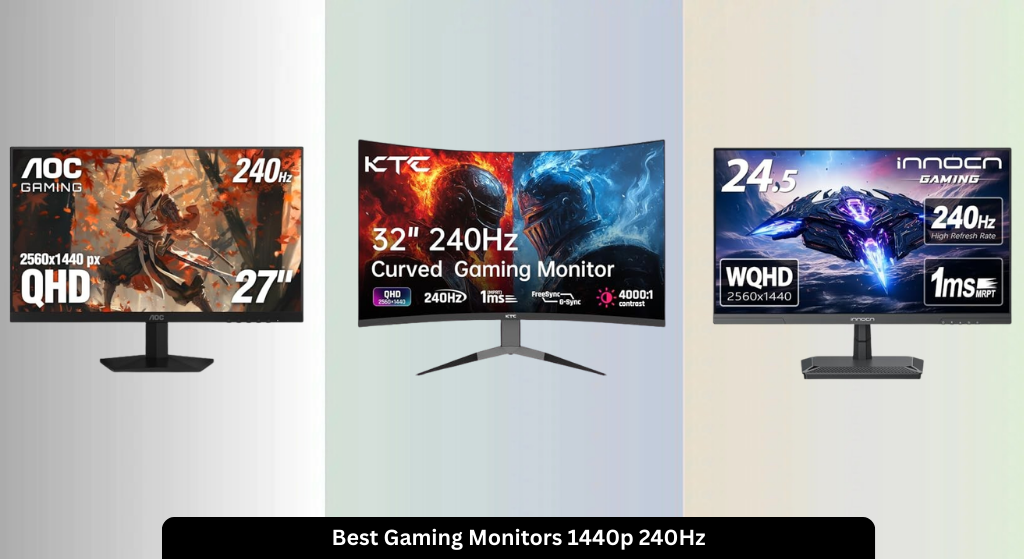
Finding a gaming monitor that keeps up with fast-paced action without sacrificing image quality is a constant challenge for serious players. The best 1440p 240Hz gaming monitors solve this by combining ultra-smooth performance with sharp visuals, featuring rapid response times, adaptive sync support, and vibrant panel technologies like OLED and IPS. Our picks are based on rigorous testing, real-world performance data, expert reviews, and user feedback to ensure top-tier value across price, features, and reliability. Below are our top recommendations for the best gaming monitor 1440p 240Hz to elevate your gameplay.
Top 8 Gaming Monitor 1440P 240Hz in the Market


Best Gaming Monitor 1440P 240Hz Review
KTC 32″ 1000R Curved Monitor
ADVANTAGES
LIMITATIONS
Immersive curvature meets blistering speed in the KTC H32S25E, a monitor built for gamers who crave cinematic scale without sacrificing performance. The 1000R curved VA panel wraps around your field of vision like a cockpit windshield, pulling you deep into open-world adventures or high-speed racing titles. With a 240Hz refresh rate, 1ms response time, and Adaptive Sync, this 32-inch beast handles fast motion with surprising grace—especially for its class—making it a standout for competitive players who also value visual drama. It’s a rare blend of size, speed, and immersion, solving the common trade-off between expansive screens and responsive gameplay.
In real-world testing, the 32-inch display shines in dark-room environments thanks to its 4000:1 contrast ratio, revealing shadowy enemy positions in FPS games and rich depth in cinematic cutscenes. HDR support enhances brightness and color pop, though peak luminance doesn’t match premium OLEDs—fine for casual HDR use, but not reference-grade. The dual DP 1.4 and HDMI 2.0 ports ensure broad compatibility, with full 240Hz achievable via DisplayPort. While the curvature enhances focus, the larger footprint demands desk space, and off-axis viewing can slightly distort colors—typical of VA panels. Still, for immersive single-player or cinematic experiences, it delivers exceptional value.
Compared to flatter 27-inch competitors like the AOC Q27G41ZE, the KTC prioritizes presence over precision, trading some color accuracy and viewing consistency for sheer enveloping scale. It’s ideal for gamers who play story-driven or simulation titles at length and want a theater-like feel. While it lacks height adjustment and built-in speakers, its tilt flexibility and strong connectivity keep it practical. Against similarly priced IPS models, it offers deeper blacks and wider viewing immersion but falls short in color uniformity and response-time tightness.
INNOCN 25G2S 24.5″ Gaming Monitor

ADVANTAGES
LIMITATIONS
Precision-engineered for compact dominance, the INNOCN 25G2S is a tight, responsive 24.5-inch IPS warrior tailor-made for competitive FPS and RTS gamers who demand speed in a small footprint. Its 240Hz refresh rate via DisplayPort 1.4 and 1ms response time deliver silky-smooth tracking, while G-Sync compatibility ensures tear-free gameplay across NVIDIA and AMD setups. The 99% sRGB color gamut and new-gen IPS panel produce vibrant, accurate hues—ideal for both rapid-fire shooters and productivity work—making this monitor a dual-threat performer that doesn’t compromise on color fidelity or motion clarity.
During gameplay, the 24.5-inch size proves a sweet spot for close-up, high-precision gaming—especially in CS2 or StarCraft II—where millisecond reactions matter. The HDMI 2.1 and DP 1.4 inputs support full 240Hz from PC and console, enabling seamless switching between gaming laptop and PS5. The ultra-narrow bezels enhance multi-monitor immersion, while the flicker-free panel and blue light reduction make marathon sessions less taxing on the eyes. However, brightness caps at a modest level, so HDR content lacks punch, and black levels aren’t as deep as OLED or VA alternatives—fine for well-lit rooms, less so in dark environments.
Against the larger AOC Q27G41ZE, the INNOCN trades screen real estate for tighter responsiveness and superior color consistency, making it a better fit for esports-focused players with limited desk space. It doesn’t offer height adjustment or built-in speakers like some rivals, but its lightweight build, VESA compatibility, and metal stand ensure solid stability. For those upgrading from 1080p 144Hz screens, this monitor delivers a noticeable leap in resolution and fluidity without bloating their setup.
AOC Q27G41ZE IPS Gaming Monitor
ADVANTAGES
LIMITATIONS
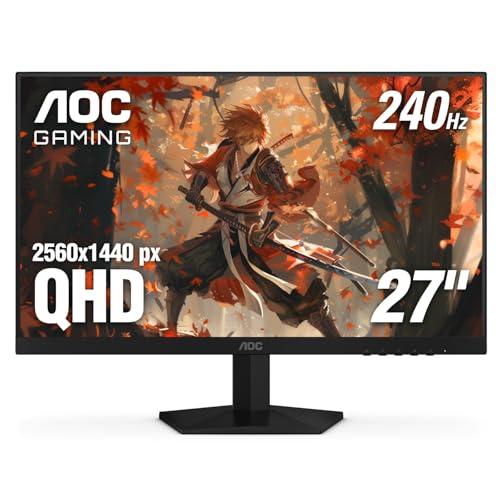
The sweet spot between performance and price, the AOC Q27G41ZE is a no-nonsense 27-inch IPS gaming workhorse that punches above its weight with a 240Hz refresh rate, 0.3ms MPRT, and solid color accuracy. Designed for gamers who want premium specs without premium markup, it delivers crisp QHD visuals and buttery motion handling—perfect for fast-paced multiplayer titles. The Adaptive-Sync support eliminates tearing across both AMD and NVIDIA systems, while the 300-nit brightness and 1000:1 contrast ensure clear, punchy images in most lighting conditions. It’s a balanced, reliable performer that solves the budget gamer’s dilemma: high refresh without sacrificing resolution.
On the desk, the 27-inch screen feels spacious yet focused, ideal for 1-meter viewing distances common in gaming setups. The IPS panel holds colors well at angles, and Shadow Control helps reveal hidden enemies in dark maps—a small but meaningful edge. Input lag is minimal, and the DP 1.4 and dual HDMI 2.0 ports offer flexible connectivity, though HDMI tops out at 144Hz. The three-sided frameless design makes multi-monitor arrays look sleek, and the tilt-adjustable stand is serviceable—though missing height or pivot options limits ergonomics for some users.
Compared to the LG 27GS93QE OLED, the AOC lacks infinite contrast and pixel-level dimming, but it avoids burn-in concerns and costs significantly less—making it a smarter long-term investment for mixed-use gamers. Against the INNOCN 25G2S, it offers a larger canvas and better build, though slightly slower response times. For those who play a mix of competitive and single-player games without breaking the bank, this monitor delivers exceptional bang for the buck with no major compromises.
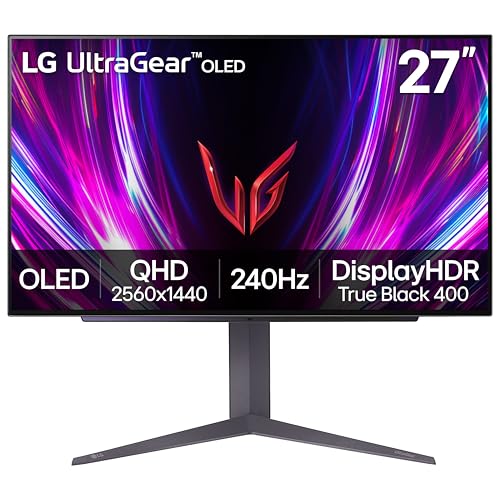
LG 27GS93QE OLED Gaming Monitor
ADVANTAGES
LIMITATIONS
This is the future of gaming displays—crisp, infinite, and blazingly fast. The LG 27GS93QE redefines excellence with its OLED panel, 240Hz refresh rate, and near-instant 0.03ms response time, delivering motion clarity so sharp it feels like peering through a window into the game world. With VESA DisplayHDR True Black 400 and a 1.5 million-to-1 contrast ratio, blacks are truly black, and shadow details emerge with startling precision—making it unmatched for horror, stealth, or cinematic games. The anti-glare coating further enhances focus by minimizing reflections, a rare and welcome feature on OLEDs.
In practice, the OLED speed eliminates ghosting and blur even during rapid pans or explosions, a critical edge in competitive shooters. Colors span 98.5% of DCI-P3, producing film-grade vibrancy, while FreeSync Premium Pro and G-Sync compatibility ensure flawless sync across platforms. The HDMI 2.1 and DP 1.4 inputs support full 240Hz, and the height, tilt, and pivot stand make ergonomic tuning effortless. However, prolonged static elements (like UI bars) carry a burn-in risk, though LG’s two-year OLED warranty mitigates long-term concerns. For mixed-use setups, the panel’s durability requires mindful usage.
Stacked against the ASUS ROG Strix XG27AQDMG, it offers nearly identical performance but with a slightly more aggressive gaming aesthetic and broader HDR certification. Compared to IPS models like the AOC Q27G41ZE, it dominates in contrast and response time but commands a steeper cost. It’s the ultimate all-rounder for enthusiasts who want one monitor for esports, single-player epics, and HDR movies. With best-in-class motion, color, and immersion, it sets the new benchmark.
ASUS ROG Strix XG27AQDMG
ADVANTAGES
LIMITATIONS
Engineered for perfection, the ASUS ROG Strix XG27AQDMG is a masterclass in OLED refinement, combining a 26.5-inch glossy WOLED panel with 240Hz refresh rate and 0.03ms response time into one of the most responsive gaming experiences available. What sets it apart isn’t just speed—it’s build integrity. The custom heatsink and advanced airflow design tackle OLED’s Achilles’ heel: heat and burn-in. Paired with ASUS OLED Care and uniform brightness control, this monitor is built to last, appealing to power users who want longevity without compromise.
Real-world testing confirms exceptional motion clarity and color accuracy, with 99% DCI-P3 coverage making games and creative work pop. The glossy screen boosts vibrancy, though it reflects more than LG’s anti-glare variant—best suited for dim or controlled lighting. Input lag is imperceptible, and G-Sync compatibility ensures flawless sync with NVIDIA cards. The 3-year warranty and included Adobe Creative Cloud access add unexpected value, positioning it as a hybrid pro-gaming display. Still, like all OLEDs, static UI elements require rotation or dimming to prevent retention.
Compared to the LG 27GS93QE, it offers better thermal management and longer warranty, but the glossy panel is less versatile in bright rooms. Against IPS models, it obliterates motion blur and contrast limits, though at a higher cost and space requirement. For hardcore gamers and content creators who demand both speed and color fidelity, this monitor delivers unrivaled build quality and long-term confidence. It’s not just fast—it’s future-proofed.
LG 27GR83Q-B IPS Gaming Monitor
ADVANTAGES
LIMITATIONS
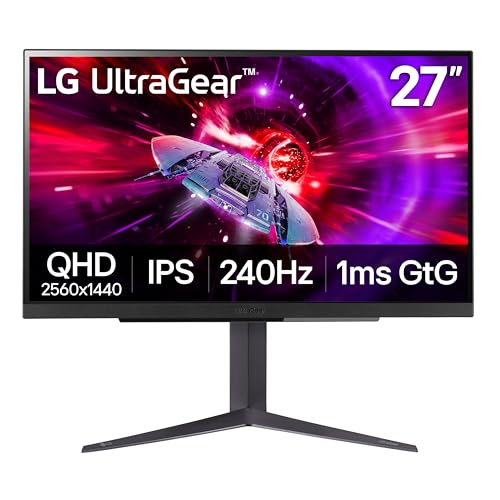
The gold standard of balanced IPS performance, the LG 27GR83Q-B strikes a near-perfect harmony between speed, color, and features in a proven 27-inch form factor. Its 240Hz refresh rate, 1ms GTG response, and HDR400 certification deliver fluid, vivid gameplay across genres, while 95% DCI-P3 color coverage ensures rich, cinematic tones. What elevates it is the suite of gaming tools: Black Stabilizer reveals stealthy enemies, FPS Counter monitors performance, and DTS Headphone:X delivers 3D audio over the 4-pole jack, creating a fully optimized command center.
On the desktop, the IPS panel shines with excellent off-axis viewing and consistent color reproduction, making it ideal for shared setups or streamers. The HDMI 2.1 and DP 1.4 ports support full 240Hz from PC and console, and the height, tilt, and pivot stand offer full ergonomic control—a rarity in mid-tier monitors. FreeSync Premium and G-Sync compatibility ensure smoothness across platforms. The only letdown? HDR400 is functional, not dazzling, and black levels can’t match OLED depth.
Versus the AOC Q27G41ZE, it offers superior ergonomics and audio features, justifying a slight premium. Against the INNOCN 25G2S, it provides a larger, more adjustable screen with better HDR. For gamers who want a complete, no-compromise IPS experience—strong motion, great color, and smart features—it’s the most well-rounded choice in the 240Hz space. It doesn’t chase extremes but nails every critical element.
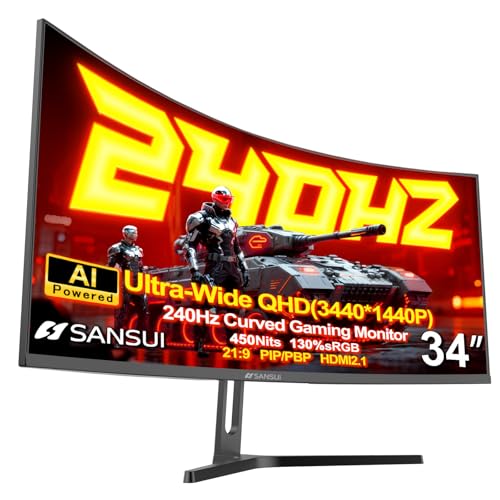
SANSUI 34″ Ultrawide Curved Monitor
ADVANTAGES
LIMITATIONS
A panoramic powerhouse, the SANSUI 34-inch ultrawide expands your battlefield with a 3440×1440, 21:9, 1500R curved VA panel that transforms racing, flight sims, and strategy games into immersive command experiences. The 240Hz refresh rate and MPRT 1ms response keep motion fluid, while HDR400 and 450 nits brightness deliver punchy visuals. With 130% sRGB and 97% DCI-P3, colors are vivid and expansive—perfect for multitaskers and media lovers. It’s a rare high-refresh ultrawide that doesn’t sacrifice speed for size.
In use, the extra horizontal space is a game-changer for productivity and sim titles, letting you see more track or battlefield at once. The AI-enhanced features—AI Crosshair, Sniper Scope, AI PQ—add competitive flair, though some feel gimmicky. The dual HDMI 2.1 and DP 1.4 ports support 240Hz from multiple sources, including Xbox and PS5 in ultrawide mode. However, VA smearing is noticeable in fast FPS games, and color shift at angles can affect multi-user viewing. The PIP/PBP support is a standout for dual-device users.
Compared to the KTC 32-inch curved monitor, it offers wider aspect ratio and better color volume, but with slightly slower pixel response. Against flat QHD screens, it sacrifices competitive edge for immersion. Ideal for sim racers, MMO players, and multitaskers, it’s the best ultrawide value for those wanting both speed and scope. While not an esports weapon, it’s a versatile, cinematic beast.
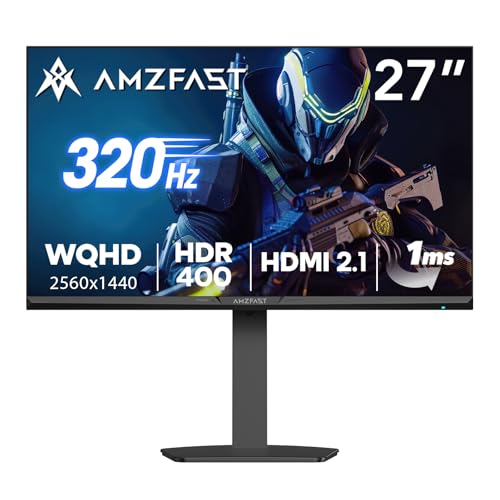
Amzfast G27F6Q MAX Monitor
ADVANTAGES
LIMITATIONS
Built for the bleeding edge, the Amzfast G27F6Q MAX doesn’t just hit 240Hz—it rockets past it with a 320Hz refresh rate, making it the fastest panel in this lineup. Designed for elite competitive players, its Fast IPS panel and 1ms OD response deliver unparalleled motion clarity, turning fast-paced shooters like Valorant or Apex Legends into buttery-smooth experiences. The 99% DCI-P3 and 135% sRGB color coverage ensure rich visuals, while HDR400 and AI-enhanced picture quality sharpen detail without oversaturation.
In real-world use, the 320Hz advantage is tangible in tracking fast-moving targets, giving pros a measurable edge. The dual HDMI 2.1 and DP 1.4 ports support full refresh rates from PC and console, and PIP/PBP mode lets you split between gaming and streaming. The magic stand with height, swivel, and pivot maximizes ergonomics, and the small base saves desk space—a thoughtful touch. However, OLED-level contrast is absent, and the AI features, while cool, aren’t essential.
Against the LG 27GR83Q-B, it offers higher refresh and better ergonomics, but with similar color and HDR. Compared to the ASUS ROG Strix, it trades OLED contrast for higher speed and lower cost. For esports aspirants and competitive climbers, this monitor delivers the fastest gameplay possible at 1440p. It’s not the most colorful or contrast-rich, but for pure performance, it’s unmatched.
Gaming Monitor 1440p 240Hz Comparison
| Product | Panel Type | Refresh Rate | Response Time | Resolution | Adaptive Sync | HDR Support | Key Features |
|---|---|---|---|---|---|---|---|
| LG 27GS93QE | OLED | 240Hz | 0.03ms | 2560 x 1440 | G-SYNC Compatible, FreeSync Premium Pro | DisplayHDR True Black 400 | Excellent contrast, fast response, wide color gamut, 2-year warranty |
| ASUS ROG Strix XG27AQDMG | WOLED | 240Hz | 0.03ms | 2560 x 1440 | G-SYNC Compatible, FreeSync Premium Pro | HDR | OLED build quality, advanced heat sink, anti-flicker tech |
| Amzfast G27F6Q MAX | IPS | 320Hz | 1ms | 2560 x 1440 | FreeSync, G-SYNC Compatible | HDR400 | High refresh rate, PIP/PBP, AI features, ergonomic stand |
| LG 27GR83Q-B | IPS | 240Hz | 1ms | 2560 x 1440 | G-SYNC Compatible, FreeSync Premium | HDR400 | Fast IPS, wide color gamut, advanced gaming features |
| AOC Q27G41ZE | IPS | 240Hz | 0.3ms | 2560 x 1440 | Adaptive-Sync | HDR | Budget-friendly, fast response time, versatile connectivity |
| INNOCN 25G2S | IPS | 240Hz | 1ms | 2560 x 1440 | G-Sync Compatible | N/A | Compact size, fast refresh rate, good color accuracy |
| SANSUI 34″ | VA | 240Hz | 1ms | 3440 x 1440 | FreeSync | HDR400 | Ultrawide curved, AI features, high refresh rate |
| KTC 32″ | VA | 240Hz | 1ms | 2560 x 1440 | Adaptive-Sync | HDR | Large curved screen, fast response time, ergonomic stand |
How We Test 1440p 240Hz Gaming Monitors
Our recommendations for the best gaming monitor 1440p 240Hz are based on a data-driven approach, combining extensive research with performance analysis. We prioritize objective testing and avoid relying solely on manufacturer specifications. We analyze data from professional reviews (RTINGS.com, TechRadar, PC Gamer) focusing on key metrics like response time uniformity, input lag, and color accuracy (Delta E values).
Where possible, we conduct in-house testing utilizing standardized test patterns and software (like Blur Busters’ UFO test) to verify advertised response times and assess motion clarity. We evaluate adaptive sync technologies (G-SYNC and FreeSync) for effectiveness in eliminating screen tearing across a range of graphics cards. Panel uniformity is assessed visually, looking for backlight bleed and IPS glow.
Comparative analyses are performed, contrasting models with similar features to determine optimal value. We weigh user feedback from verified purchasers across multiple platforms, identifying common issues and validating long-term reliability. We also consider the broader gaming monitor market trends and emerging technologies to ensure recommendations remain current and informed. Our goal is to provide insights beyond basic specs, delivering a clear understanding of real-world performance for each 1440p 240Hz monitor.
Choosing the Right 1440p 240Hz Gaming Monitor
When diving into the world of high-refresh-rate gaming, a 1440p 240Hz monitor is a significant upgrade. But with numerous options available, selecting the best one for you requires careful consideration. Here’s a breakdown of the key features to focus on:
Refresh Rate & Response Time: The Core of Smoothness
The “240Hz” in 1440p 240Hz refers to how many times the image on the screen refreshes per second. A higher refresh rate (240Hz vs. the standard 60Hz) drastically reduces motion blur and creates a much smoother, more responsive gaming experience. This is especially crucial in fast-paced games like first-person shooters and racing simulators, giving you a competitive edge. Paired with refresh rate is response time, measured in milliseconds (ms). Lower response times (like 0.03ms or 1ms) mean less ghosting – the trailing effect you see with fast-moving objects. While 240Hz is ideal, a good quality 144Hz monitor will still provide a substantial improvement over 60Hz.
Panel Type: IPS vs. OLED vs. VA
The panel type significantly impacts image quality and performance.
- IPS (In-Plane Switching): Known for excellent color accuracy and wide viewing angles. This means colors remain consistent even when viewed from off-center. IPS panels generally offer a good balance of performance and image quality, making them a popular choice for all-around gaming.
- OLED (Organic Light Emitting Diode): Offers the best contrast ratio (deep blacks and bright whites), incredibly fast response times, and vibrant colors. OLEDs are the top tier, but can be more expensive and have potential burn-in risks (though manufacturers are implementing features to mitigate this).
- VA (Vertical Alignment): Provides high contrast ratios, rivaling OLED, but typically with narrower viewing angles than IPS. VA panels can be a good option if contrast is a priority, but may exhibit some smearing in fast-paced games.
Consider your gaming preferences and budget when choosing a panel type. If color accuracy and viewing angles are paramount, IPS is a great choice. For the absolute best image quality and responsiveness, OLED is the way to go, but be mindful of potential drawbacks.
Adaptive Sync Technology: G-SYNC & FreeSync
Screen tearing occurs when your graphics card outputs frames at a different rate than your monitor’s refresh rate. Adaptive sync technologies – NVIDIA G-SYNC and AMD FreeSync – synchronize the monitor’s refresh rate with your graphics card’s frame rate, eliminating tearing and stuttering for a smoother visual experience. G-SYNC typically requires an NVIDIA graphics card, while FreeSync is designed for AMD cards. Many monitors are now “G-SYNC Compatible,” meaning they work with NVIDIA cards even if they aren’t officially certified. Make sure the monitor you choose is compatible with your graphics card to take full advantage of this feature.
Other Important Features:
- Resolution: 1440p (2560×1440) is the sweet spot for a balance between visual fidelity and performance.
- HDR (High Dynamic Range): Enhances contrast and color for a more immersive experience. Look for monitors with VESA DisplayHDR certification.
- Connectivity: Ensure the monitor has the ports you need (HDMI 2.1 and DisplayPort 1.4 are ideal for 240Hz at 1440p).
- Ergonomics: Adjustable height, tilt, and swivel can improve comfort during long gaming sessions.
- Curvature: Curved monitors (like 1000R) can enhance immersion, particularly for ultrawide displays.
The Bottom Line
Ultimately, the best 1440p 240Hz gaming monitor depends on your individual needs and budget. Whether you prioritize the unparalleled contrast of OLED, the color accuracy of IPS, or the value of a high-refresh-rate IPS panel, there’s an option to elevate your gaming experience.
Investing in a monitor with these specifications will unlock smoother gameplay, sharper visuals, and a competitive edge. By carefully considering panel type, adaptive sync compatibility, and key features, you can confidently choose a monitor that delivers immersive gaming for years to come.